28
System
settings
Options Description
[Clock
mode]
[12hr] 12-hour mode.
[24hr] 24-hour mode.
[Time] Set clock.
[LCD panel
open]
[Auto] Open/close screen
automatically when
the system is turn
on/off.
[Manual] Press OPEN/
CLOSE to open or
close screen.
[Beep] [On] Turn on the beep
sound. Each time
you press a button,
the unit beeps.
[Off] Turn off the beep
sound.
[Calibration] Calibrate the touch
screen.
[ Radio range ] [Local] Only stations with
strong signals can
be broadcast.
[ Distance ] Stations with strong
and weak signals
can be broadcast.
[ Blackout ] [10s] Turn on the screen
saver automatically
10 seconds after
last operation.
[20s] Turn on the screen
saver automatically
20 seconds after
last operation.
[Off] Never turn on the
screen saver.
[Key color] [Red] Button backlight
turns red.
[Blue] Button backlight
turns blue.
5 Press to exit.
8 Adjust settings
Adjust general system
settings
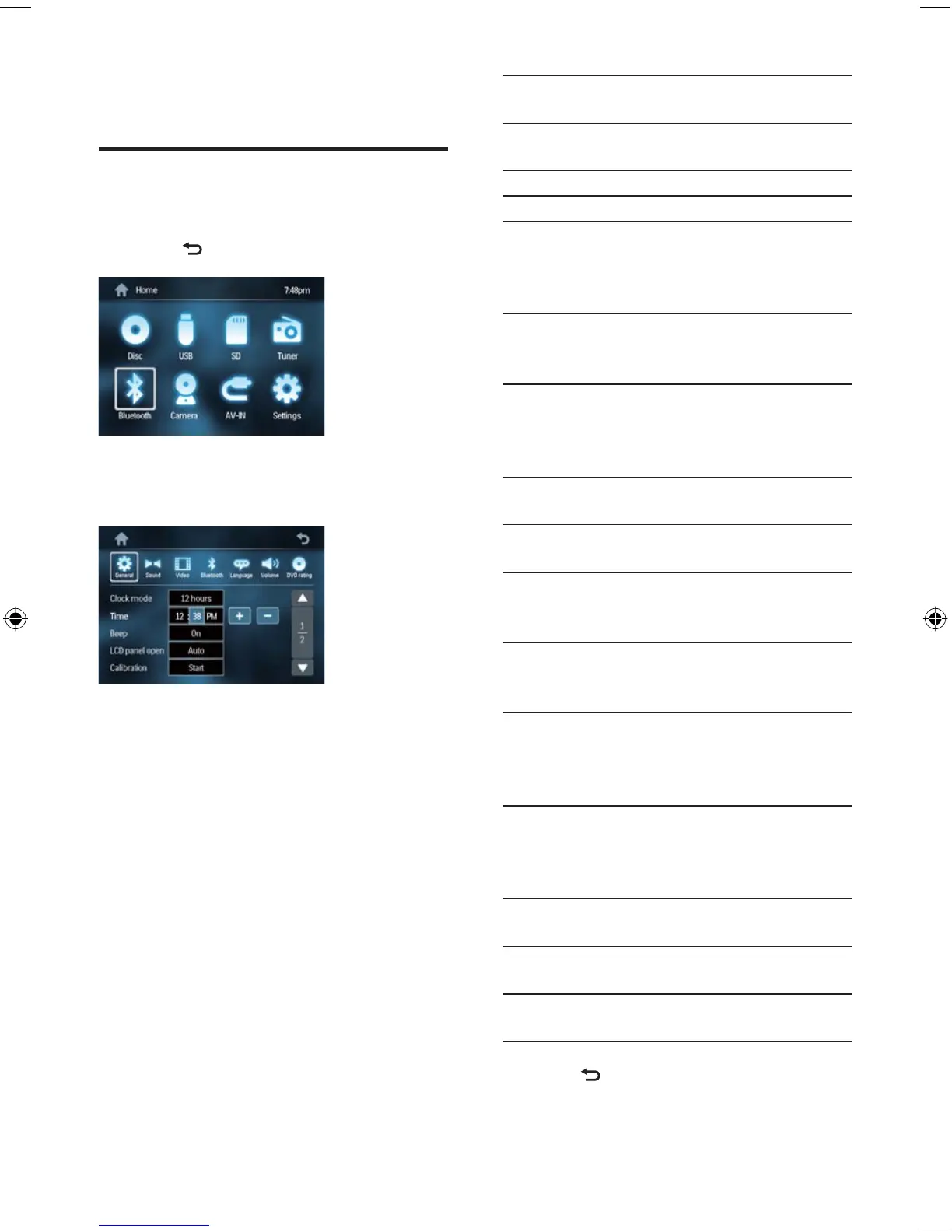
1 Touch to display main menu.
2 Touch [Settings] .
The settings menu is displayed.
3 Touch [General] .
4 Touch an option repeatedly to select:
»
EN
EN.indd Sec1:28EN.indd Sec1:28 2008-11-14 13:23:312008-11-14 13:23:31



 To Next Page