27
[Mid] middle range: -14 to +14.
[Tre] treble range: -14 to +14
[LPF] low pass fi lter range: 60, 80, 100,
200.
[MPF] middle pass fi lter range: 500, 1K,
1.5K, 2.5K.
[HPF] high pass fi lter range:10K, 12.5K,
15K, 17.5K.
5 Press to exit.
Adjut fader/balance
You can also adjust the front and rear speaker
balance, the left and right speaker balance, and
subwoofer settings.
1 Touch to display menu.
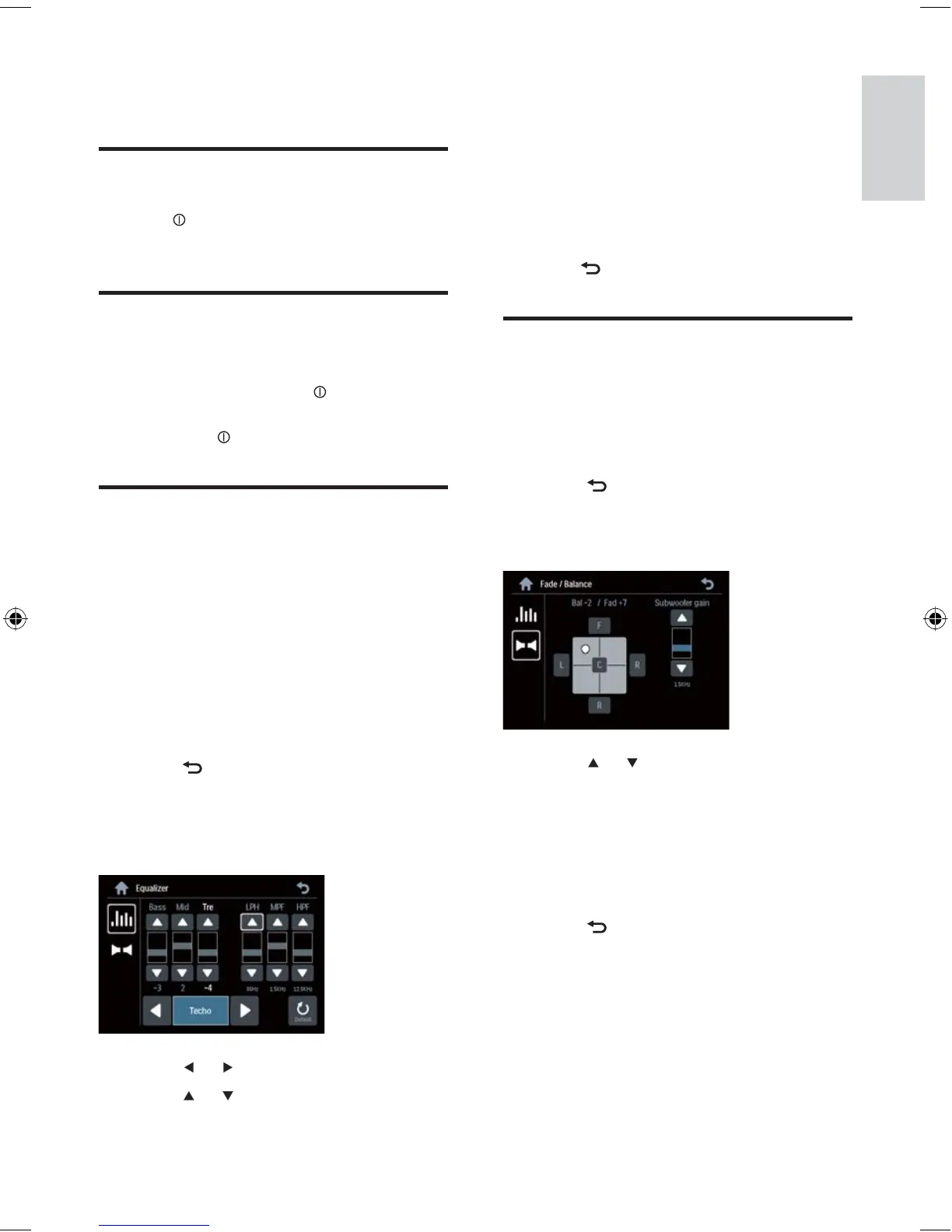
2 Touch [FAD-BAL] .
Below options are displayed:
3 Touch or repeatedly to select the item
to be adjusted:
[Bal] balance range: 12L to 12R. (L =
left speaker, R = right speaker)
[Fad] fader range: 12R to 12F. (R =
rear speaker, F = front speaker)
[Sub.w] subwoofer volume: 0 to 24.
4 Touch to exit.
•
•
•
•
•
»
•
•
•
7 Adjust sound
Adjust volume
1 Tur n clockwise/anticlockwise to
increase/decrease volume.
Mute
You can turn off the sound of your audio.
1 During play, press MUTE .
To turn the sound back on, press
MUTE
again.
Select preset equalizer
You can select preset equalizer:
[User]
[Techno]
[Rock]
[Classic]
[Jazz]
[Opitmal]
[Flat]
[Pop]
1 Touch to display to menu.
2 Touch [EQ] .
The current Equalizer setting is
displayed.
3 Touch or to select an EQ.
4 Touch or to adjust below settings:
[Bas] bass range: -14 to +14
•
•
•
•
•
•
•
•
•
»
•
Adjust sound
English
EN
EN.indd Sec1:27EN.indd Sec1:27 2008-11-14 13:23:292008-11-14 13:23:29



 To Next Page