8
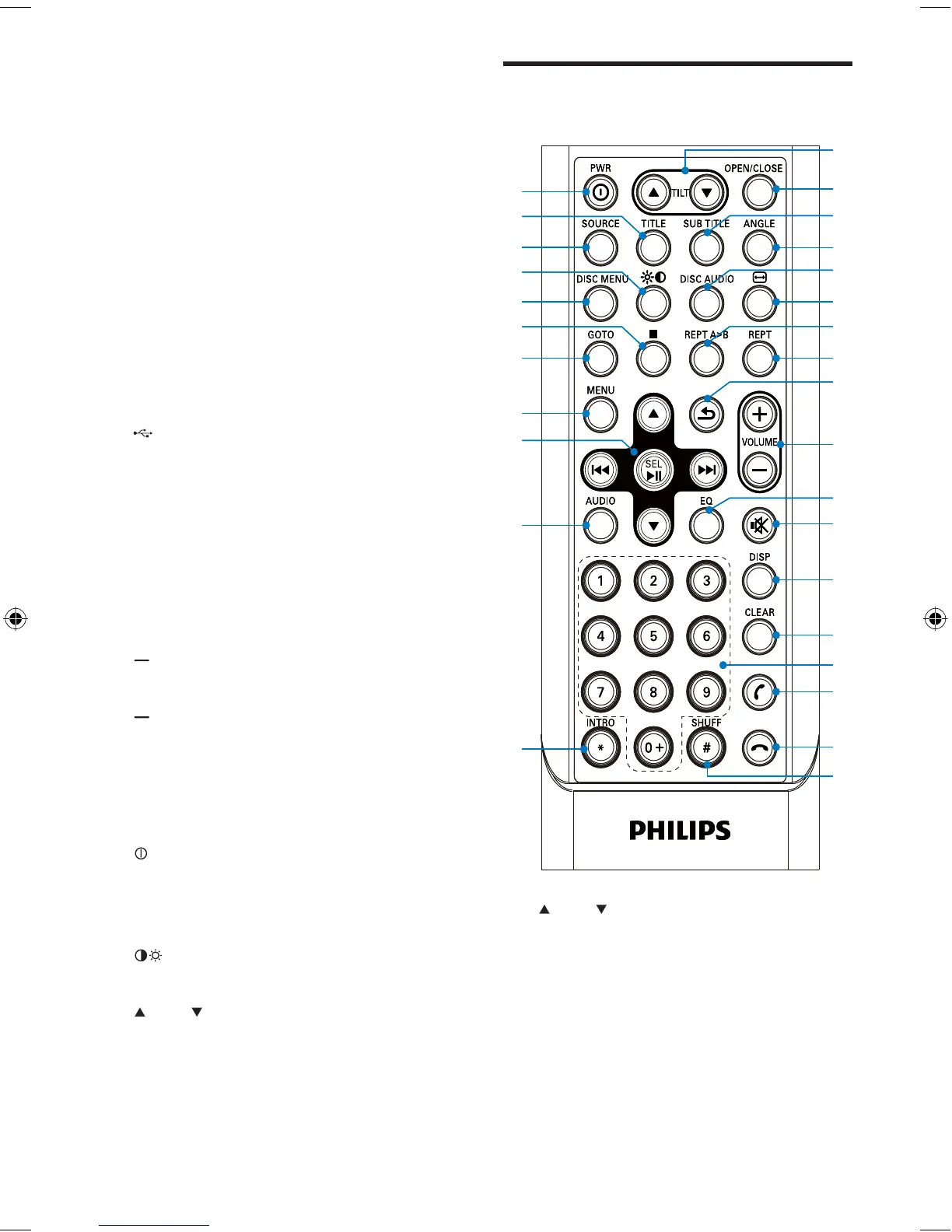
Overview of the remote
control
a TILT
Adjust tilt of the screen.
b OPEN/CLOSE
Open or close the screen.
c SUBTITLE
Select DVD or DivX subtitle language.
d ANGLE
Select a difference angle/version of
the current DVD scene.
•
•
•
•
s
t
v
w
y
{
}
u
x
z
|
b
a
j
d
c
f
e
h
g
i
k
l
m
n
o
p
q
r
s
t
v
w
y
{
}
u
x
z
|
b
a
j
d
c
f
e
h
g
i
k
l
m
n
o
p
q
r
h 4 WAY NAVIGATION
Navigate to left/right
Tune for radio station.
Skip to the previous/next track/
chapter.
Move cursor to left/right.
Navigate up/down
Skip to the previous/next preset
station.
Skip to the previous/next folder
Search backward/forward.
Move cursor up/down.
Press
Start play or pause.
Confi rm selection.
i
USB socket
j SD/SDHC/MMC card slot
k AV IN
External equipment audio/video in
socket
l RESET
Reset the unit when it hangs up.
m
(red)
Terminate call.
n
(green)
Answer phone.
Dial number.
o SOURCE
Select source.
p
Turn the unit on or off.
Turn mute on or off.
Adjust volume.
q
Adjust screen brightness and contrast.
r
TILT
Adjust tilt of the screen.
•
•
•
•
•
•
•
•
•
•
•
•
•
•
•
EN
EN.indd Sec1:8EN.indd Sec1:8 2008-11-14 13:22:542008-11-14 13:22:54



 To Next Page