EasyManua.ls Logo

Philips DC932 - Page 24

Philips DC932
32 pages
Print Icon
To Next Page IconTo Next Page
To Previous Page IconTo Previous Page
Loading...
CHECKS
BEFORE
REQUESTING
SERVICE
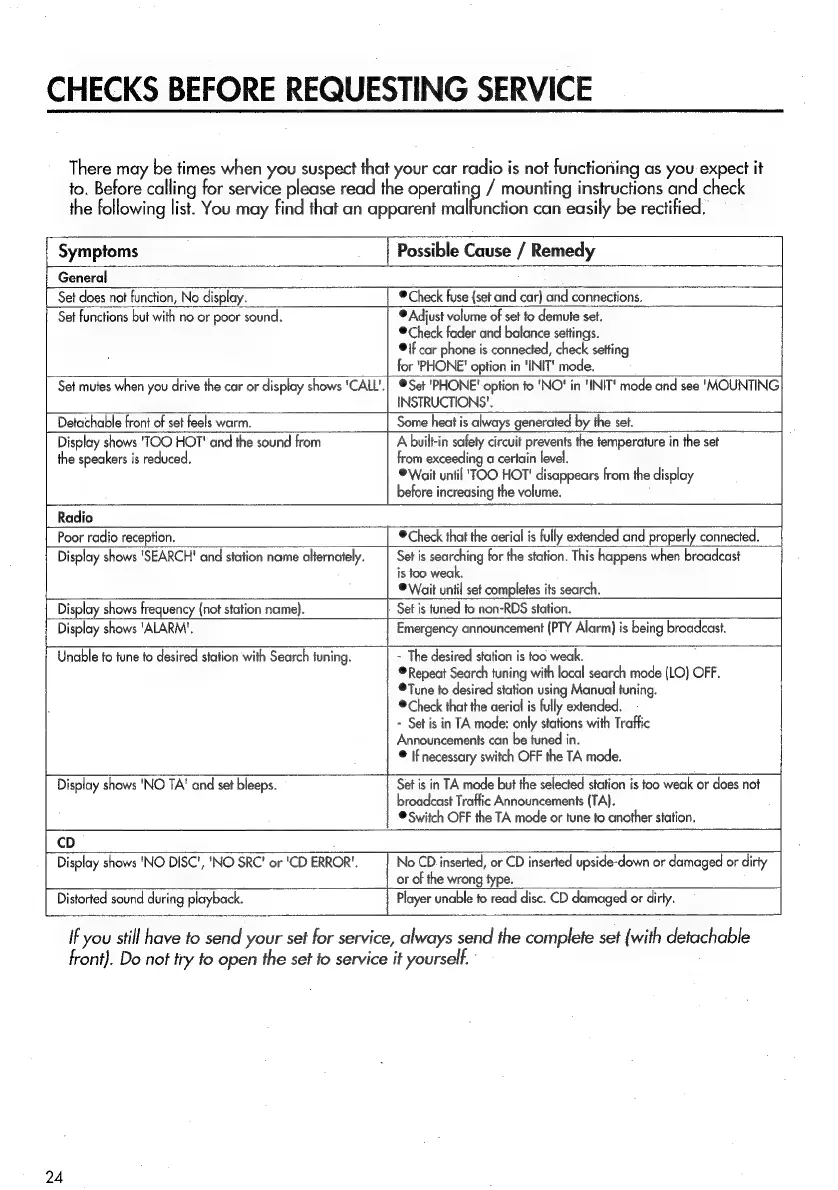
There
may
be
times
when
you
suspect
that
your
car
radio
is
not
functioning
as
you
expect
it
to.
Before
calling
for
service
please
read
the
operating
/
mounting
instructions
and
check
the
following
list.
You
may
find
that
an
apparent
malfunction
can
easily
be
rectified.
Symptoms
|
Possible
Cause
/
Remedy
General
Set
does
not
function,
No
display.
©
Check
fuse
(set
and
car)
and
connections.
Set
functions
but
with
no
or
poor
sound.
®
Adjust
volume
of
set
fo
demute
set.
®
Check
fader
and
balance
settings.
©
if
car
phone
is
connected,
check
setting
for
'"PHONE'
option
in
'INIT'
mode.
Set
mutes
when
you
drive
the
car
or
display
shows
'CALL'.|
Set
'PHONE'
option
fo
'NO!
in
'INIT'
mode
and
see
‘MOUNTING
INSTRUCTIONS’.
Detachable
front
of
set
feels
warm.
Some
heat
is
always
generated
by
the
set.
Display
shows
'TOO
HOT!
and
the
sound
from
A
built-in
safety
circuit
prevents
the
temperature
in
the
set
the
speakers
is
reduced.
from
exceeding
a
certain
level.
®
Wait
until
'TOO
HOT'
disappears
from
the
display
before
increasing
the
volume.
Radio
Poor
radio
reception.
©
Check
that
the
aerial
is
fully
extended
and
properly
connected.
Display
shows
'SEARCH!
and
station
name
alternately.
|
Set
is
searching
for
the
station.
This
happens
when
broadcast
is
too
weak,
©
Wait
until
set
completes
its
search.
Display
shows
frequency
(not
station
name).
Set
is
tuned
to
non-RDS
station.
Display
shows
‘ALARM’.
Emergency
announcement
(PTY
Alarm)
is
being
broadcast.
Unable
to
tune
to
desired
station
with
Search
tuning.
-
The
desired
station
is
too
weak.
,
®
Repeat
Search
tuning
with
local
search
mode
(LO)
OFF.
Tune
to
desired
station
using
Manual
tuning.
©
Check
that
the
aerial
is
fully
extended.
-
Set
is
in
TA
mode:
only
stations
with
Traffic
Announcements
can
be
tuned
in.
®
If
necessary
switch
OFF
the
TA
mode.
Display
shows
'NO
TA‘
and
set
bleeps.
Set
is
in
TA
mode
but
the
selected
station
is
too
weak
or
does
not
broadcast
Traffic
Announcements
(TA).
©
Switch
OFF
the
TA
mode
or
tune
to
another
station.
cD
Display
shows
'NO
DISC',
'NO
SRC’
or
'CD
ERROR’.
No
CD
inserted,
or
CD
inserted
upside-down
or
damaged
or
dirty
or
of
the
wrong
type.
Distorted
sound
during
playback.
|
Player
unable
to
read
disc.
CD
damaged
or
dirty.
If
you
still
have
to
send
your
set
for
service,
always
send
the
complete
set
(with
detachable
front).
Do
not
try
to
open
the
set
to
service
it
yourself.
24

Related product manuals