6
Lock/Unlock,Burn in, Service Mode
DELL P1230 M25P
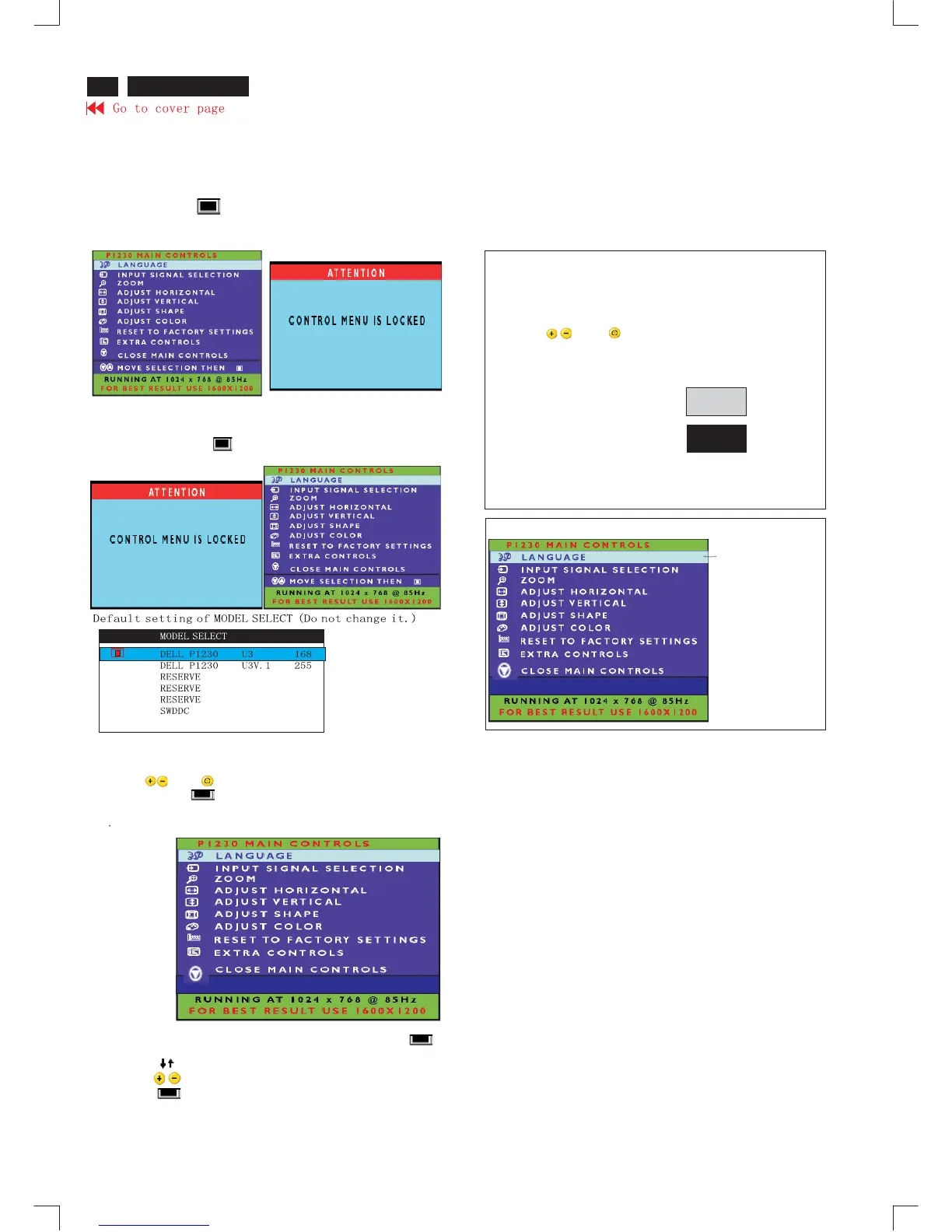
OSD Lock
OSD lock is a feature which disables the OSD controls. It can be used
when the monitor is set up for demonstration purposes or when
adjustment of the OSD is not desirable.
Switch on OSD lock feature:
Press and hold the button continuously for 15 seconds.
Release the button when the message
"CONTROL MENU IS LOCKED" appears
Switch off OSD lock feature:
Press and hold the " " button continuously for 15 seconds or until the
message window"CONTROL MENU IS LOCKED" disappears, and
"MAIN CONTROL"appears.
To access factory mode
1.Turn off monitor (do not turn off PC)
2. Press " " and " "simultaneously on the frond control
panel, then press " " ,wait till the OSD menu with characters
DELL P1230 VO.15 20031119(below OSD menu)" come on the
screen of monitor.
3.If OSD menu disappears on the screen of monitor, press " "
again (anytime), then the OSD menu comes on the screen again.
4.Using " ":to select OSD menu.
5.Using " ":to increase or decrease the setting.
6.Using" "to access/confirm the selection
To leave factory mode
7.After alignment of factory mode. Turn off monitor(if you do not turn
off the monitor. The OSD menu is always at the factory mode).then
turn monitor again (at this moment, the OSD menu goes back to
user mode).
To access BURN IN mode
First of all, monitor displays an image.
1.Disconnect the video cable(interface cable).
2.Turn of monitor
3.Press " " and " " simultaneously on the frond control
panel, then the BURN IN mode comes on the screen of monitor
as below.
50 seconds around
5 seconds around
repeatly
4.Reconnect the video cable, the return to normal image.
01379
DE L L P1230 VO.15 20031119
01379
DE L L P1230 VO.15 20031119
SERVICE MODE(Indication-Factory mode)
01379 stands for
1.using 1379 hours already.
2.turn on/of 1379 times.
3.using several hours
+turn on/of monitor.












 To Next Page