
 To Next Page
J
Joshua SantanaAug 19, 2025
How to fix brightness problems on Philips Monitor?
- AAndrea MeyerAug 19, 2025
To address brightness problems on your Philips monitor: * Perform a monitor "Reset". * Adjust brightness & contrast controls.

How to fix brightness problems on Philips Monitor?
To address brightness problems on your Philips monitor: * Perform a monitor "Reset". * Adjust brightness & contrast controls.
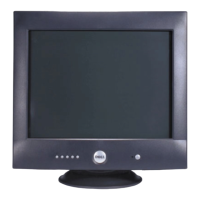
What to do if my Philips DELLP1230 Monitor has no video and the LED is off?
If your Philips monitor displays no video and the LED is off, you should: * Check the connection integrity. * Verify the AC outlet is working. * Ensure the power button is fully depressed.
What to do if my Philips DELLP1230 Monitor displays "No signal input from input 1 or 2"?
If your Philips monitor displays the message "No signal input from input 1 or 2", you should: * Check the signal cable connection between your computer and the monitor. * Use the monitor's self-test feature, which is described under troubleshooting.
What to do if my Philips DELLP1230 Monitor has no video and the LED is amber?
If your Philips Monitor has no video and the LED is amber, ensure that: * The PC power is plugged in and turned on. * The signal cable is firmly attached to the video port of the PC (blue coded video port). * The correct input port (1 or 2) is selected. Also, try pressing a key on the PC keyboard or moving the mouse to wake up the PC.
What to do if my Philips Monitor has no video but the LED is on?
If your Philips monitor shows no video but the LED is on, try the following: * Increase the brightness and contrast controls. * Perform the monitor's self-test feature check. * Check the signal cable for bent or broken pins.
How to fix a Philips DELLP1230 Monitor with poor focus?
To address poor focus on your Philips monitor: * Eliminate video extension cables. * Perform a monitor reset by selecting "Reset" in the main menu. * Select "Moiré" from advanced controls and set H & V Moiré at 0%. * Decrease brightness and contrast controls. * Lower the video resolution or increase the font size.
What to do if my Philips Monitor displays "Frequency out of range"?
If your Philips monitor displays the message "Frequency out of range", you can: * Wait 15 seconds for Windows to reset the video mode. * Manually reset the video mode by rebooting your PC, pressing F8 during reboot, selecting safe mode, and then using the Control Panel to decrease the resolution.
How to fix shaky or jittery video on my Philips DELLP1230?
To resolve shaky or jittery video on your Philips monitor: * Perform a monitor "Reset". * Check for any environmental factors that might be causing interference. * Relocate the monitor and test it in another room.
How to resolve color purity problems on my Philips DELLP1230 Monitor?
To resolve color purity problems on your Philips monitor: * Activate the Degauss feature using the OSD degauss menu. * Reposition the monitor. * Check for environmental factors, such as speakers being too close to the monitor. * Adjust the purity by using the OSD "ADJUST PURITY" in the "EXTRA CONTROLS" menu.
How to correct color convergence problems on a Philips DELLP1230?
To correct color convergence problems on your Philips monitor: * Perform a monitor reset by selecting "Reset" in the main menu. * Perform a monitor Degauss. * Adjust the convergence by using the OSD "ADJUST CONVERGENCE" in EXTRA CONTROLS.
Essential safety guidelines and warnings for service personnel.
Detailed technical specs, resolution, and timing data.
Description of front controls, indicators, and cable connection steps.
Visual guide to the OSD menu structure and options.
Procedures for OSD lock, burn-in test, and factory mode access.
Table of common symptoms and troubleshooting steps.
List of recommended parts for servicing.
Guidelines for Hi-Pot and Ground Continuity tests.
Introduction to the monitor's capabilities and general description.








 General