X
XXX
Go to cover page
8
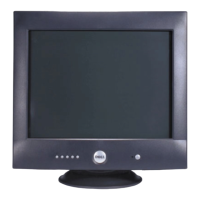
DELL P1230 M25P
Brightness Problems Picture too dim or too bright · Perform monitor "Reset"
· Adjust brightness & contrast controls
Geometric Distortion Screen not sized or centered correctly · Perform monitor "Reset"
· Ensure monitor is in proper video mode
· Adjust the appropriate geometric control
Moiré (Thin Curvy Lines) Screen shows wavy or elliptical lines
Screen shows wood grain patterns
· Ensure monitor is in proper video mode
· Adjust horizontal or vertical size Clear the moiré pattern by using the OSD
"Moiré"
menu in "extra controls" menu.
· Explanation of Moiré patterns.
Audible Noise Problems Has humming sound or high frequency squeal · Ensure monitor is in proper video mode
· Reposition the monitor
· A loud hum when turning on or during manual degaussing is normal
CRT Scratched Screen has scratches or smudges · Turn monitor off and clean the screen, see Maintenance instructions
Safety Related Issues Visible signs of smoke or sparks · Do not perform any troubleshooting steps
· Switch off the monitor and disconnect the mains cord.
· The monitor needs to be replaced.
Intermittent Problems Monitor malfunctions on & off · Check connection integrity of mains cables.
· Check the signal cable connection between computer and monitor.
· Ensure monitor is in proper video mode.
· Perform monitor "Reset"
· Use the monitor Self test feature described under trouble shooting.
Common problems
The following table contains general information about common monitor problems you might encounter










 To Next Page