EasyManua.ls Logo

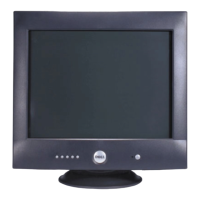
Philips DELLP1230 - User Manual

Philips DELLP1230
92 pages
Print Icon
To Next Page IconTo Next Page
Loading...
Horizontal frequencies
30 - 130 kHz
Service
Service
Service
TABLE OF CONTENTS
Published by BCU Monitors Printed in Taiwan Copyright reserved Subject to modification M Feb. 12 2004
Description Page
Important Safety Notice ------------------------------ 2
Technical Data ----------------------------------------- 3
Frond control&Connections---------------------------4
OSD menu tree-----------------------------------------5
Lock/Unlock,Burn in&Service mode------------------6
Trouble Shooting------------------------------------7~8
Mechanical Instructions-------------------------------9
Wiring Diagram----------------------------------------10
Hex Data of DDC2B/ ---------11~15DDC Instruction
Electrical Instructions---------------------------16~18
Warning and Notes /Black Diagram------------19~20
Terminal Schematic Diagram & C.B.A.---------21~23
Description Page
Drive Schematic Diagram & C.B.A.
Video Schematic Diagram & C.B.A.
------------24~26
------------27~29
Key Control Diagram & Panel C.B.A.----------------34
MHR Schematic Diagram/Exploded View ---- 35~36
Recommended parts list ----------------------------37
Spare
Safety test requirements----------------------------44
Circuit Description------------------------------76~77
Repair Flow Chart-------------------------------78~86
Waveform----------------------------------------87~91
Main Schematic Diagram & C.B.A.-------------30~33
parts list ----------------------------------38~43
General product specification------------------45~75
DELLP1230
REFER TO BACK COVER FOR IMPORTANT SAFETY GUIDELINES
CAUTION: USE A SEPARATE ISOLATION TRANSFORMER FOR THIS UNIT WHEN SERVICING.
ANY PERSON ATTEMPTING TO SERVICE THIS CHASSIS MUST FAMILIARIZE HIMSELF WITH THE CHASSIS
AND BE AWARE OF THE NECESSARY SAFETY PRECAUTIONS TO BE USED WHEN SERVICING ELECTRONIC
EQUIPMENT CONTAINING HIGH VOLTAGES.
SAFETY NOTICE
Chassis : M25P
GB
3138 106 10350
6L3P10/76
22" Auto scan Colour Monitor

Questions and Answers

  • K
    Kyle HallSep 10, 2025
    What causes missing color or color flood on a Philips Monitor and how to fix it?
    • J
      Jennifer ChapmanSep 10, 2025
      If you are experiencing missing color or color flood on your Philips monitor: * Check that the signal cable is firmly attached to the video port of the PC (blue coded video port). * Perform a monitor reset by selecting "Reset" in the main menu. * Perform the monitor's self-test feature. * Check the signal cable for bent or broken pins. * Reset the video card.
  • J
    james69Sep 12, 2025
    How to correct geometric distortion on a Philips Monitor?
    • B
      brownkimberlySep 12, 2025
      To correct geometric distortion on your Philips monitor: * Perform a monitor "Reset". * Ensure the monitor is in the proper video mode. * Adjust the appropriate geometric control.
  • T
    trevorhebertSep 14, 2025
    What to do if my Philips DELLP1230 Monitor has intermittent problems?
    • C
      Cody HudsonSep 14, 2025
      If your Philips Monitor is showing intermittent problems: * Check connection integrity of mains cables. * Check the signal cable connection between computer and monitor. * Ensure monitor is in proper video mode. * Perform monitor "Reset". * Use the monitor Self test feature described under trouble shooting.
  • K
    kristinkennedySep 16, 2025
    What should I do if my Philips DELLP1230 Monitor has safety related issues?
    • M
      Monica FlemingSep 16, 2025
      If your Philips monitor has safety related issues: * Do not perform any troubleshooting steps. * Switch off the monitor and disconnect the mains cord. The monitor needs to be replaced.

Summary

Important Safety Notice

General Safety Precautions

Essential safety guidelines and warnings for service personnel.

Technical Data

Specifications and Timings

Detailed technical specs, resolution, and timing data.

Front Controls and Connections

Front Panel Overview and Cable Connections

Description of front controls, indicators, and cable connection steps.

OSD Menu Tree

On-Screen Display Navigation

Visual guide to the OSD menu structure and options.

Special Operating Modes

OSD Lock, Burn-in, and Factory Modes

Procedures for OSD lock, burn-in test, and factory mode access.

Troubleshooting Guide

Common Problems and Solutions

Table of common symptoms and troubleshooting steps.

Recommended Parts List

Recommended Replacement Parts

List of recommended parts for servicing.

Safety Test Requirements

Electrical Safety Testing Procedures

Guidelines for Hi-Pot and Ground Continuity tests.

GENERAL PRODUCT SPECIFICATION

Foreword and Product Overview

Introduction to the monitor's capabilities and general description.

Philips DELLP1230 Specifications

General IconGeneral
BrandPhilips
ModelDELLP1230
CategoryMonitor
LanguageEnglish

Related product manuals