9EN
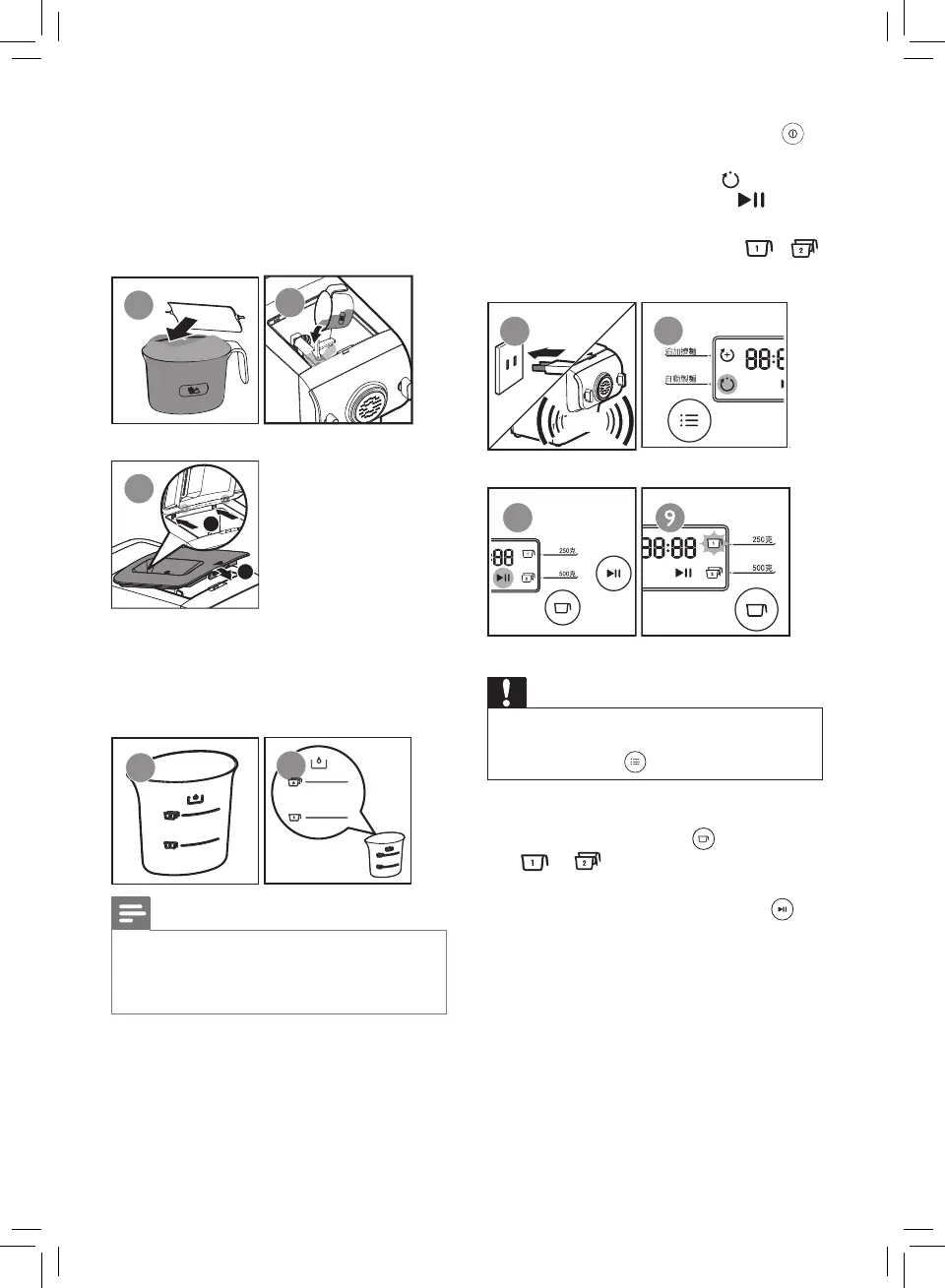
2 Open the chamber lid, and pour
the our into the chamber. If you
want to make 3-4 servings (~500g),
repeat step 1 as you will need 2
cups of our.
3 Close the chamber lid.
1
2
1
2
3
4 Based on the “Flour/water
proportion table” to measure the
required amount of water. (Figure
4-5)
4
5
Note
• There are 2 sets of water markings on the
supplied water cup. One set is for normal
noodle making, and the other set is for egg
noodle and other avors noodle making.
5 Connect to the power. The noodle
maker will sound once (Figure 6),
and all indicators will ash once.
Press the power on/o button ( ) to
start the noodle maker.
» Automatic indicator ( ) and the
start/pause indicator ( ) will
light up.
The serving indicators ( / )
will ash in cycle. (Figure 7-9)
6
BEEP
7
8
Caution
• By default, the program is set as automatic
program. If this is not the case, press the
programs button ( ) to re-select.
6 Based on the amount of our, press
the servings button ( ) to select
or for the respective servings.
(Figure 10)
7 Press the start/pause button ( ) to
start processing. (Figure 11)
» The processing time starts to
countdown.
8 During processing, slowly pour in the
water or other ingredients, which you
measure with the supplied water cup,
along the entire length of the opening
in the lid. (Figure 12)


 To Next Page