Using the remote control to control your equipment
19
NOTE
Another feature of Home is the ability to assign global default
commands to the direct-access and Left/Right buttons; for instructions, see “To
program a button globally” on page 37.
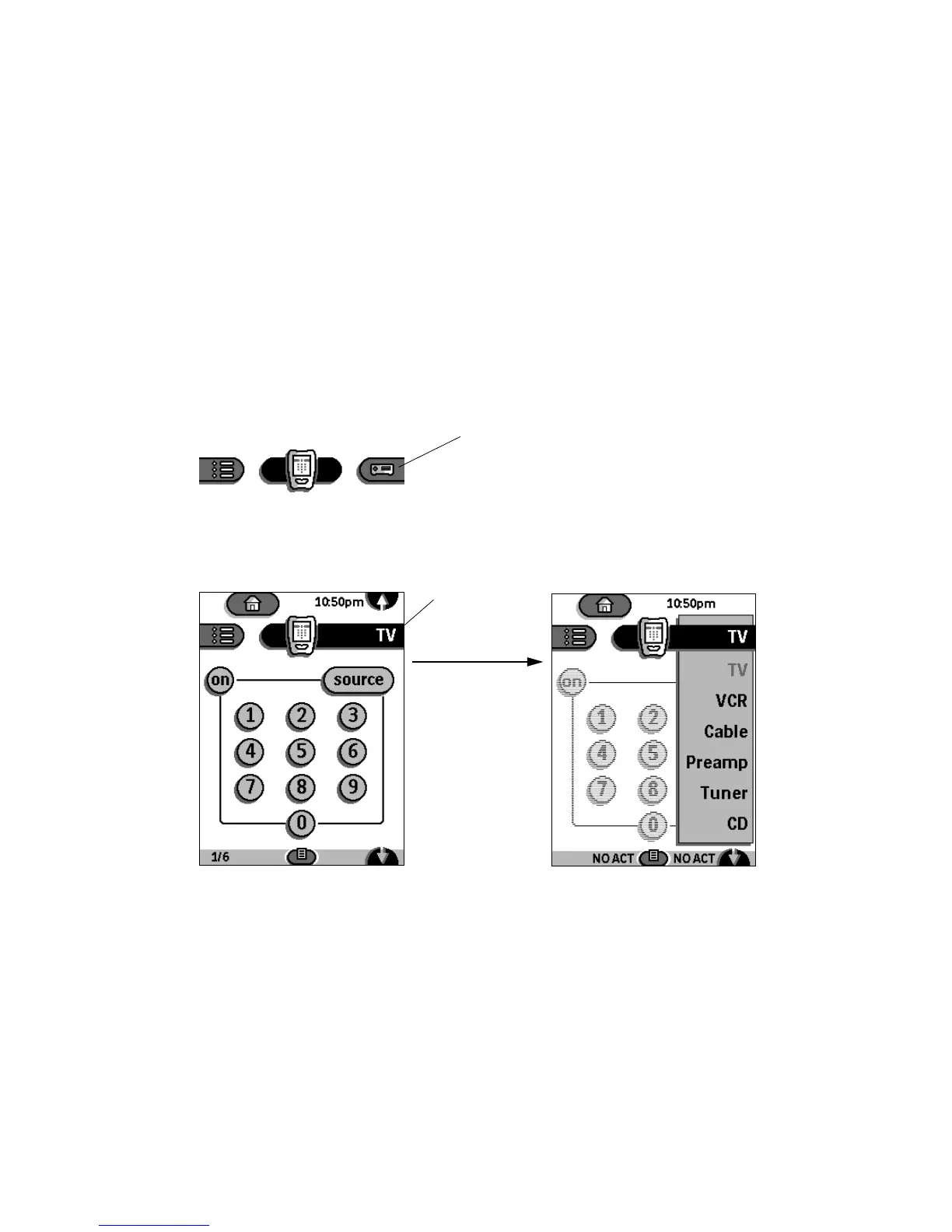
Device menu
The Device menu contains the names of all the components you can operate
with the remote control, and it allows you to choose a device to operate.
OPENING THE DEVICE MENU
If the Device tab is
inactive (gray), tap it once
to activate it.
Device tab (inactive)
Tap it again ...
... the Device menu opens.
Device tab
(active)











 To Next Page