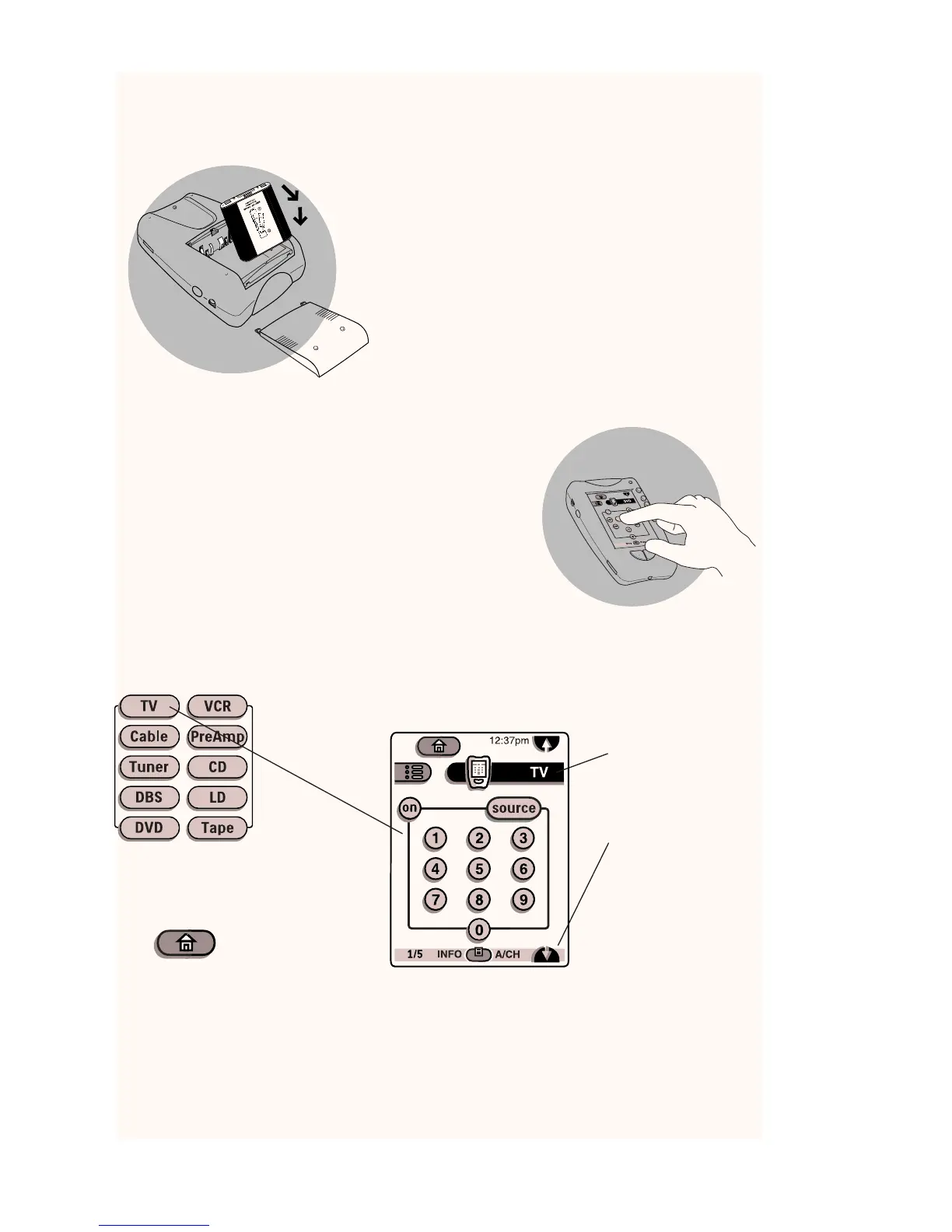
Insert batteries
Insert 4 AA batteries according to the picture
on the inside of the battery compartment.
OR
Use the rechargeable battery pack included
with the dock. (Remove the AA battery tray
first). Before using the remote control, be sure
to charge the battery completely according to
the instructions in the manual.
Touch the screen to start
To turn on the screen, tap it gently with your finger.
To use the touchscreen, simply tap the images you
see on the screen.
There's no need to turn the screen off–it shuts off
automatically to save power.
Operate your components
Fresh out of the box, the remote control is set up to work with popular components
made by Philips, Marantz and certain other companies. If someone has programmed
the remote control for you, it will operate all your components. If not, you need to
teach it.Teaching the remote control is easy:Add components to the Device menu, if
necessary. Then, teach the remote control the commands for the components. For
instructions, refer to the manual.
Be sure to read the manual for
important information about care and
use of the touchscreen
Battery compartment lid slides off
quickstart
Home
If you get lost, you
can always go Home.
Just tap
Tap name of
component
to display
component’s
control panels
You can also use the
Device menu; tap
here to display it.
Tap to scroll to
next panel for this
component.











 To Next Page