CHAPTER 5
62
Chapter 5—Settings
5
Settings
The remote control lets you adjust features such as the volume of the beep
sound, the automatic shut-off of the touchscreen and backlight, and even the
sensitivity of the light sensor. This chapter describes how to adjust these and
other settings.
To adjust settings
•
Press and hold the icon for a few seconds (3 or more). It’s not
necessary to press hard.
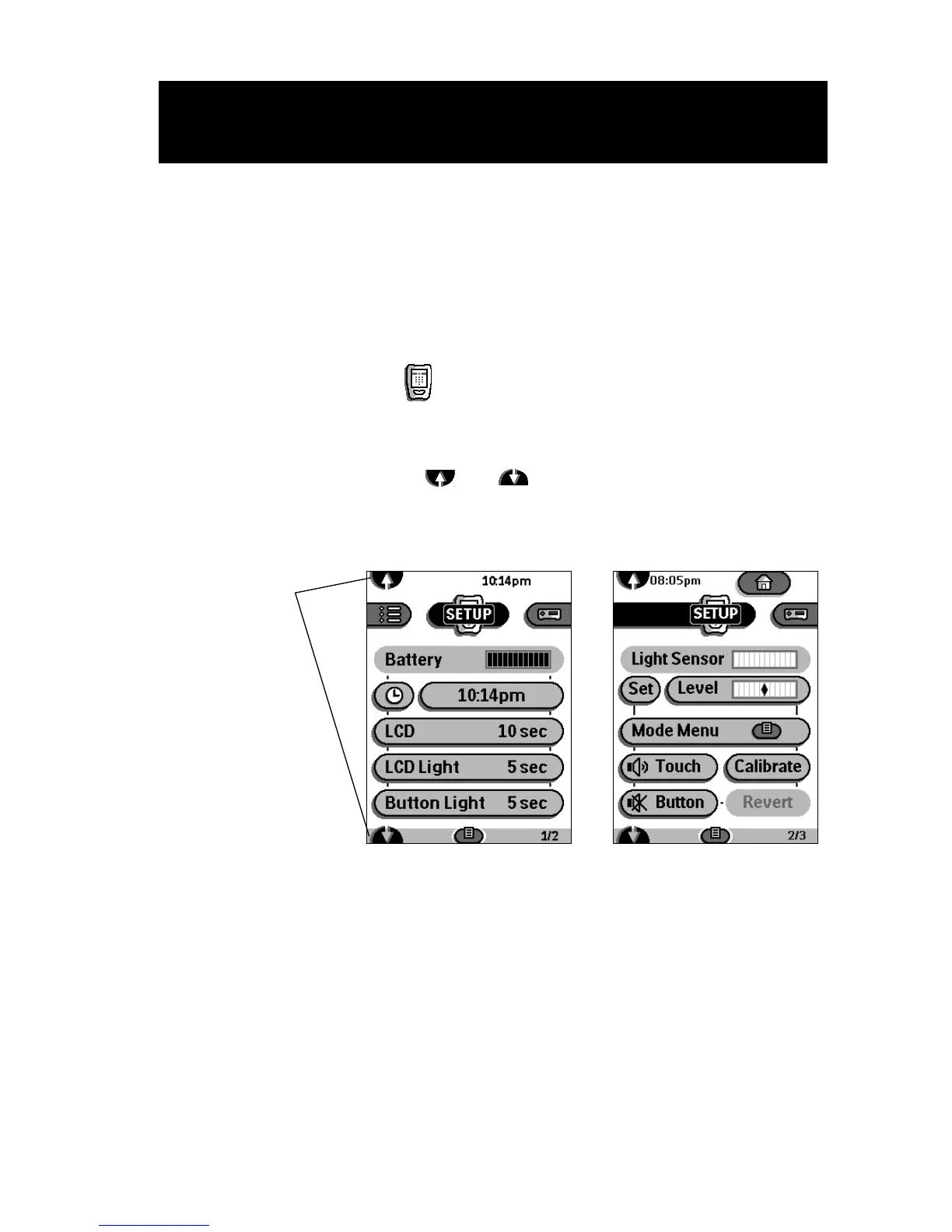
The remote control displays the first Setup panel. To scroll to the next Setup
panel, tap the scroll buttons and .
First Setup panel
Second Setup panel
Use Left and Right buttons to adjust individual settings.
Tap the scroll
buttons to
move between
the two setup
panels.











 To Next Page