Rearranging items in menus (Move mode) 45
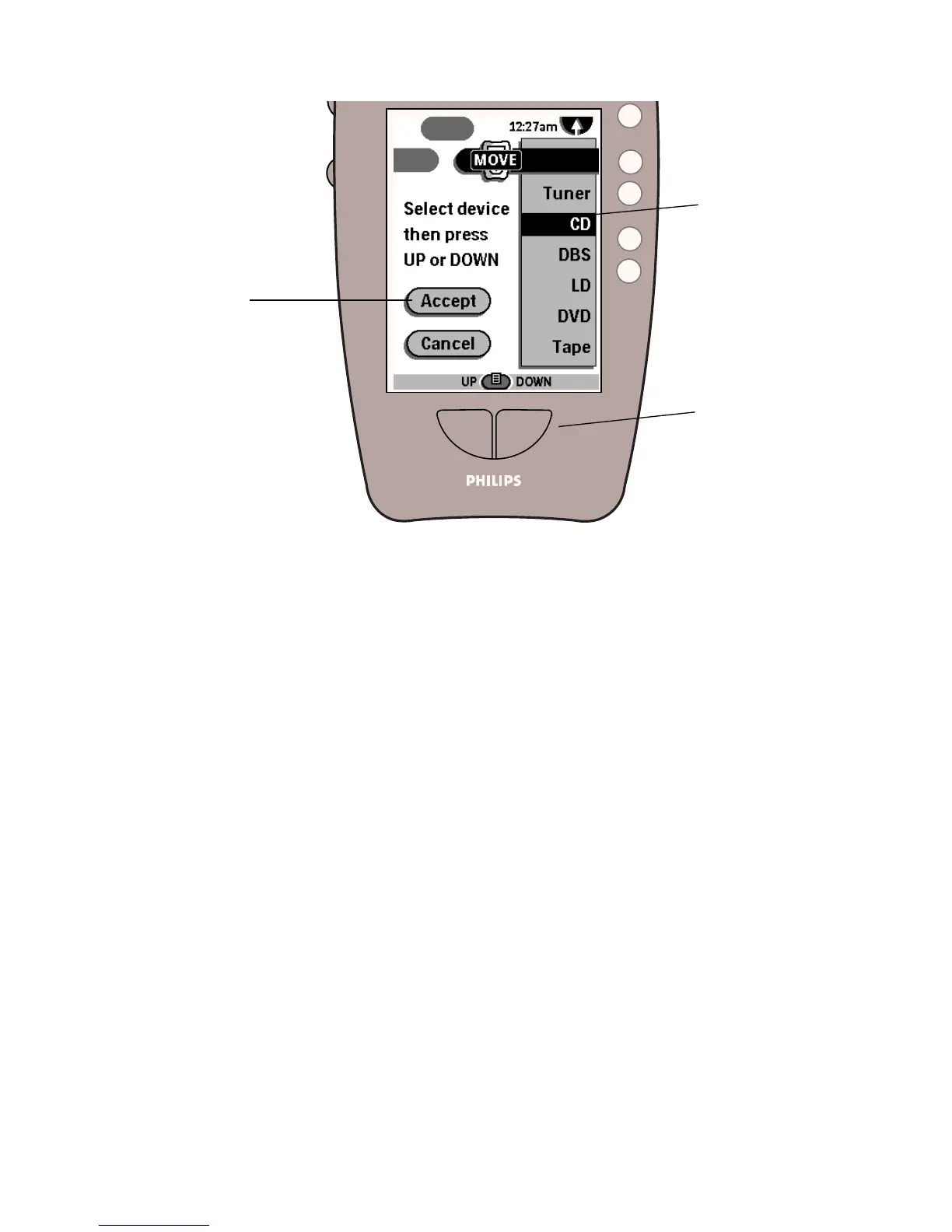
4 Select an item by tapping it, and then use the Left (UP) and Right
(DOWN) buttons to move it.
5 Continue selecting and moving items in the menu.
As long as the remote control is in Move mode, you can continue rearranging
the menu items.
6 Tap Accept to save your changes.
After a few seconds, the remote control returns to Use mode.
... then press the
Left and Right
buttons to change
the item’s position
in the menu.
Tap an item you
want to move ...
Save changes
and return to
Use mode











 To Next Page