EasyManua.ls Logo

Philips M3001A - Service Manual

Philips M3001A
293 pages
Print Icon
To Next Page IconTo Next Page
Loading...
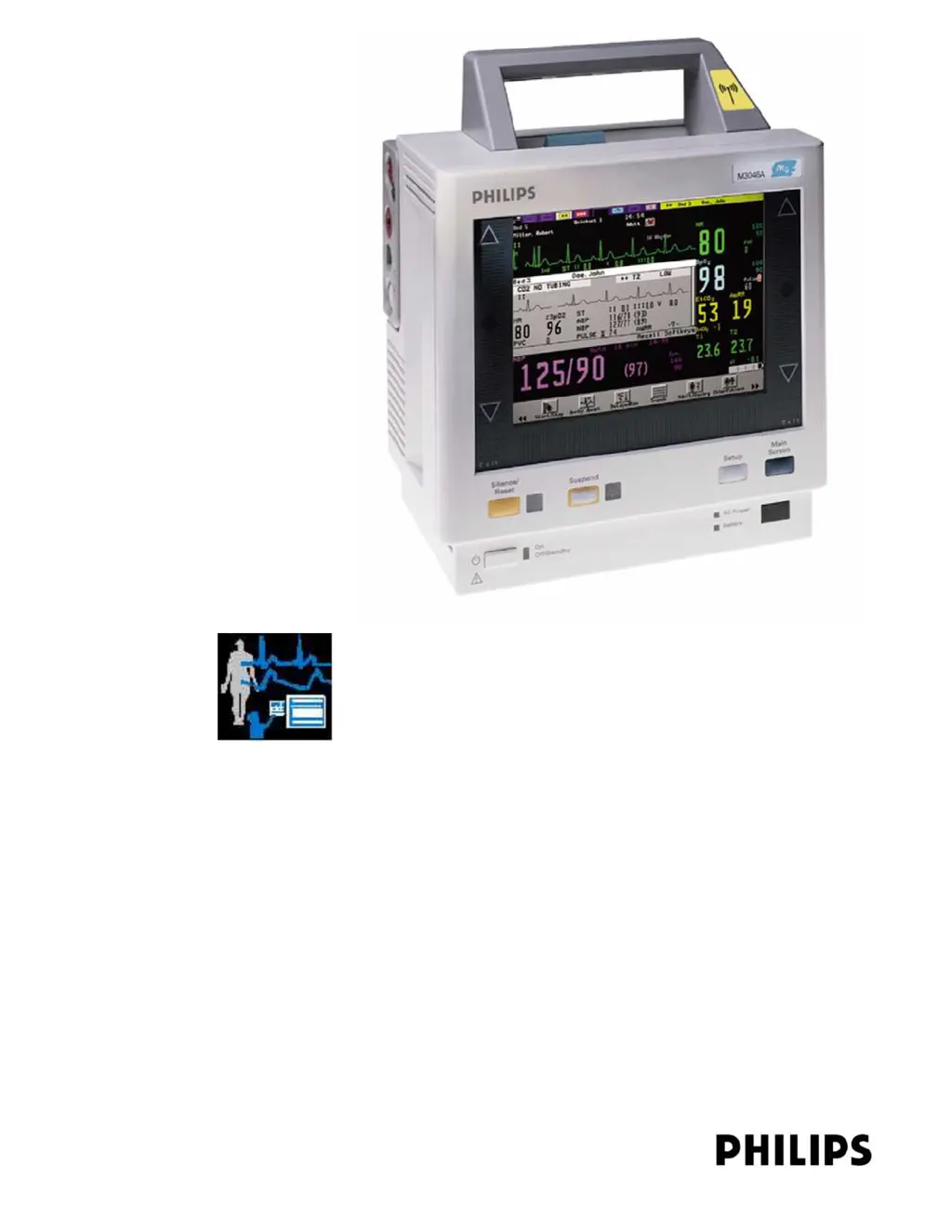
PATIENT MONITORING
SERVICE GUIDE
Measurements and Monitoring
M3/M4 Monitors
(M3046A)
Measurement Server
(M3001A and M3000A)
Measurement Server Extensions
(M3015A and M3016A)

Table of Contents

Questions and Answers

  • C
    chelsealittleAug 18, 2025
    What to do if Philips Measuring Instruments say 'BATTERY LOW'?
    • A
      Abigail PattonAug 18, 2025
      If your Philips Measuring Instruments display a 'BATTERY LOW' message, it means the battery has less than 20 minutes of charge remaining. The suggested solution is to recharge the battery.
  • D
    davidcastanedaAug 20, 2025
    What to do if Philips M3001A Measuring Instruments say 'BATTERY EMPTY'?
    • L
      lauren24Aug 20, 2025
      If your Philips Measuring Instruments display a 'BATTERY EMPTY' message, it means the battery is almost empty. You can either change the battery or connect the device to an AC power supply.
  • C
    Christine AllenAug 23, 2025
    What to do if Philips M3001A Measuring Instruments say 'CHECK INPUT DEVICE'?
    • M
      Mrs. Sonia ArmstrongAug 23, 2025
      If your Philips Measuring Instruments display a 'CHECK INPUT DEVICE' message, it indicates constant user interface operation or a faulty user interface. Here are some steps to resolve this issue: * Ensure nothing is pressing on the keys or the TouchStrip. * Check that the Monitor Bezel is securely mounted and inspect it for damage. * Check the Monitor Bezel assembly cables. * Replace the Monitor Bezel. * Replace the System Board.
  • A
    angelicaolsonAug 26, 2025
    How to fix Philips M3001A Measuring Instruments 'SERVERLINK MALFUNCTION' error?
    • E
      Erin SmithAug 26, 2025
      If your Philips Measuring Instruments show a 'SERVERLINK MALFUNCTION' error, it means either the current is too high or the voltage is too low. To resolve this: 1. Ensure the Server is connected to the Monitor. 2. Replace the Server with a known-good Server. 3. Check the link bar and cables. 4. Replace the System Board.
  • S
    Susan MooreAug 28, 2025
    What to do if Philips M3001A display 'MEAS SERV UNPLUGGED'?
    • M
      madisonjohnstonAug 28, 2025
      If your Philips Measuring Instruments display 'MEAS SERV UNPLUGGED', it means no Server is connected or communication is not possible. To fix this: 1. Make sure the Server is connected to the Monitor or, if present, to the Extension. 2. Replace the Server with a known-good Server. 3. Check link bar and cables. 4. Replace the System Board.
  • A
    Anthony HallAug 30, 2025
    How to fix Philips M3001A 'SPEAKER MALFUNCTION'?
    • J
      jenniferpattersonAug 31, 2025
      If your Philips Measuring Instruments are experiencing a 'SPEAKER MALFUNCTION', it could be due to a defective speaker or cables. To resolve this: 1. Check cable connections. 2. Replace the speaker. 3. Replace the System Board.
  • E
    Evelyn WeissSep 1, 2025
    How to fix Philips M3001A 'BATTERY MALFUNCTION' error?
    • A
      Anthony BrownSep 2, 2025
      If your Philips Measuring Instruments display a 'BATTERY MALFUNCTION' error, it means the status of the battery cannot be determined. You can try the following: 1. Leave the battery in the Monitor for at least two hours, as communication may restart without further action. If the message is still displayed after this time, replace the battery. 2. Change the System Board. 3. Change the Connector Board.
  • G
    gonzalezteresaSep 4, 2025
    How to fix Philips M3001A Measuring Instruments 'CHARGER MALFUNCTION' error?
    • G
      Gail CampbellSep 4, 2025
      If your Philips Measuring Instruments display a 'CHARGER MALFUNCTION' error, it indicates either the battery or the charging hardware within the Instrument is defective. To resolve this, try changing the battery or changing the System Board.
  • V
    Vincent BarnesSep 7, 2025
    Why is Philips M3001A Measuring Instruments showing 'NO CENTRAL MONITORING'?
    • T
      thomasshannonSep 7, 2025
      If your Philips Measuring Instruments are showing 'NO CENTRAL MONITORING', it means central monitoring has been interrupted. If using a wireless network, check that the Monitor has not been moved out-of-range of an access point and that no microwave oven or other non-monitoring wireless device is interfering with the Monitor.
  • W
    whiteconnorSep 9, 2025
    What does 'MEASSERV UNSUPPORTD' mean on Philips M3001A Measuring Instruments?
    • M
      Mary EvansSep 9, 2025
      If your Philips Measuring Instruments display 'MEASSERV UNSUPPORTD', it means an incompatible Measurement Server (including any M3000A) is connected to a Monitor with Rev. E software. The suggested solution is to only use an M3001A Server with a Monitor with Rev. E software.

Summary

1 Introduction to the Instrument

Introducing the Instrument Components

Overview of Monitor, Server, and Extensions, including compatibility.

A Quick Description of the Monitor

Details on front panel keys, front, and back of the monitor.

A Quick Description of the Measurement Server

Overview of the Measurement Server and its connectors.

A Quick Description of the Measurement Server Extension

Overview of M3015A/M3016A extensions and connectors.

Theories of Operation and Functional Descriptions

Explains operational theories and functional descriptions of components.

2 Installing the Instrument

Objectives

Goals for completing instrument installation, configuration, and checks.

Safety

Critical safety information for installation and operation, including leakage current.

Preparing to Install the Monitor

Steps and considerations before installing the monitor, including power and grounding.

Installing the Monitor

Procedures for physical installation of the monitor and its accessories.

Connecting the Measurement Server...

Instructions for connecting the Measurement Server to the monitor.

Site Preparation Guidelines

Guidelines for preparing the installation environment, including temperature and humidity.

Mounting Solutions

Options and instructions for mounting the instrument using various hardware.

Installation of Wireless Infrastructure

Procedures for setting up wireless connectivity for the monitor.

Connecting a Printer

Steps for connecting a printer, including wireless and local options.

Disposing of the Monitor, Measurement Server and Measurement Server Extensions

Procedures for environmentally responsible disposal of equipment.

3 Maintaining the Instrument

Objectives

Goals for performing light and preventive maintenance on the instrument.

Recommendations for Maintenance Frequency

Suggested timetable for maintenance tasks for all instrument components.

General Cleaning of the Instrument

Guidelines for cleaning the monitor and accessories to keep them in working order.

Battery Handling, Maintenance and Good Practices

Information on handling, maintaining, and conditioning the battery for optimal use.

4 Testing the Instrument

Objectives

Goals for testing instrument accuracy, performance, and safety.

Recommendations for Test Frequency

Guidance on how often various tests should be performed.

Patient Safety Checks

Procedures to ensure patient safety during operation and testing.

Functionality Assurance Tests

Checks to verify the overall operational status of the instrument.

Preventive Maintenance Tests

Tests to ensure accurate measurement results and component health.

Accuracy and Performance Procedures

Detailed procedures for testing measurement accuracy and performance.

5 Troubleshooting the Instrument

Objectives

Goals for diagnosing and isolating instrument hardware failures.

Part 1 Troubleshooting Checklists

Initial checks for obvious problems before in-depth troubleshooting.

Part 2 Isolating and Solving Instrument Problems

Detailed steps to identify and resolve instrument issues and faults.

INOP Messages

Explains INOP messages and suggests courses of action for troubleshooting.

Isolating the Defective Component

Table to help isolate problems to specific replaceable components.

Part 3 Using Support Functions

Information on using support features like Status Log and Error Codes for diagnostics.

The Status Log and Error Codes

Guide to using the Status Log for diagnostic and error information.

List of Error Codes

Reference for specific error codes, their meanings, and required actions.

6 Repairing the Instrument

Objectives

Goals for disassembling the instrument down to the part level for repair.

Disassembly for the Monitor

Step-by-step instructions for disassembling the monitor components.

Refit Procedures for the Monitor

Instructions for reassembling the monitor components after repair.

Disassembly Procedures for the M3015 A Measurement Server Extension

Instructions for disassembling the M3015A Measurement Server Extension.

Warnings, Cautions and Safety Precautions

Critical safety information before performing disassembly or repair procedures.

7 Replacement Parts

Objectives

Goals for identifying and ordering replaceable components for the instrument.

Compatibility Matrix - Release A to Release B

Matrix detailing compatibility between different hardware releases of components.

List of Replacement and Exchange Parts

Comprehensive list of orderable parts and their numbers for the instrument.

Monitor Parts

Part numbers for monitor components like bezels, system boards, and power supplies.

Multi-Measurement Server Parts

Part numbers for Measurement Server and Extension components, including bezels.

M3015 A Measurement Server Extension Parts

Part numbers for M3015A Measurement Server Extension components.

M3016 A Measurement Server Extension Parts

Part numbers for M3016A Measurement Server Extension components.

Support-Related Parts

Part numbers for cables, connectors, and tools.

Battery and Battery-Related Parts

Part numbers for batteries, chargers, and related accessories.

Philips M3001A Specifications

General IconGeneral
BrandPhilips
ModelM3001A
CategoryMeasuring Instruments
LanguageEnglish

Related product manuals