EasyManua.ls Logo

Philips MCW770 - Page 20

Philips MCW770
64 pages
Print Icon
To Next Page IconTo Next Page

To Previous Page IconTo Previous Page
Loading...
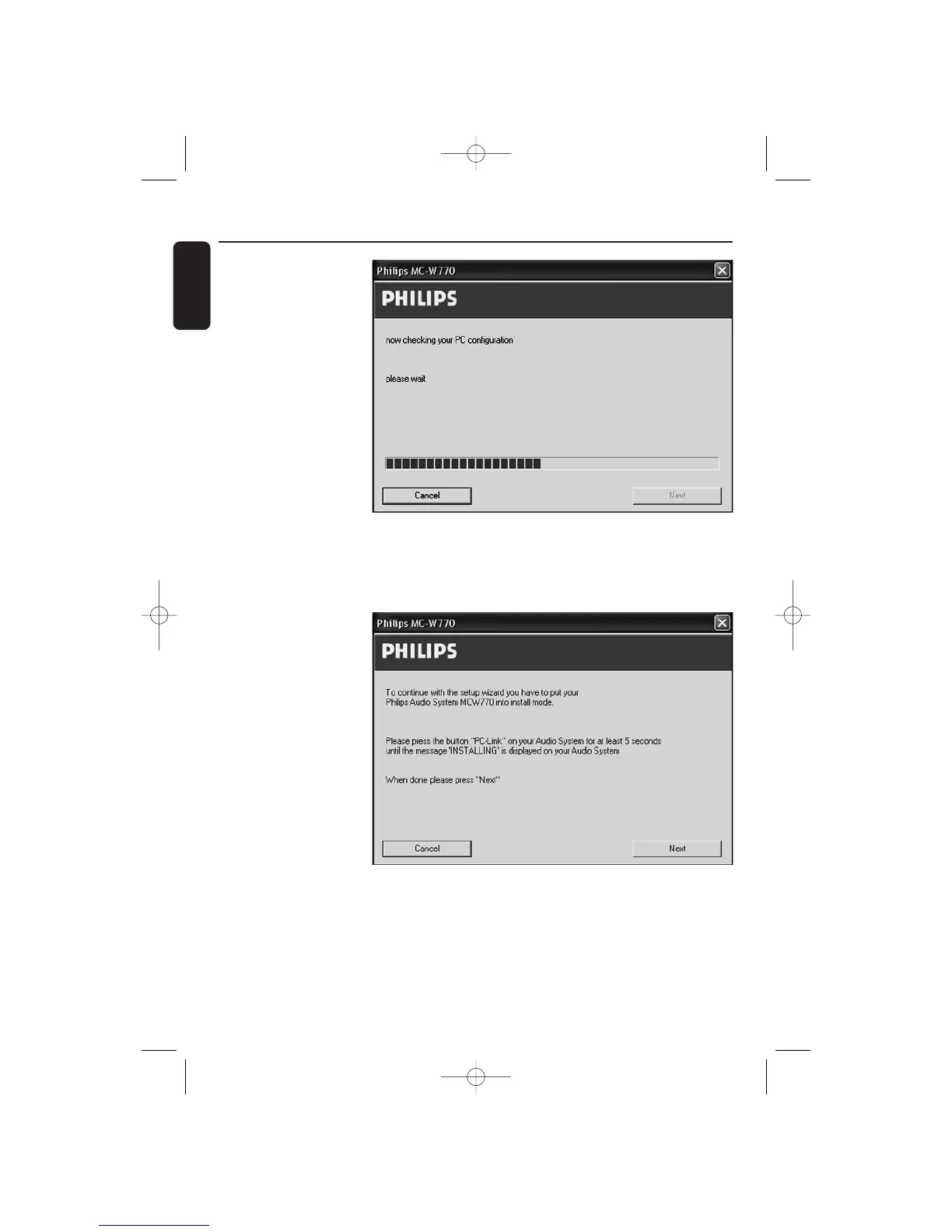
11The installation software
checks if the wireless
USB adapter is available.
Then the network setup
is started and following
window appears:
12 After the configuration
has been checked you
have to enter the
installation mode on
your MC W770. Press
PC LINK A on your
MC W770 to select the
PC as source. Press
PC LINK A for at least
5 seconds until
INSTALLING is scrolled
on the set.
The set searches for
a connection to the
PC.This can require
up to about a minute.
When the
connection is
established, Next is activated. Click on Next.
Wireless PC link Quick Installation
20
English
MC W770/22.1 eng 7/23/04 16:07 Page 20

Table of Contents

Other manuals for Philips MCW770

Related product manuals