9-1
DVD MODULE
(For Information Only)
SERVICING THE DVD MODULE
9-1
It is not recommended for component repair on this
Module but to replace the major assembly when it
becomes defective.
Therefore no service parts list are published in this
Chapter.
The Circuit & Layout diagrams are published for refer-
ence only. The repair assistance on DVD section is
given on Chapter 2.
Reprogramming of the DVD Main Board
Caution: This information is confidential and may not be distributed. Only a qualified service person should reprogram
the DVD Main Board.
After replacement of the DVD Main Board, the customer settings and also the region code will be lost. Reprogramming of the
DVD Main Board will put the player back in the state in which it has left the factory, ie. with the default settings and the allowed
region code
Reprogramming is done by way of the Remote Control as given below:
Message displayed on TV screen
1. With the unit on and no disc in the tray press DVD key
2. Press Menu key Setup Menu is displayed
3. Press numerical keys <1> <6> <7> "Key 1 - 6 for Region: is displayed
4. Press any one numerical keys between <1> and <6>
as per Region codes given in the table below Selected region code is displayed
5. Press Exit key.
The only service parts available for replacement are:
DVD Main Board R1.0 ............................. 9965 000 10183
DVD Mechanical Loader TVM502T........ 9965 000 10185
Type/version Destination Region Code*
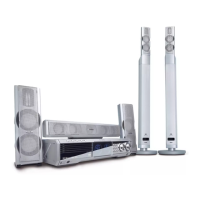
MX1015D/37 USA 1
MX1050D/22 Europe 2
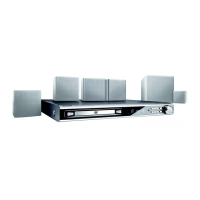
MX1055D/37S USA 1
MX1060D/22S Europe 2
* Note: The Region code may differs in some countries, in
such case the Region code of the country should be
used.
Upgrading of DVD software by way of an Upgrade Disc and Remote Control as given below:
Message displayed on TV screen
1. With the unit on and no disc in the tray press DVD key
2. Press Eject key to open the tray
3. Press Menu key Setup Menu is displayed
4. Press numerical keys <7> <6> <0>"
Update Software 1/Yes, 2/No
" is displayed
5. Press numerical keys <1>"
Yes
" is displayed briefly after which the message disappear
6. Insert upgrade disc and press Eject key to close tray
7. The set starts reading upgrade disc "Color bars" is displayed when ready
8. Press Power key to bring the set into Standby mode.
9. Remove the upgrade disc by power-up the set & eject to open tray.


 To Next Page