6 Philips · NeoPix Easy+
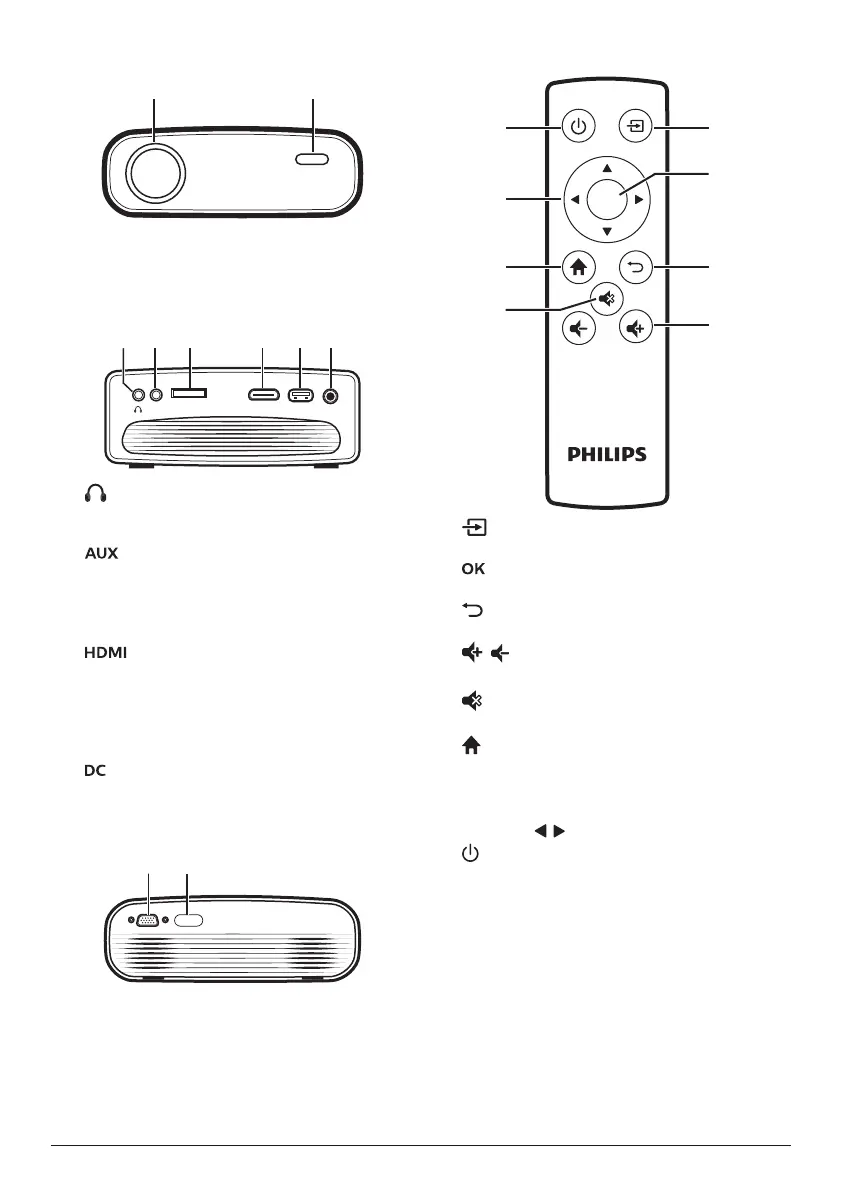
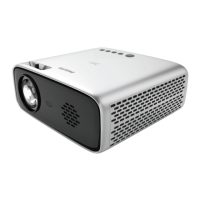
Front view
a
Projection lens
b
Front IR sensor
Side view
MICRO SD HDMIUSB DCAUX
a
3.5 mm audio output; connect to external
speakers or headphones.
b
3.5 mm audio input; works only through
VGA connection.
c
Micro SD card slot
Connect to a Micro SD card for media play.
d
Connect to the HDMI output on a playback
device.
e
USB port
Connect to a USB storage device for media
play.
f
Connect to the power supply.
Rear view
a b
a
VGA port
Connect to the VGA port on a computer.
b
Rear IR sensor
Remote control
OK
h
g
f
e
a
b
c
d
a
Access the home menu.
b
Confirm a selection or entry.
c
Return to a previous menu screen.
d
/
Increase or decrease volume.
e
Mute or restore volume.
f
Access the home menu.
g
Navigation buttons
• Navigate menu options.
• Press / to change a selection.
h
• Switch the projector on or to standby.
• When the projector is switched on, the
LED turns green. When the projector is
in standby, the LED turns red.










 To Next Page