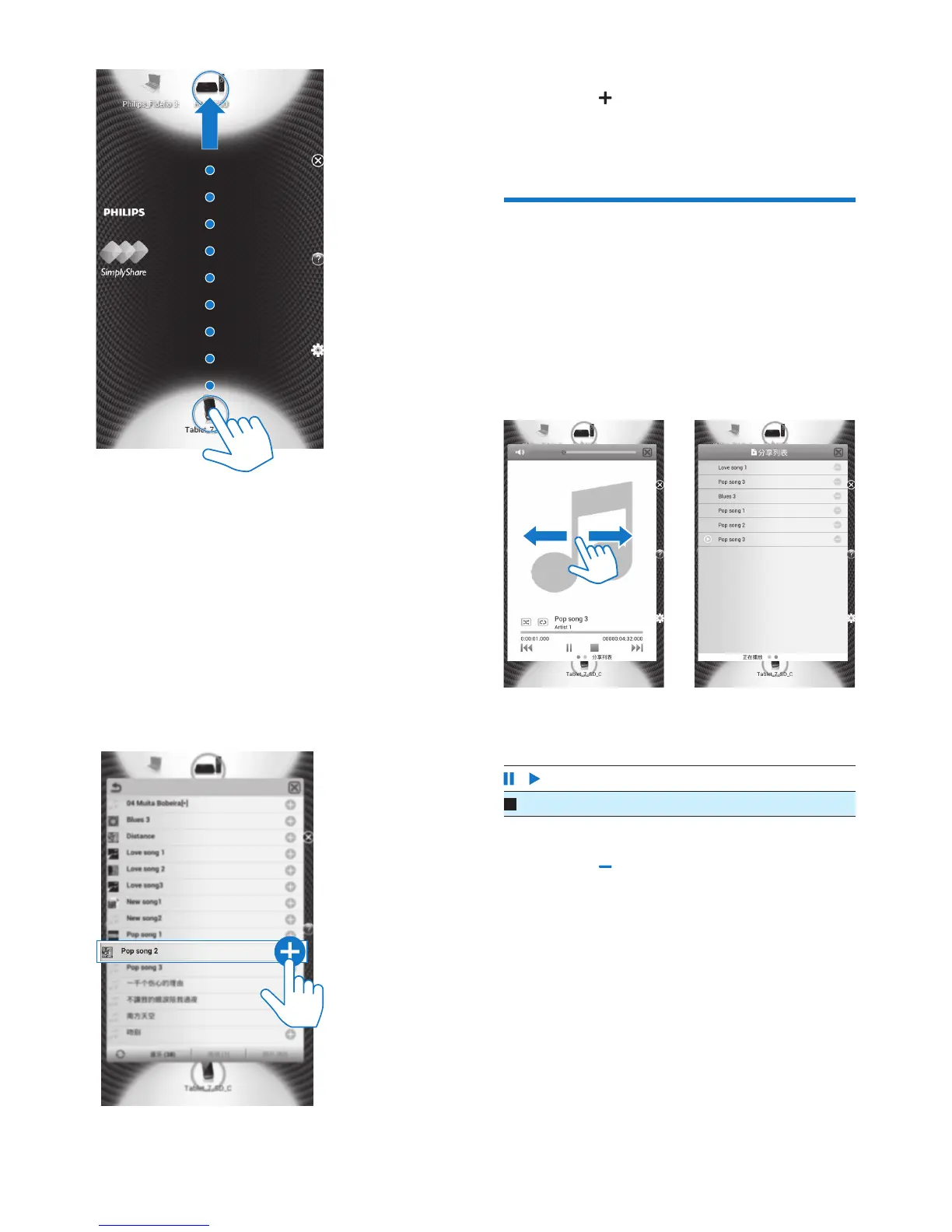
4 On Pi3100, nd the media les that you
want to play:
• Tap Pi3100.
» You can nd the music, photos, and
videos that you store under the
following folders on Pi3100: Music,
Pictures, and Videos.
» You can also nd the photos and
videos that you take or record on
Pi3100.
5 Add media to the shared list:
• Tap on the media le.
» You play the selected les on the
device.
Control the media play
remotely
On Pi3100, you can control the media that
plays on the connected TV or audio system.
• During media play, swipe left/right on
the screen to switch between the play
screen and the shared list:
On the play screen,
• Tap icons to select play options:
/ Tap to pause/resume play.
Tap to stop play.
On the shared list,
• Tap to remove the media le from
the shared list.
• Tap a media le to start play.



 To Next Page