23EN
10 Tools
Camera
With the 0.3 Mega-pixel lens at the front, you
can do the following on Pi3100:
• Shoot yourself by using the camera or
video recorder;
• Through apps, have video chats with
friends over the Internet.
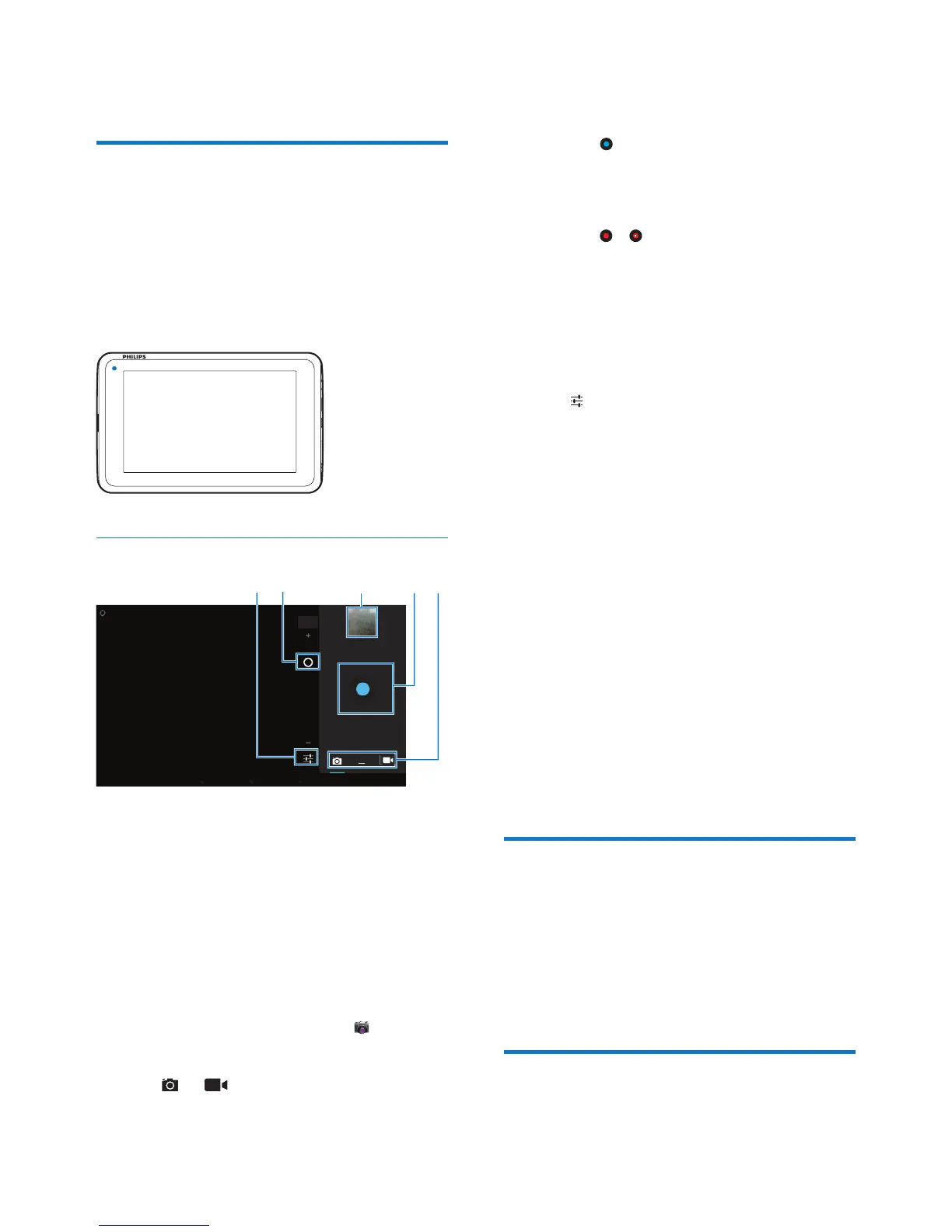
Take photos or record videos
a Selector for camera, video recorder,
or panorama mode
b Shutter
c Thumbnail
d Zoom in/out
e Options menu
1 From the Home screen, go to .
» The onscreen buttons are displayed.
2 Tap or to switch to the camera or
video recorder mode.
c
a
b
d
e
3 To take photos:
a Point the lens at objects.
b Tap .
c The photo is taken.
To record videos:
• Tap / to start or stop video
recording.
To view photos/ videos in the Gallery,
• Tap the thumbnail .
» You can view the photos/ videos
that you have taken or recorded.
Select settings
• Tap to select your options for the
camera or video recorder:
For the camera:
• White balance
Tap to select the option according to
current source of lights. You can reduce
the effects on colors by lights.
• Exposure
Tap to select a value according to the
lighting conditions.
For the video recorder:
• White balance
Tap to select the option according to
current source of lights. You can reduce
the effects on colors by lights.
• Time lapse recording
Tap to record at the selected time
interval.
Calendar
On the device, you can sync the calendar with:
• the calendar of your Microsoft
Exchange account (see 'Set up your
Microsoft Exchange account' on page
25).
Alarm clock
On Pi3100, you can set several alarms.



 To Next Page