EasyManua.ls Logo

Philips PM3350A - Frontpanel Lay out and Operation; Frontpanel Lay Out.3; Screen Controls.3 -2

Philips PM3350A
109 pages
Print Icon
To Next Page IconTo Next Page
To Previous Page IconTo Previous Page
Loading...
3
i
3
OPtRATING
INSTRUCTIONS
3.2
FRONTPANEL
LAY
OUT
AND
OPERATION
3.2.1
FRONTPANEL
LAY
OUT
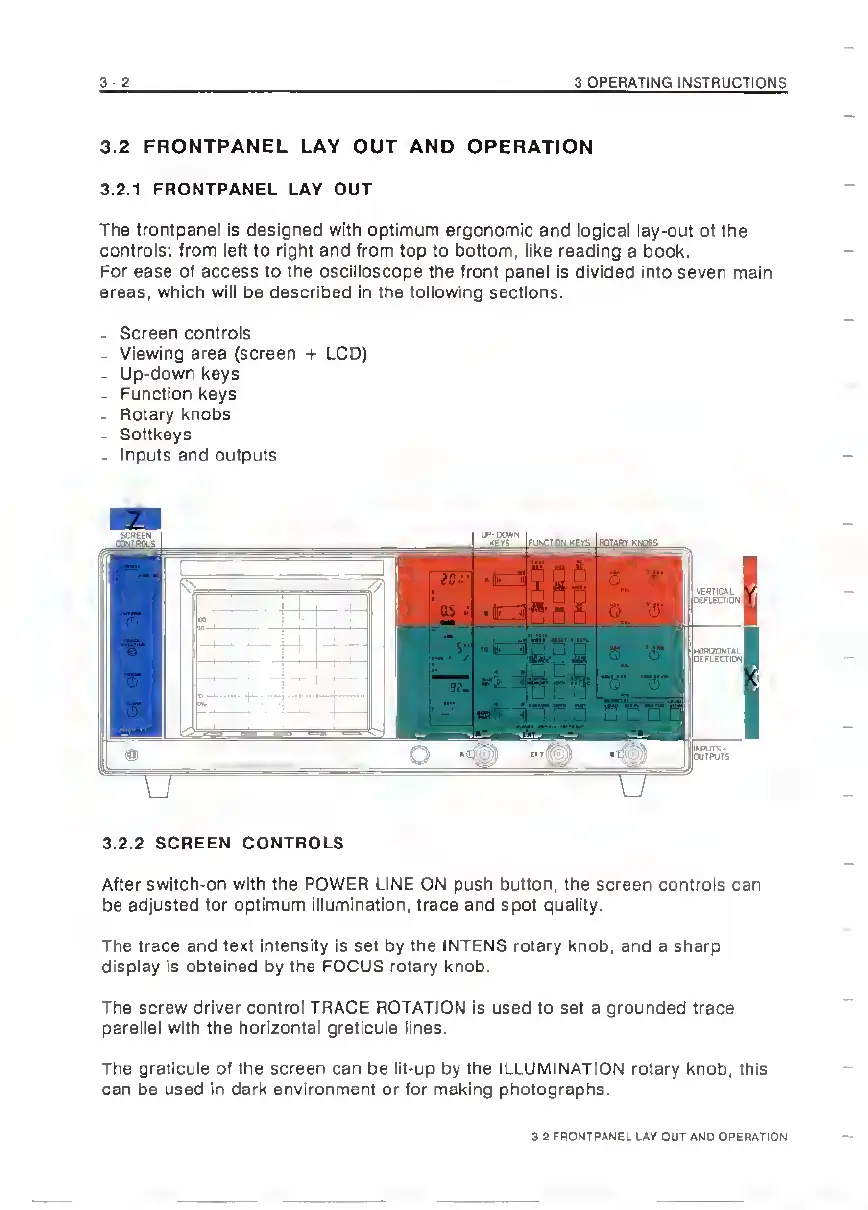
The
frontpanel
is
designed
with
optimum
ergonomic
and
logical
lay-out
of
the
controls:
from
left
to
right
and
from
top
to
bottom,
like
reading
a
book.
For
ease
of
access
to
the
oscilloscope
the
front
panel
Is
divided
Into
seven
main
areas,
which
will
be
described
In
the
following
sections.
.
Screen
controls
-
Viewing
area
(screen
-t-
LCD)
-
Up-down
keys
-
Function
keys
-
Rotary
knobs
-
Softkeys
.
Inputs
and
outputs
3.2.2
SCREEN
CONTROLS
After
switch-on
with
the
POWER
LINE
ON
push
button,
the
screen
controls
can
be
adjusted
for
optimum
Illumination,
trace
and
spot
quality.
The
trace
and
text
intensity
is
set
by
the
INTENS
rotary
knob,
and
a
sharp
display
Is
obtained
by
the
FOCUS
rotary
knob.
The
screw
driver
control
TRACE
ROTATION
Is
used
to
set
a
grounded
trace
parallel
with
the
horizontal
graticule
lines.
The
graticule
of
the
screen
can
be
lit-up
by
the
ILLUMINATION
rotary
knob,
this
can
be
used
In
dark
environment
or
for
making
photographs.
3.2
FRONTPANEL
LAY
OUT
AND
OPERATION

Related product manuals