EasyManua.ls Logo

Philips PM3350A - Up-Down Keys.3

Philips PM3350A
109 pages
Print Icon
To Next Page IconTo Next Page
To Previous Page IconTo Previous Page
Loading...
3
-4
3
OPERATING
INSTRUCTIONS
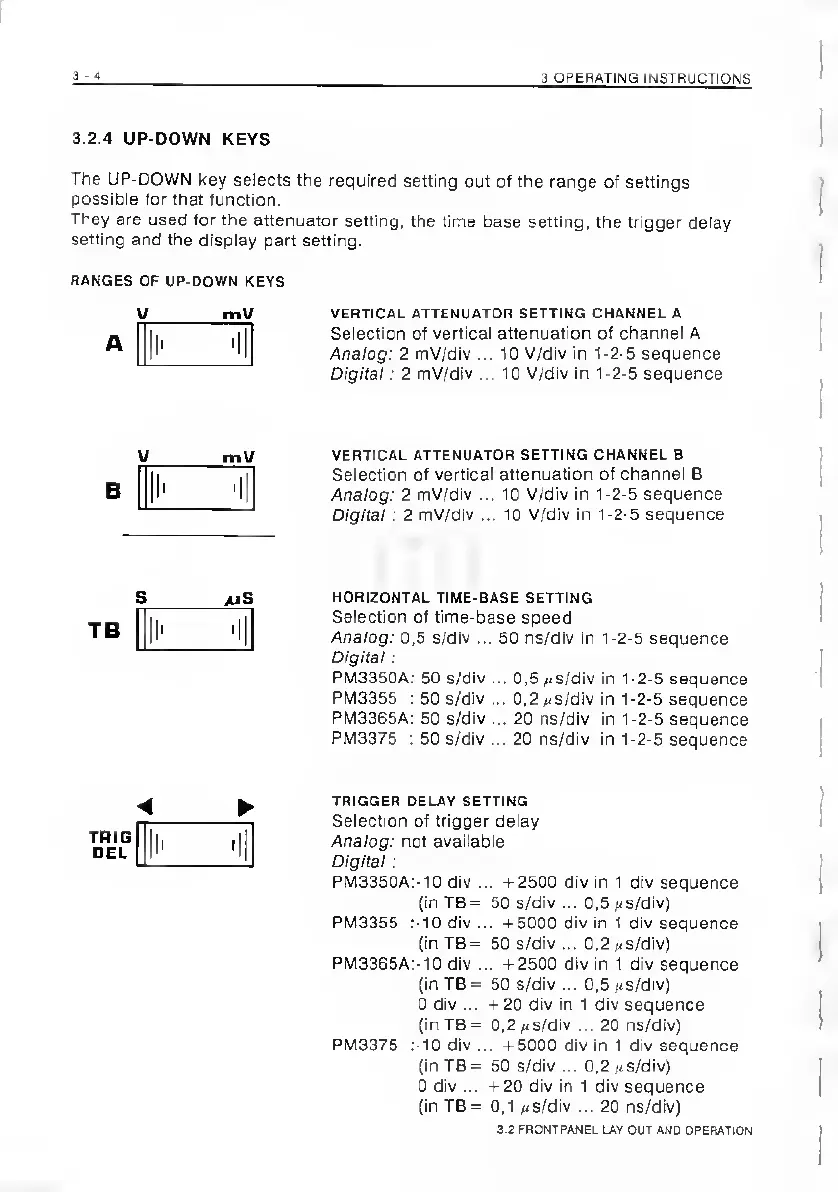
3.2.4
UP-DOWN
KEYS
The
UP-DOWN
key
selects
the
required
setting
out
of
the
range
of
settings
possibie
for
that
function.
They
are
used
for
the
attenuator
setting,
the
tine
base
setting,
the
trigger
delay
setting
and
the
display
part
setting.
RANGES
OF
UP-DOWN
KEYS
V_mU
VERTICAL
ATTENUATOR
SETTING
CHANNEL
A
«
I
il
Seiection
of
vertical
attenuation
of
channel
A
_l__[_
Analog:
2
mV/dIv
...
10
V/div
in
1-2-5
sequence
Digital:
2
mV/div
...
10
V/div
in
1-2-5
sequence
V_mV
B
I'
'I
VERTICAL
ATTENUATOR
SETTING
CHANNEL
B
Selection
ot
vertical
attenuation
of
channel
B
Analog:
2
mV/div
...
10
V/div
in
1-2-5
sequence
Digital:
2
mV/div
...
10
V/div
in
1-2-5
sequence
S_*iS
HORIZONTAL
TIME-BASE
SETTING
.
I
Selection
of
lime-base
speed
_J_|_
Analog:
0,5
s/dlv
...
50
ns/dlv
in
1-2-5
sequence
Digital:
PM3350A:
50
s/div
...
0,5
#/S/div
in
1-2-5
sequence
PM3355
:
50
s/div
...
0,2
//S/div
in
1-2-5
sequence
PM3365A:
50
s/div
...
20
ns/div
in
1-2-5
sequence
PM3375
:
50
s/div
...
20
ns/div
in
1-2-5
sequence
TRIG
DEL
TRIGGER
DELAY
SETTING
Selection
of
trigger
delay
Analog:
not
available
Digital:
PM3350A:-10
div
...
-1-2500
div
in
1
div
sequence
(in
TB
=
50
s/div
...
0,5
(-s/div)
PM3355
:-10
div
...
-1-5000
div
in
1
div
sequence
(in
TB=
50
s/div
...
0,2
(-s/div)
PM3365A:-10
div
...
-1-2500
div
in
1
div
sequence
(in
TB
=
50
s/div
...
0,5
(<s/div)
0
div
...
-1-20
div
in
1
div
sequence
(in
TB
=
0,2
(<s/div
...
20
ns/div)
PM3375
:-10
div
...
-1-5000
div
in
1
div
sequence
(in
TB
=
50
s/div
...
0,2
(<s/div)
0
div
...
+20
div
in
1
div
sequence
(in
TB
=
0,1
(-s/div
...
20
ns/div)
3.2
FRONTPANEL
LAV
OUT
AND
OPEFlATlON

Related product manuals