EasyManua.ls Logo

Philips PM3350A - Page 78

Philips PM3350A
109 pages
Print Icon
To Next Page IconTo Next Page
To Previous Page IconTo Previous Page
Loading...
4
-
44
4
APPLICATIONS
REGISTERS
mfinu
In
this
menu
one
ot
the
register
memories
R1
or
R2
or
fl3
can
be
selected
as
the
REFERENCE
REGISTER
MEMORY
upon
which
operations
can
be
performed.
This
can
be
done
by
pressing
one
of
the
softkeys
R1,
R2
or
R3.
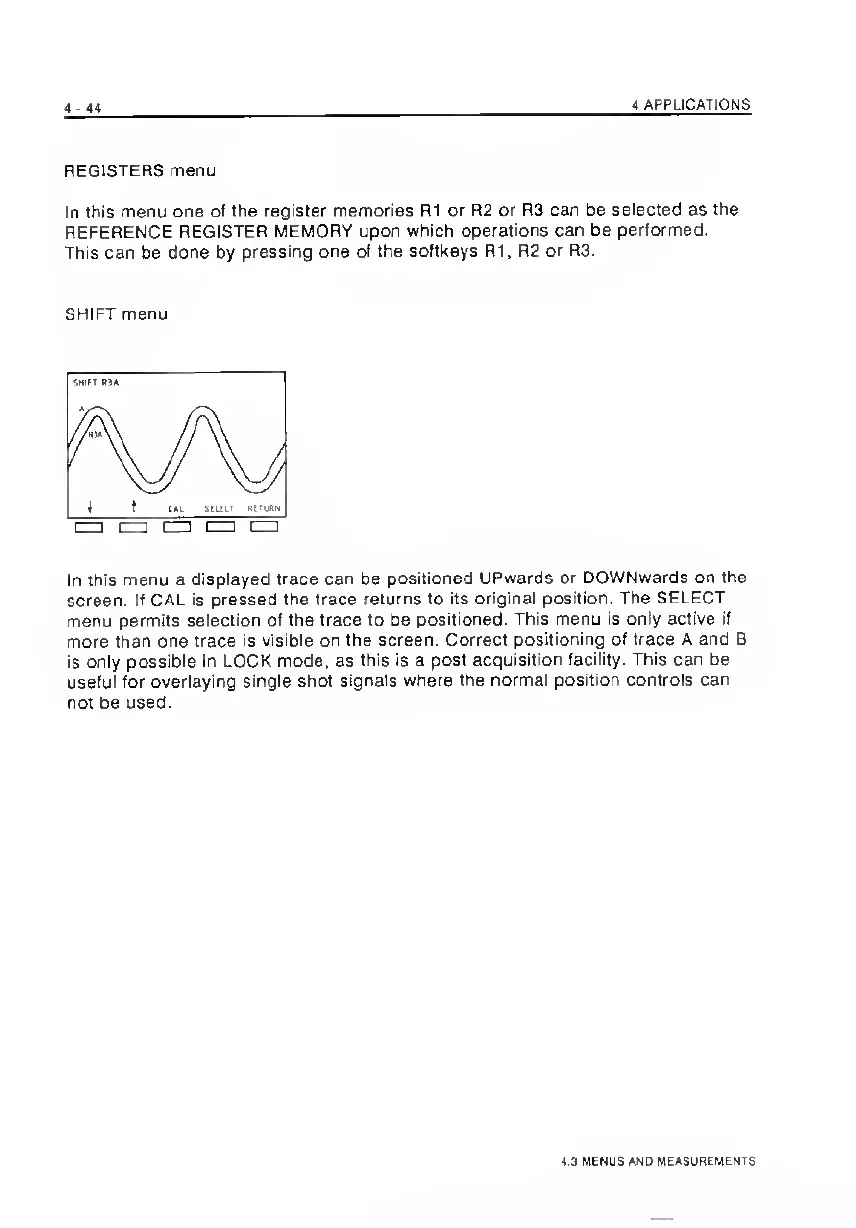
SHIFT
menu
In
this
menu
a
displayed
trace
can
be
positioned
Upwards
or
DOWNwards
on
the
screen.
If
CAL
is
pressed
the
trace
returns
to
its
original
position.
The
SELECT
menu
permits
selection
of
the
trace
to
be
positioned.
This
menu
is
only
active
if
more
than
one
trace
Is
visible
on
the
screen.
Correct
positioning
of
trace
A
and
B
is
only
possible
in
LOCK
mode,
as
this
is
a
post
acquisition
facility.
This
can
be
useful
for
overlaying
single
shot
signals
where
the
normal
position
controls
can
not
be
used.
4.3
MENUS
AND
MEASUREMENTS

Related product manuals