23
• After you have conrmed your choice of
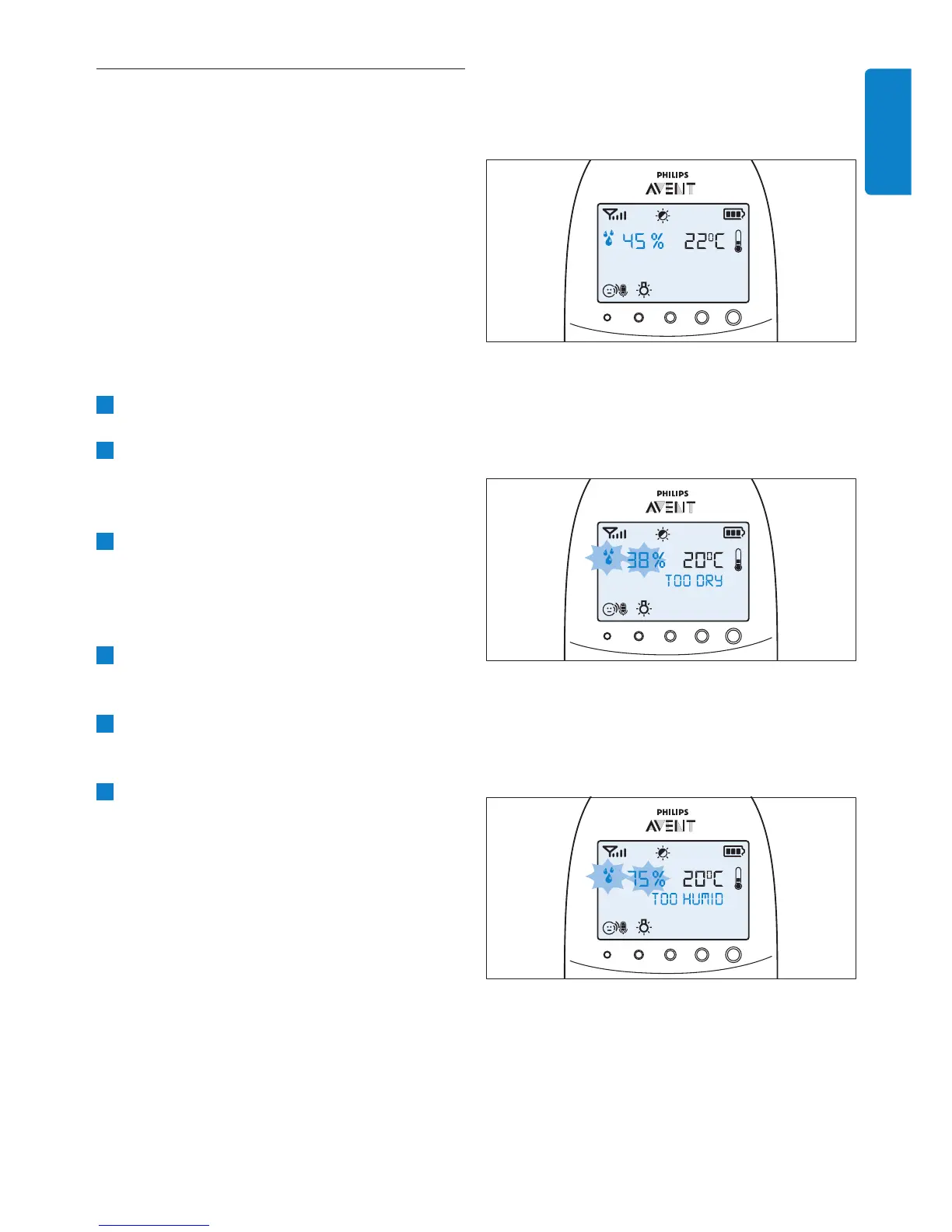
the alert option, the humidity alert symbol
appears on the display.
• If the humidity is below the set range, the
humidity alert symbol and the humidity
measured ash on the display. The message
‘TOO DRY’ appears on the display.
• If the humidity is above the set range, the
humidity alert symbol and the humidity
measured ash on the display. The message
‘TOO HUMID’ appears on the display.
7.6 Humidity
The optimal humidity level is between 40%
and 60%. It is very important to maintain the
correct humidity level as it helps to protect your
baby from irritation of the mucous membranes,
dry and itchy skin, chapped lips and a dry, sore
throat. When the mucous membranes do not
function optimally, they cannot give your baby full
protection from all kinds of germs. This increases
the chance of your baby catching a cold or the
u, and reduces its resistance to infections from
mould and bacteria. You can set a humidity range
and an alert to warn you that the humidity is
outside the set range.
1 Select ‘Humidity’ in the menu with the + and -
buttons and press OK to conrm.
2 Select ‘Hum Range’ with the + and - buttons
and press OK to conrm.
• The minimum humidity indication starts
ashing on the display.
3 Use the + and - buttons to set the minimum
humidity range between 20% and 50%. Press
OK to conrm.
• The maximum humidity indication starts
ashing on the display.
4 Use the + and - buttons to set the
maximum humidity range between 51% and
70%. Press OK to conrm.
5 Select ‘Alert’ with the + and - buttons. Press
OK to conrm and to start setting the
humidity alert option.
6 Use the + and - buttons to select one of the
alert options. The options available are sound
only, sound and vibration, vibration only and
display only. Press OK to conrm.
ENGLISH


 To Next Page
 Loading...