28 29
13.1 Making a call
Enter the phone number and press the dial button.
You will hear the dialing tone through your hearing aid.
Your voice is picked up by the hearing aid microphones
and transmitted to the phone.
13.2 Accepting a call
When receiving a call, an incoming call notication will be
heard in the hearing aid (e.g. ring tone or voice
notication).
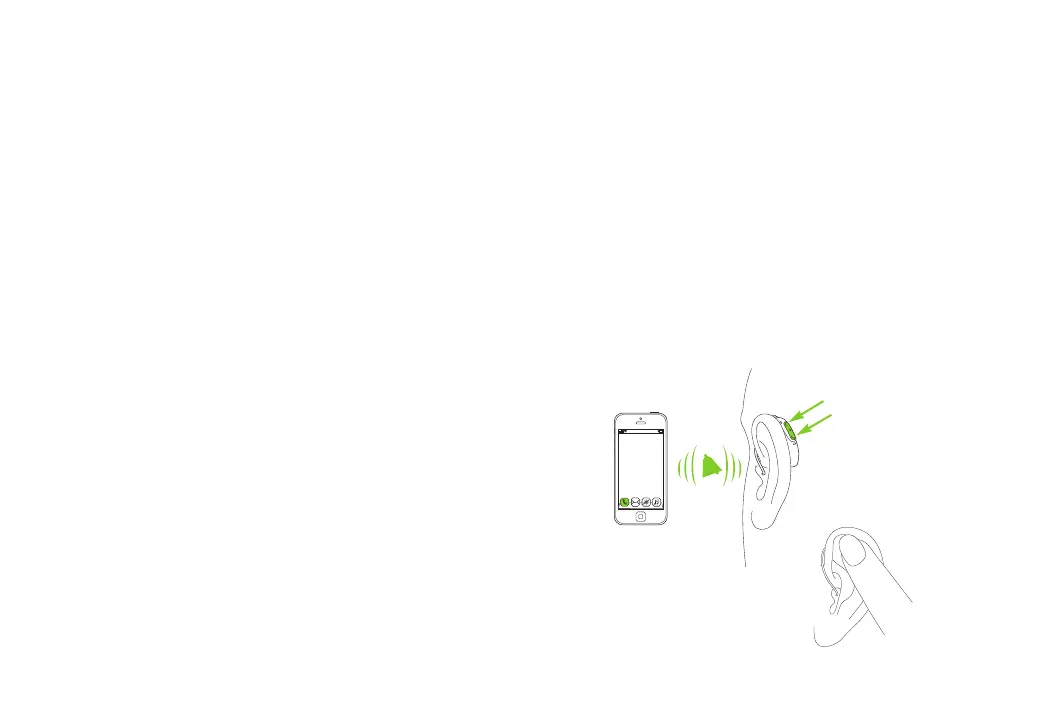
The call can be accepted by tapping the top of your ear
twice (only if CROS device is paired with performance
level L90 or L70), a short press on the upper or lower part
of the multi-function button on the hearing aid or CROS
device (less than 2 seconds) or directly on your phone.
short press
< 2 sec
tap ear
twice



 To Next Page