42 43
1.
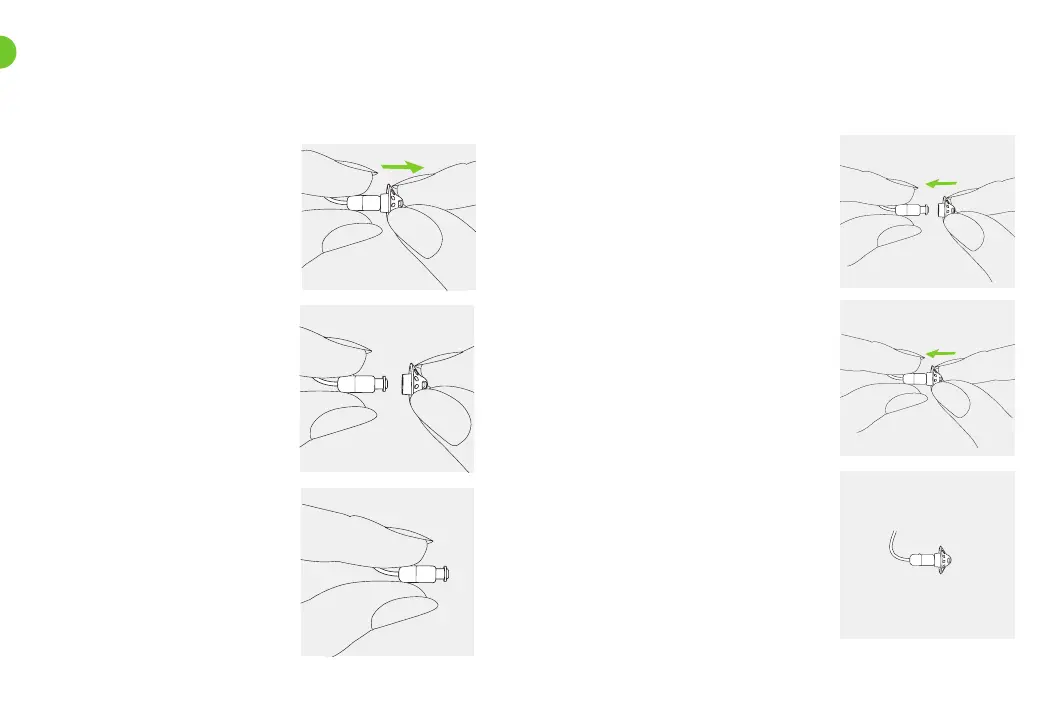
Remove the earpiece from the
speaker dummy by holding the
speaker dummy in one hand and
the earpiece in the other.
19.1 Removing the earpiece from the speaker dummy
2.
Gently pull o the earpiece
to remove.
3.
Clean the speaker dummy with a
lint-free cloth.
19. Exchanging the earpiece
1.
Hold the speaker dummy in one
hand and the earpiece in the
other.
19.2 Attaching the earpiece to the speaker dummy
2.
Slide the earpiece over the
speaker dummy.
3.
The speaker dummy and the
earpiece should t perfectly
together.



 To Next Page