34 35
14.2 Exit ight mode
To enable the wireless function
and exit ight mode,
switch the CROS system o
and then on again - refer to
chapter 9.
15. Rebooting your CROS device
Use this technique if your CROS device is in an error state.
This will not remove or delete any program or settings.
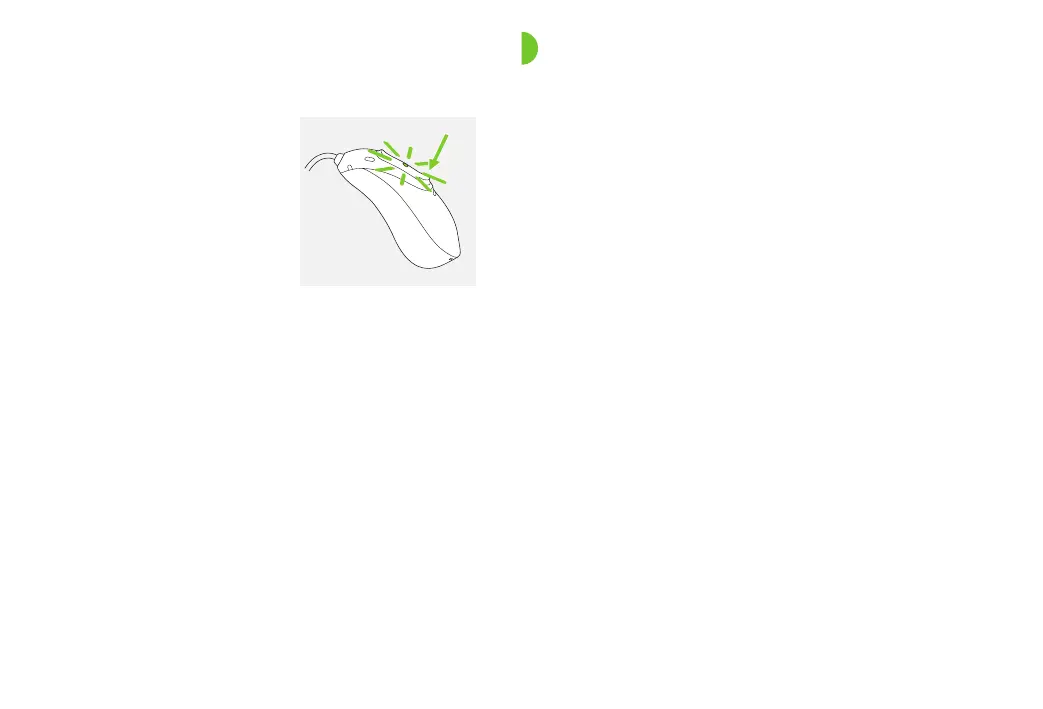
1.
Press the lower part of the multi-function button for at
least 15 seconds. It does not matter if the CROS device
isswitched on or o before you start pressing the button.
There is no light or acoustic notication at the end of
the 15 seconds.
2.
Place the CROS device in the power-connected charger
and wait until the indicator light blinks green. This can
take up to 30 seconds. The CROS device is now ready to
use.



 To Next Page