15
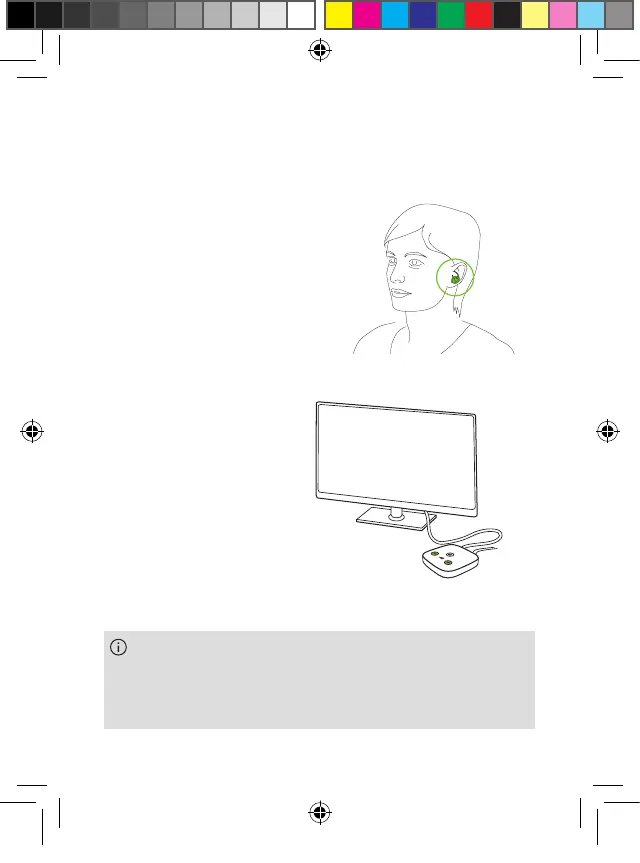
2. Insert the earbuds into both
ears. You will hear a
confirmation when inserted.
3. As soon as there is sound
from the TV the transmission
will start automatically.
4. Use the “+” and “-“
buttons on the TV
Connector to set a
comfortable initial
volume level.
Please consult the Phonak TV Connector user guide
and its safety instructions for more information on
www.phonak.com/tvconnector.
PH_User_Guide_Earbuds_TWE21_92x125_GB_V1.00_029-3338-02.indd 15PH_User_Guide_Earbuds_TWE21_92x125_GB_V1.00_029-3338-02.indd 15 2021-05-11 8:49:13 AM2021-05-11 8:49:13 AM



 To Next Page