18 SUMMIT
2. Metering
2.1 Channel Tab
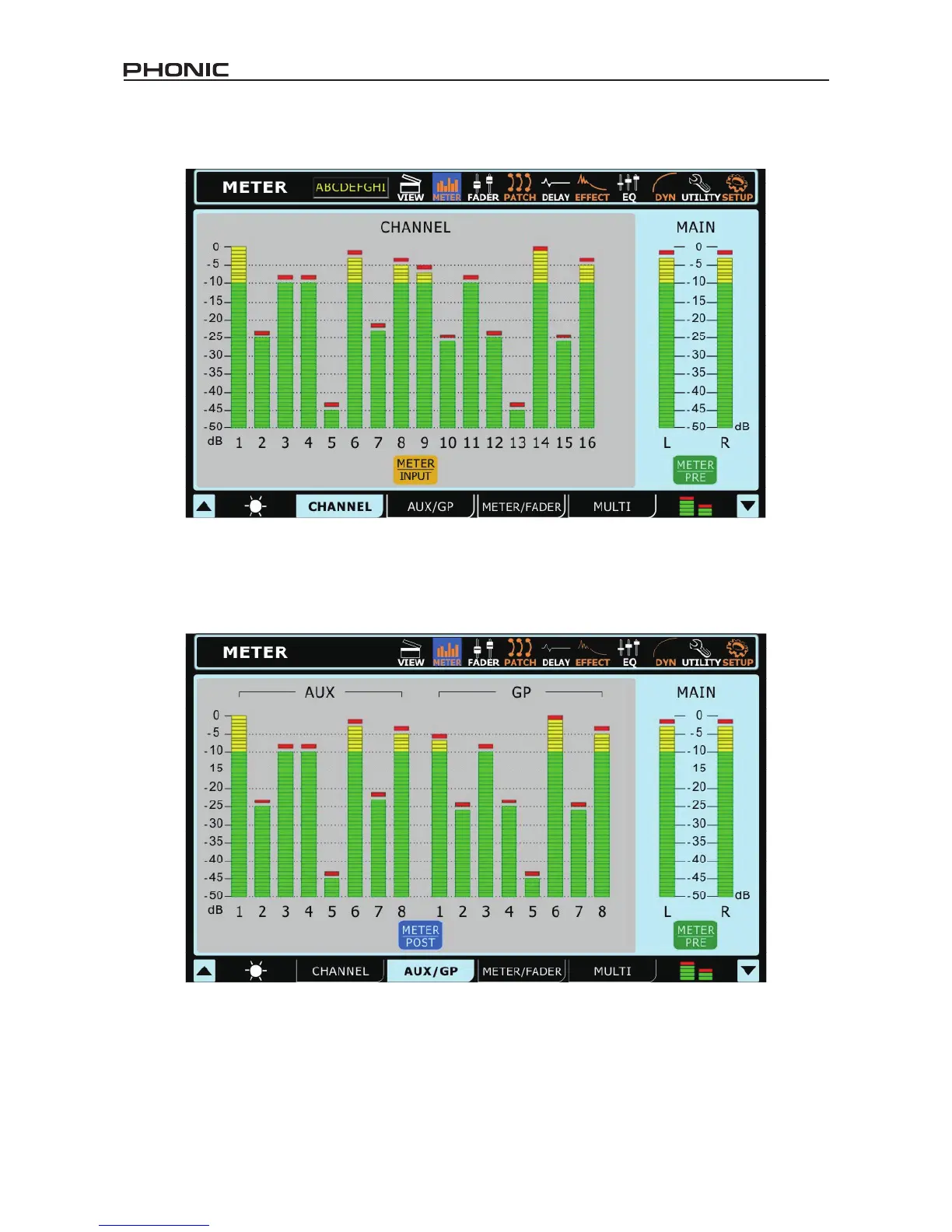
This tab allows users to view the levels of all input channels, as well as the main stereo mix. Users can view peak levels by taking note
of the red mark at the top of the meters. The meters can be changed between pre-fader and post-fader meters by pushing the pre/post
buttons located below the meters. The input channels’ meters can be adjusted to display the input signal (post-gain, pre-on/off), pre-fader
(post-gain, post-on/off) and post-fader (post-fader, -EQ, -dynamics, -delay).
2.2 AUX / Group Tab
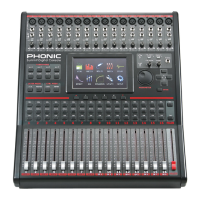
The AUX/Group meter page allows users to view the output levels of each of these mixes, as well as the main mix – all on a single page. A
small red mark will hold high peaks for a short time. Users are able to adjust these meters between pre- and post-fader meters by pushing
the Pre/Post Meter buttons. The post-fader signal displayed is post-fader, -equalizer, -dynamics and -delay.


 To Next Page