19SUMMIT
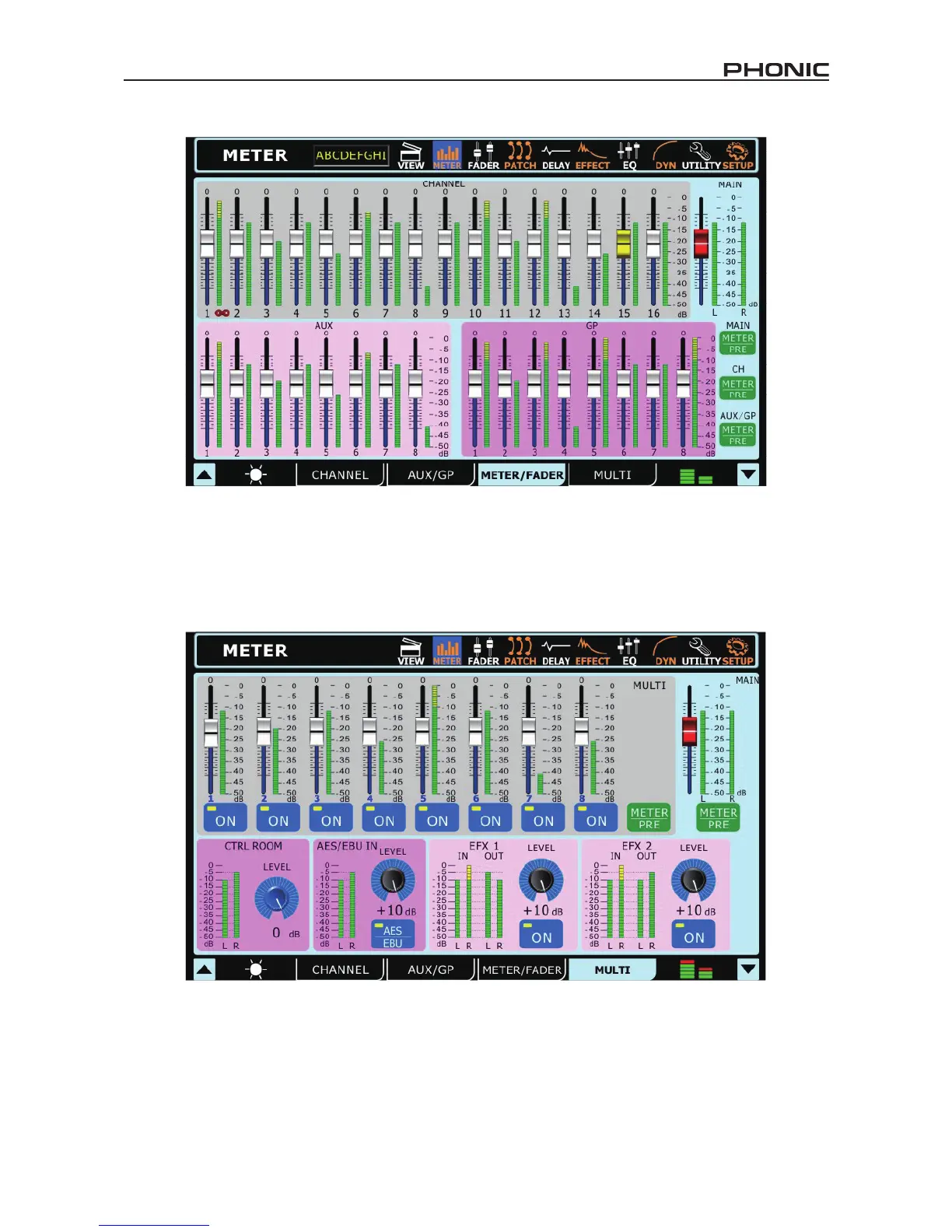
2.3 Meter / Fader Tab
The Meter section in the Meter / Fader Tab allows users to easily adjust levels of each input channel and AUX and Group mix, as well as
the main mix. Found directly next to each of these virtual faders is a level meter. Level meters can be changed between pre and post by
pushing the appropriate pre/post buttons on the right-hand side of the display. The input channels’ meters can be adjusted to display the
input signal (post-gain, pre-on/off), pre-fader (post-gain, post-on/off) and post-fader (post-fader, -EQ, -dynamics, -delay). If any two input
channels are paired (achieved through the Utility menu) these will be indicated as such by a small chain image located between the two
channels’ controls/meters.
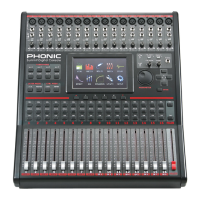
2.4 Multi Tab
The Multi tab of the meter function displays the input and output signals of the Multi signals, EFX signals, the AES/EBU signals, and Control
Room output. The menu also provides a number of different controls to users. All Multi outputs can be turned on and off and have their
levels adjusted. The main stereo mix can have its level adjusted. The EFX signals can be turned on and off and have their output levels
adjusted. The Control Room trim can be adjusted. The trim can be adjusted on the AES/EBU input, which can also be turned on and off
within this menu. If no digital device is connected to the input, users will not be able to activate the AES/EBU inputs.


 To Next Page