27SUMMIT
10.2 Link/Pair
10.2.1 Link Mode
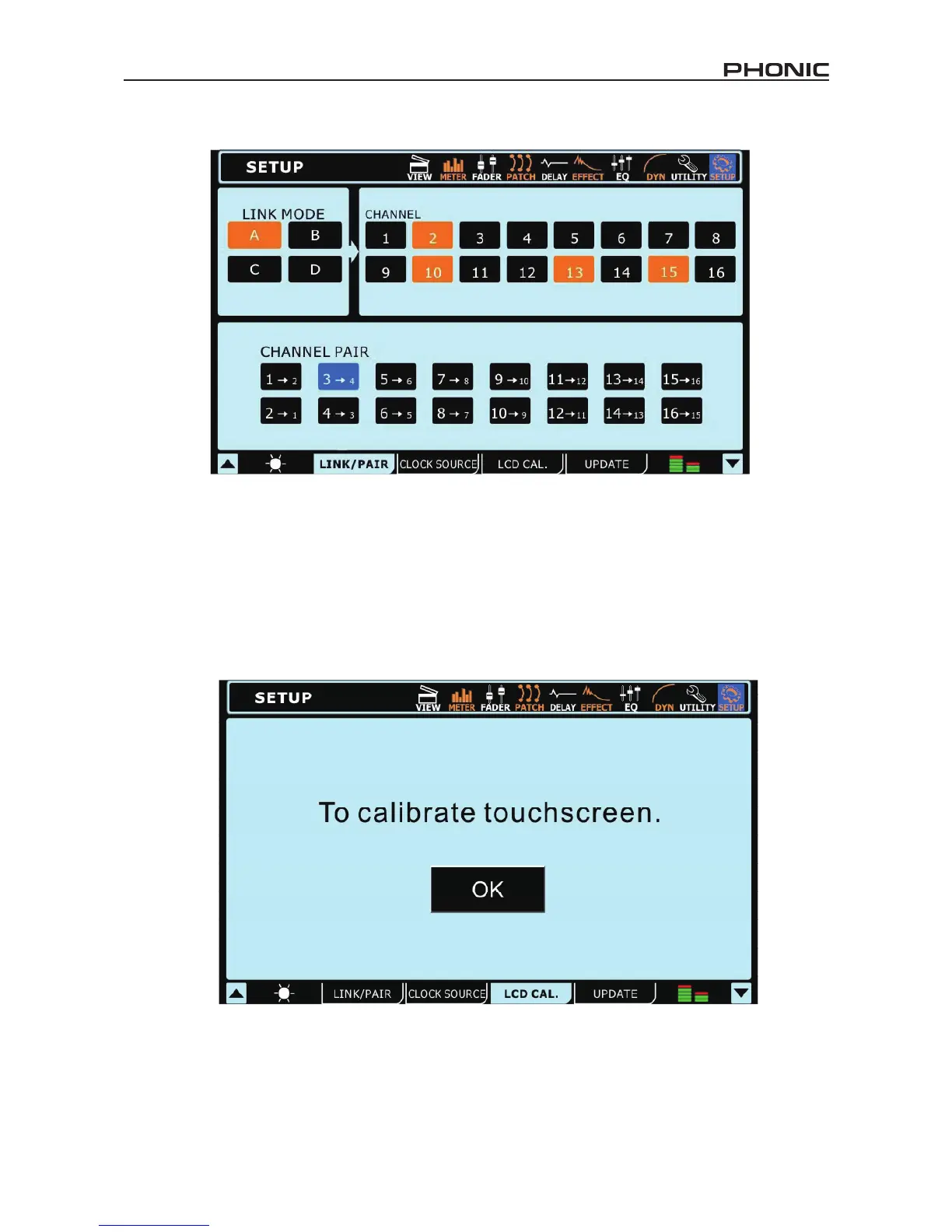
Users are able to link the level controls of any of the input channels together using the Link Mode function. Users are able to link up to 4
groups of channels together, and each group is color-coded. The link groups are labelled A, B, C and D and are coloured orange, green,
purple and brown, respectively.
If users link channels together, adjusting one fader within the link group will allow users to control all the others, while maintaining their
relative level differences.
10.2.2 Channel Pair
Activating pair mode on any combination of the channels will copy the fader settings and parameters from one channel to another. All
odd-numbered channels can have their parameters copied over to the evenly numbered channels that succeed them (or vise-versa). The
parameters copied do not include the invert phase or DAW functions. Paired channels’ linked parameters are: Select, On/Off, Panning,
Equalizer, Dynamics, Effects and AUX Send On/Off.
10.3 LCD Calibration
Select this tab to Calibrate the SUMMIT’s color touchscreen. When the LCD Calibration tab is selected, crosshairs will appear onscreen
and users should select these one-by-one to calibrate the touchscreen. If the screen becomes uncalibrated for whatever reason, and
the appropriate menu cannot be selected, users should use the SUMMIT’s onboard controls to navigate the GUI and bring up the LCD
Calibration function.
If it becomes necessary to calibrate the screen, users can use the tab buttons, directional buttons and ENTER button on the SUMMIT to
allow them to access the calibration function.


 To Next Page