26 SUMMIT
9.3 Naming
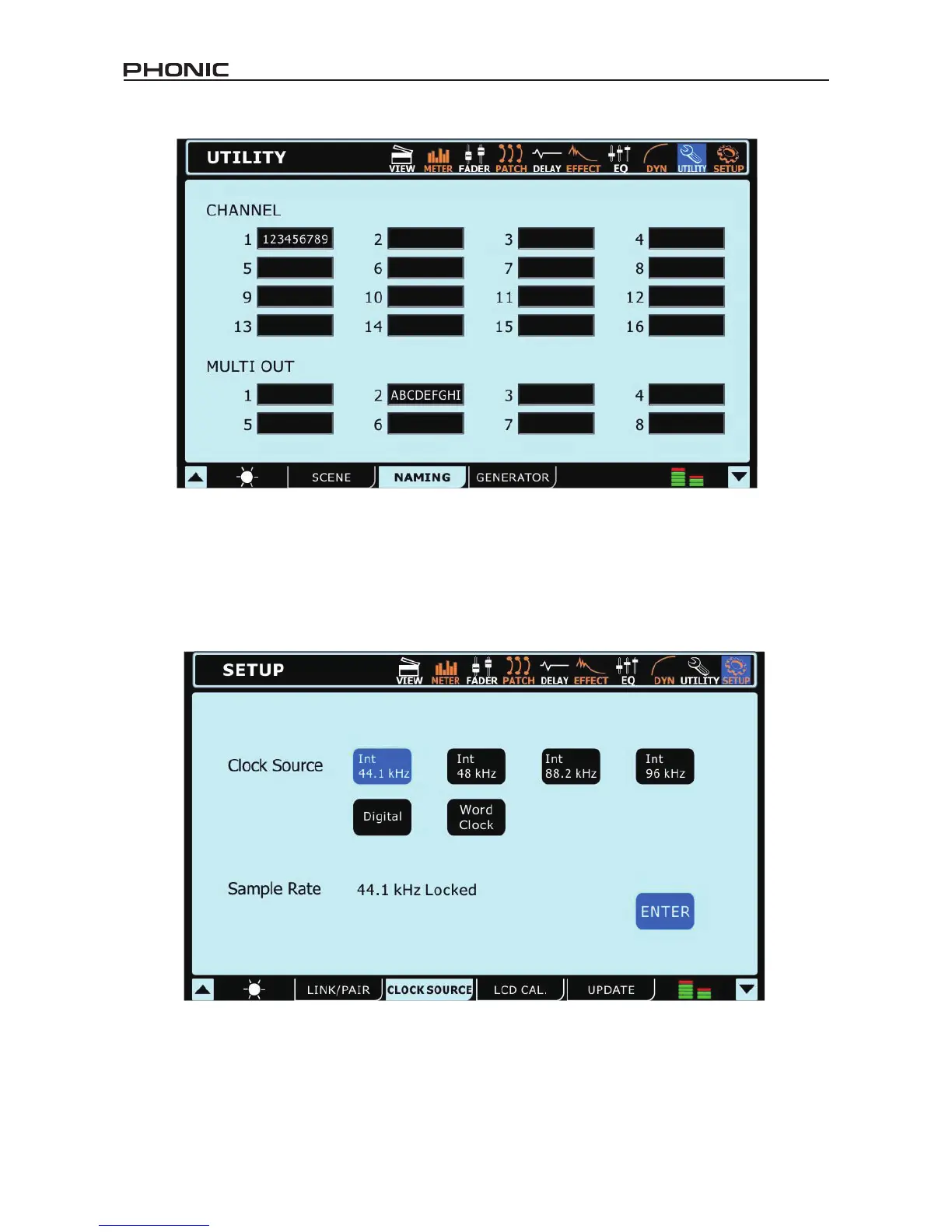
This function will allow users to assign names to each of the input channels and the multi outputs. Names can be up to 9 characters long
and contain letters, numbers, parenthesis, dashes and underscores. Simply click the display window of the appropriate channel to bring
up a digital keyboard. Users can use this to key in a name for the channel. This can be anything from the name of the instrument/input
source, to the name of the person playing said instrument. For the Multi Outputs, users can – for example – enter the destination of the
signal (the name of a performer monitoring the signal, recording device’s model number, and so on).
10. Setup
10.1 Clock Source
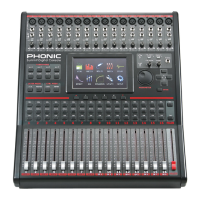
In the Clock Source tab of the Utility menu, users are able to select the clock source of the AES/EBU input and output. The clock source
can be selected from Internal (with sampling rates of 44.1 kHz, 48 kHz, 88.2 kHz and 96 kHz), the digital device, or the Word Clock input/
output.
The selected Sampling Rate – or that set by the external device – is displayed at the bottom of this menu.
The Enter button must be pushed to conrm new Clock Source settings.


 To Next Page