25SUMMIT
9. Utility
9.1 Generator
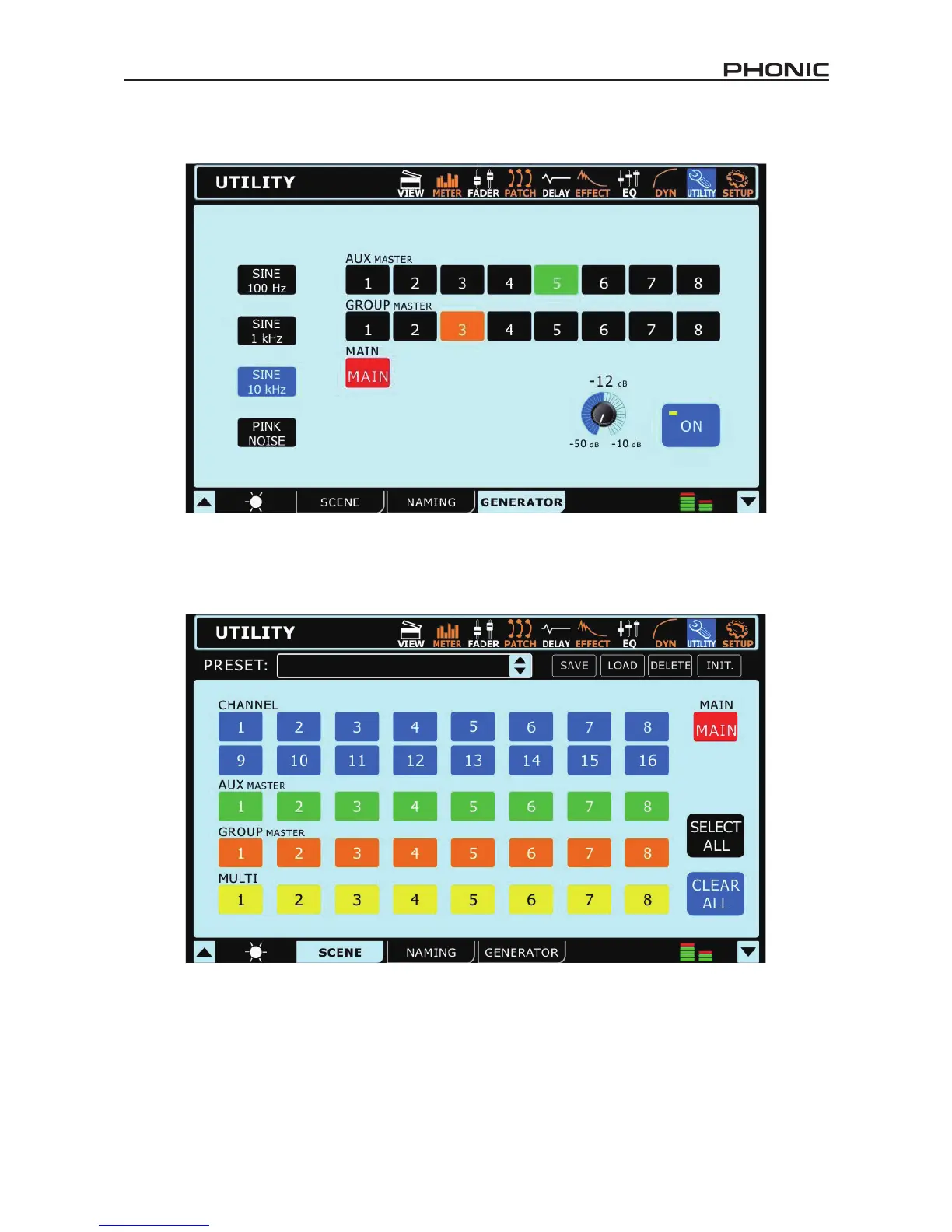
Through the Signal generator, users are able to send a Sine wave (100 Hz, 1 kHz or 10 kHz) or a pink noise signal to any of the AUX or group
mixes, as well as the main mix if need be. The On/Off button allows users to turn the signal generator on and off, and the accompanying
level control (virtual rotary control) will allow adjustment of the signal level.
9.2 Scene
In the scene menu, users can select which channels they wish to save the current settings of. Select one or more of the available input
channels, AUX channels, Group channels or the Main mix, and select Save. Users are also able to select and unselect all channels with
the included buttons.
The saved settings for each are: select, fader levels, on/off, panning, equalizer, dynamics, effects, AUX sends, delay and routing.


 To Next Page