VII. UPLOARD PRINTING FILES
1. Upload Printing Files via USB
Step 1
è
Make sure the printing file in your USB has been sliced to .phz
or .zip format.
Ø Tips Please name your printing file with ONLY EN ALPHABET.
Step 2
è
Insert your USB into the socket at the back of the printer.
Step 3
è
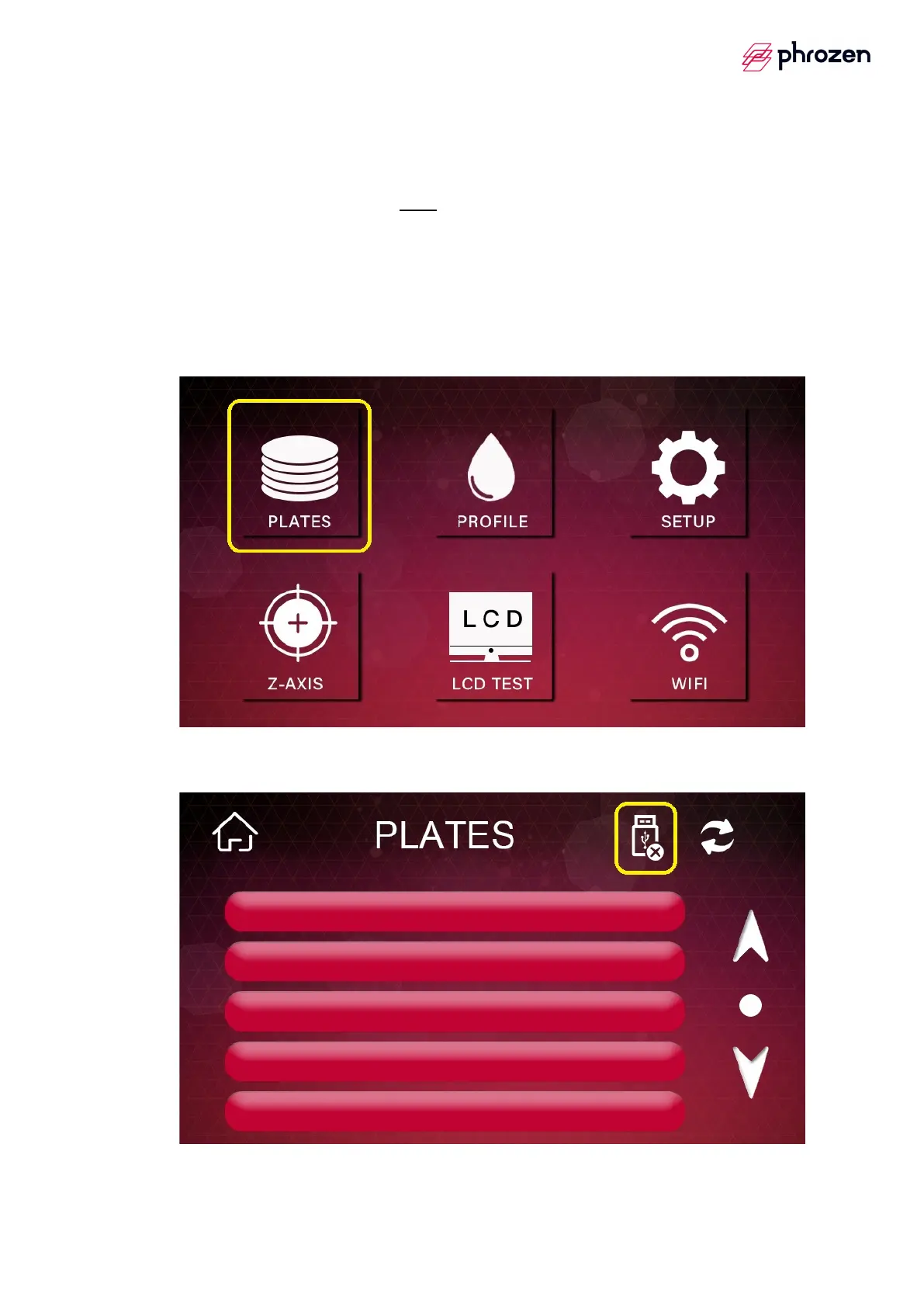
Click 【PLATES】.
Step 4
è
Click USB icon at the top of the screen.









 To Next Page