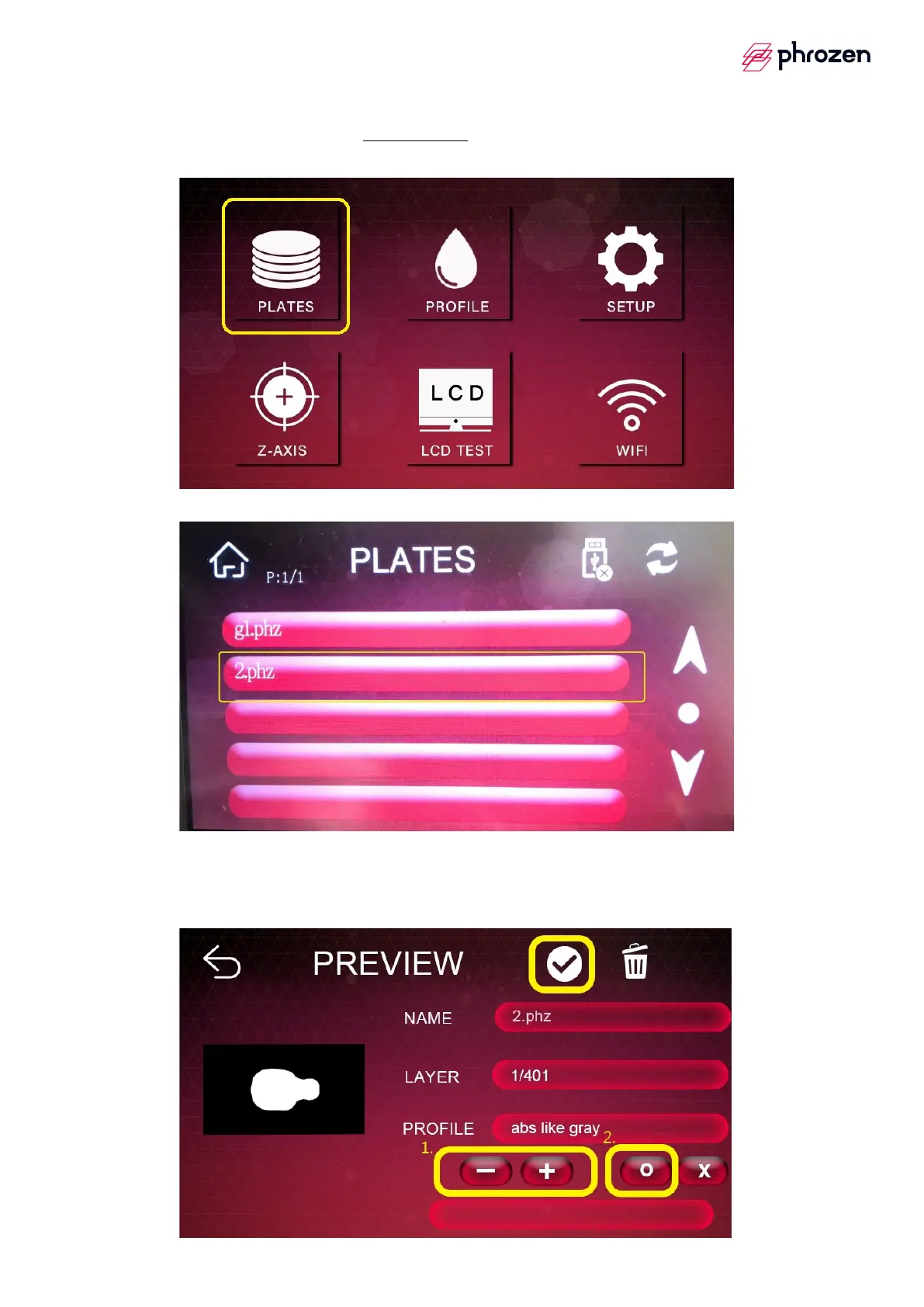
1. Do Your Printing via Phrozen OS
Step 1
è
Click 【PLATES】.
Step 2
è
Choose the file you would like to print.
Step 3
è
Check the printing details, NAME, LAYER, PROFILE on 【PREVIEW】
page and click 【✓】to start your printing process.
Ø Tips Resin profile can be manually adjusted by +/- and confirmed by O.









 To Next Page