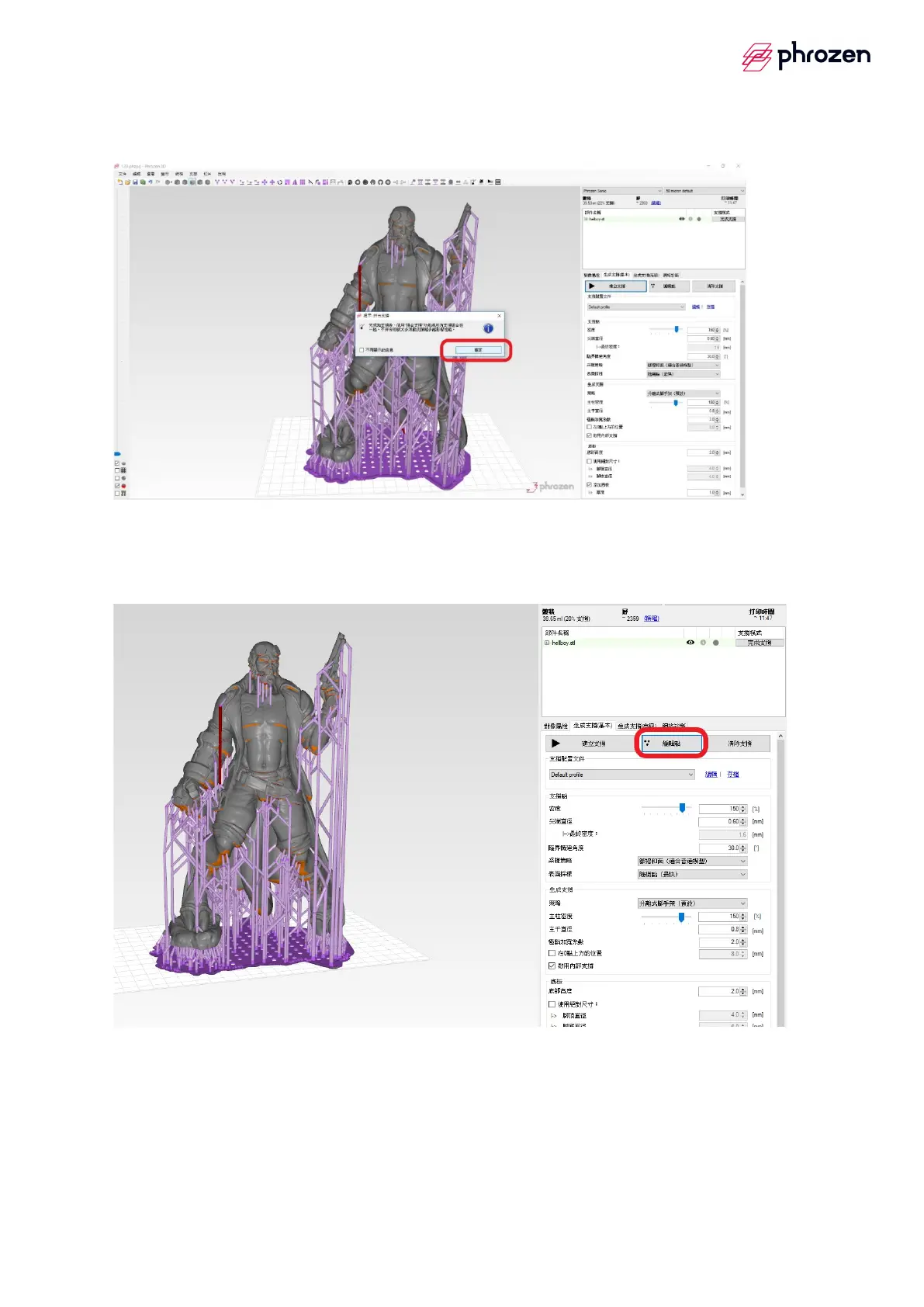
(d) Click『Confirm』
5. Edit bracket
(a)Select───the edit spot
Step1
è
Click the left mouse button on the position where to create bracket, after
that it would generate a black spot which is the support tip position
Step2
è
If click the left mouse button on the black spot again, it would clear away
Step3
è
After editing, select ─── Apply change









 To Next Page