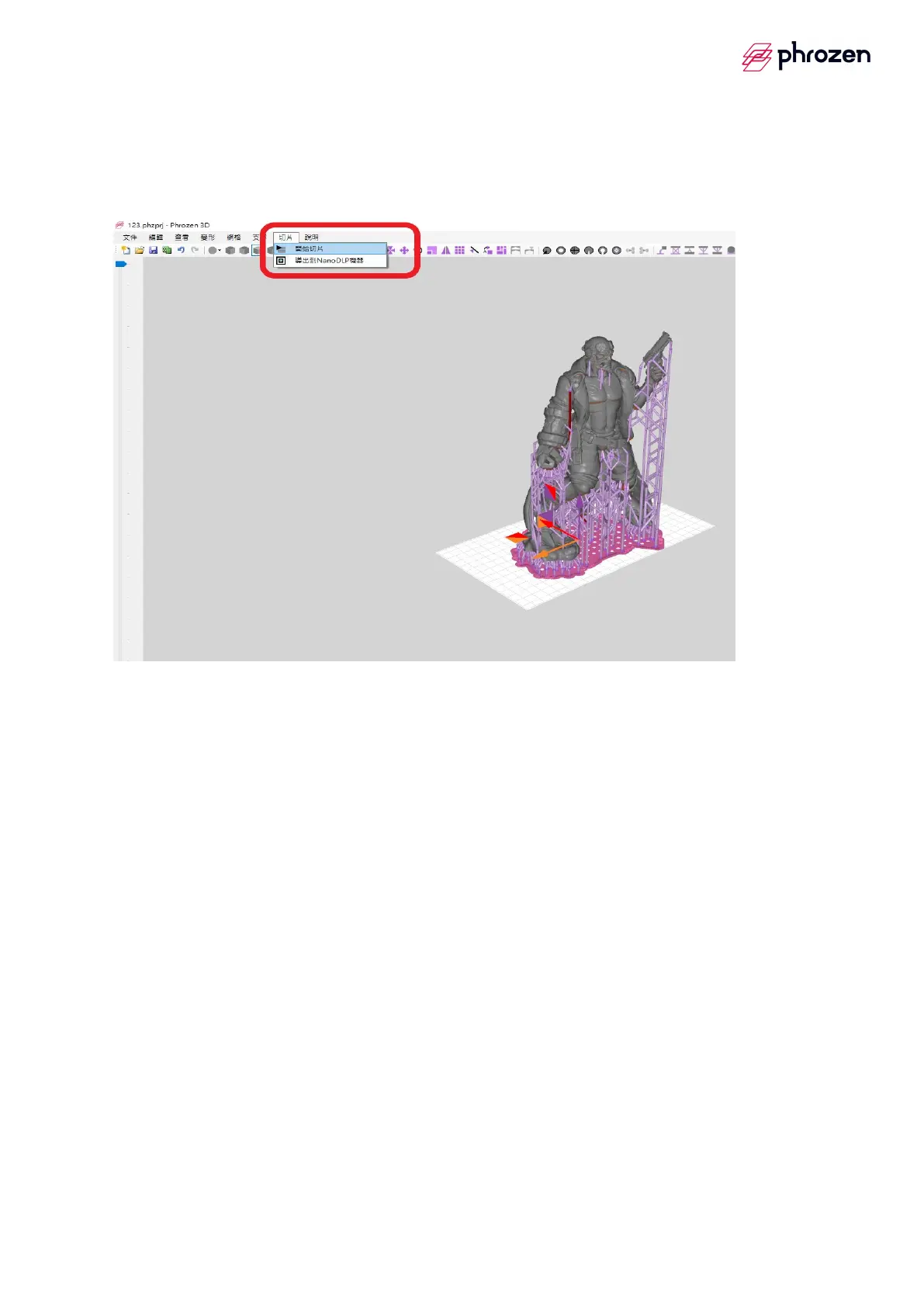
6. Model slice
Step1
è
Select slice image
Step2
è
Select───start to slice operation
7. Examinate before slice
Step1
è
Make sure the type of machine and slice thickness which needs to be
the same as resin profile.
Step2
è
Please name your printing file with ONLY EN ALPHABET.
Step3
è
【√】 slice to export to ZIP.
Step4
è
Start to slice









 To Next Page