User Manual
E712T0010, valid for E-712.N1, E-712.1AM, E-712.1AN, .2AN, .3AN
CMo, BRo, 10/31/2024
Physik Instrumente (PI) SE & Co. KG, Auf der Römerstraße 1, 76228 Karlsruhe, Germany page 21 / 40
Phone +49 721 4846-0, fax +49 721 4846-1019, e-mail info@pi.ws, www.pi.ws
Piezo amplifier channel 3 is assigned to the first pair of clamping components
Piezo amplifier channel 4 is assigned to the second pair of clamping components
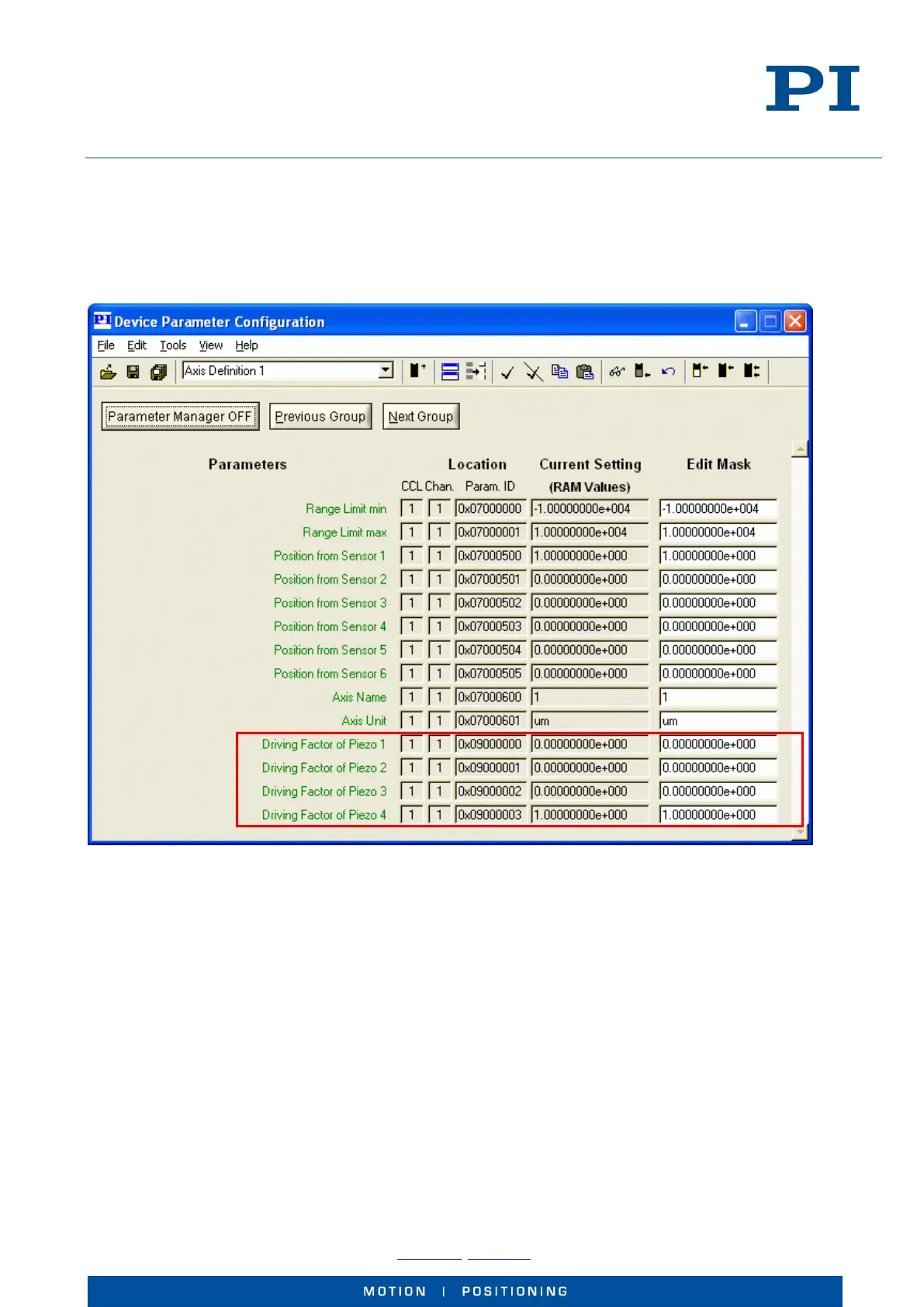
Fig. 14: Setup for axis 1
PiezoWalk channel 1 is assigned to axis 1 by setting the “Driving Factor of Piezo” parameters for the piezo
amplifier channels 1, 2 and 3 to zero and for channel 4 ( the second clamping channel) to 1.0 (see the marking in
Fig. 14).
6 Operation
6.1 How to Select the Driving Mode
The driving mode selection depends on your application and is made via the PiezoWalk Driving Mode parameter
(ID 0x07001A00) which can be changed with the SPA or SEP commands. You can change the driving mode while
the PiezoWalk® drive is moving.



 To Next Page