8
BM-170 Manual
Learning Basics
∙ We strongly recommend that you use the adapter which was purchased with the product for charging the battery.
∙ However, the 24 pin charger of an ordinary mobile phone may also be used to charge the PDA battery. (Due to
the characteristics of a standard charger, there may be small discharge of electricity despite the charger being fully
charged.)
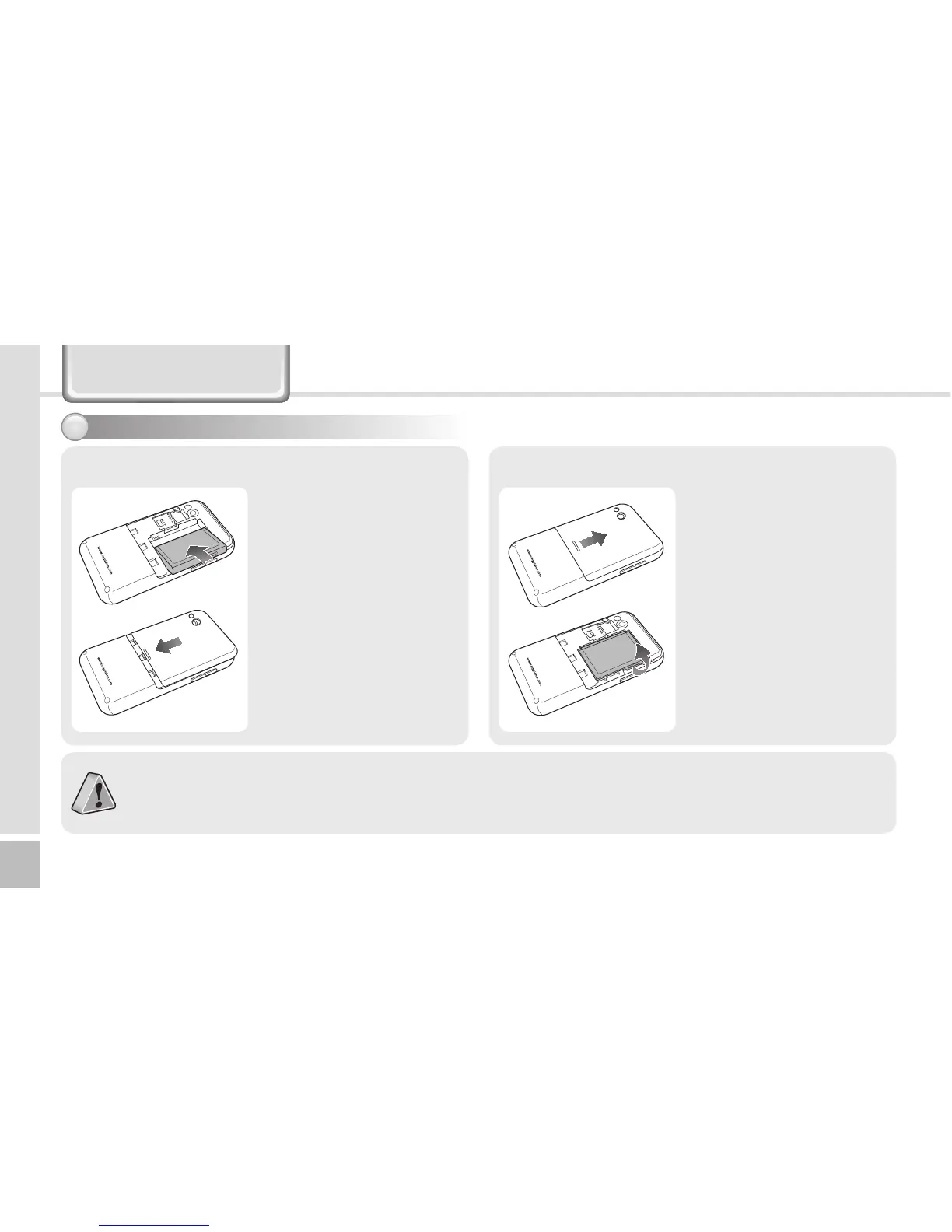
1 Put the battery in line
with the left part of the
PDA and then push the
right part to lock.
2 Put the projected part
of the cover on top of
the groove in the back
and then push carefully
with both thumbs.
[Install the Battery]
1 Push down using both
thumbs to remove the
cover.
2 Raise the battery by
using the groove on
the lower part to
remove the battery.
[Remove the Battery]
Insert/Remove the battery1



 To Next Page