20
BM-170 Manual
1
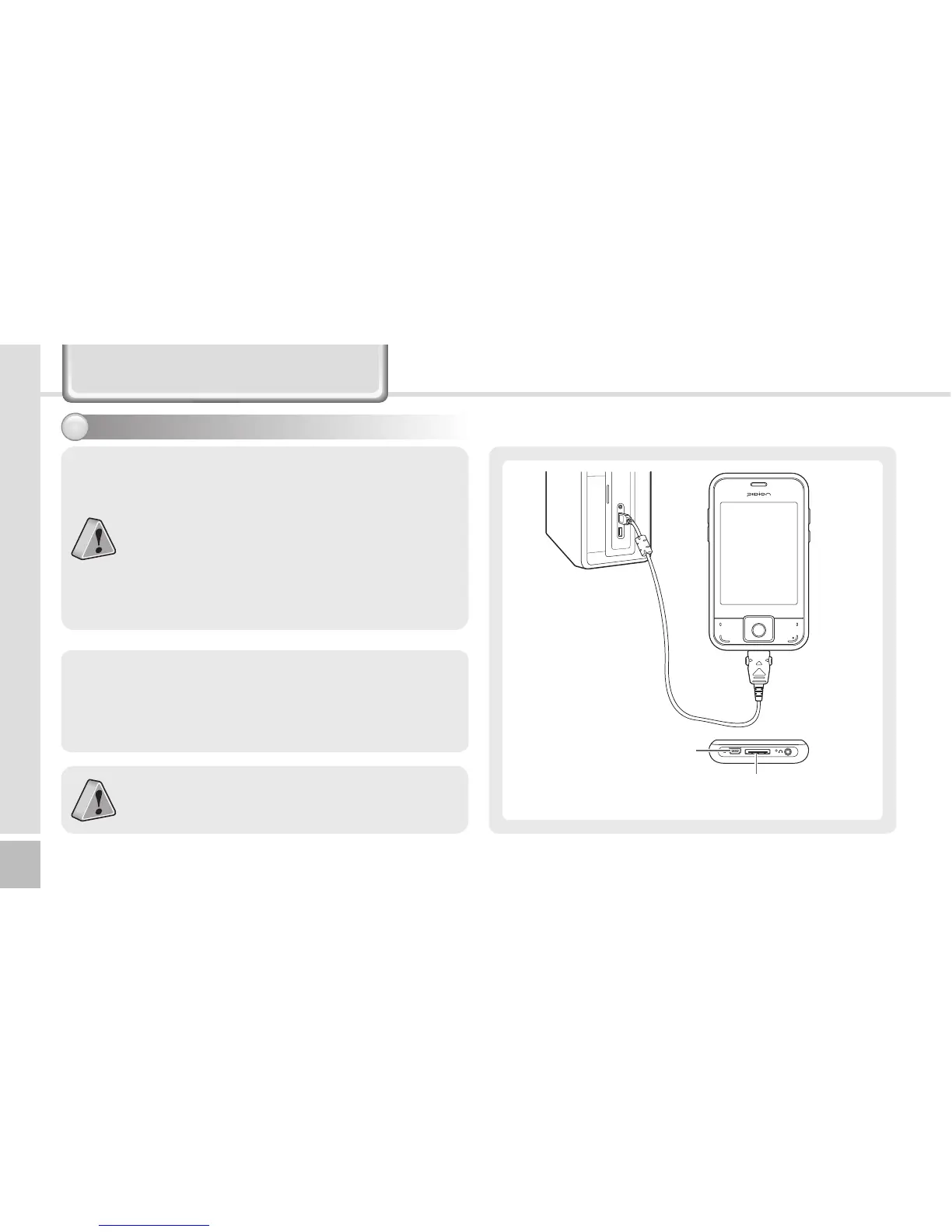
The terminal with the computer through the
<24pin USB cable>.
Please do not use both <24pin USB cable> and
<Mini USB cable> at the same time. It might cause
the failure.
∙ The screenshots are for the [Windows Mobile]
version. The images may vary depending on the
version of the software.
∙ You must connect the terminal to PC or notebook
first to use [MicroSoft ActiveSync].
You can copy/paste files, or install/uninstall
programs through synchronization with the
terminal.
∙ USB cables are sold separately. Please contact the
Customer Care Center if you wish to buy one.
Using ActiveSync2
24pin USB Cable Connector
(Charging, Sync)
Mini USB Cable Connector
(Sync)
Connecting ActiveSync



 To Next Page