BM-170
9
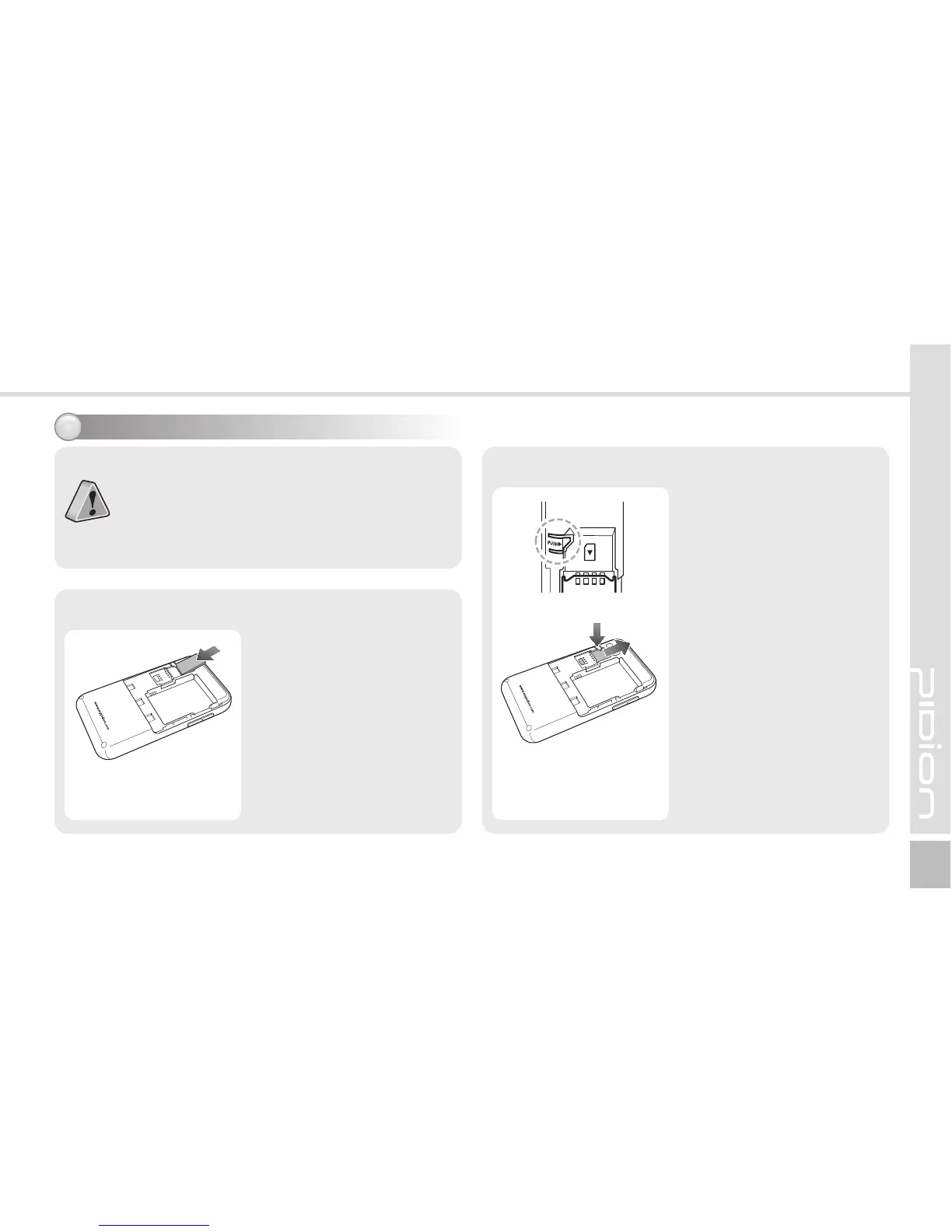
To remove the SIM card,
lightly slide it away from
slot.
[Remove the SIM Card]
USIM Card?
This card integrating the SIM card containing
subscriber information and the Universal IC Card
(UICC) containing communication and banking
function provides various functions including user
authentication, global roaming, and e-transaction.
Insert/Remove the SIM card2
Insert the SIM card with its
gold contacts face down.
Its cut off corner should
match the cut off corner in
the slot.
[Insert the SIM Card]



 To Next Page