10
BM-170 Manual
[Safety Notice for Using the MicroSD card]
∙
Frequent insertion/removal of the memory card, or
applying too much force to it, may cause the product
to malfunction.
∙
Card removal and turning the power off/on using the
memory card may result in loss of data or cause the
memory card and PDA to malfunction.
∙
Important data should always be saved on the
computer. The company will not take any responsibility
for the loss of data on this product.
∙
If the memory card cannot be removed easily, instead
of removing it with force, inquire to the service center
for its removal, or ask for an exchange or refund of the
product.
Insert/Remove the MicroSD3
MicroSD card?
MicroSD card is a micro flash memory media which
is used to store and move data.
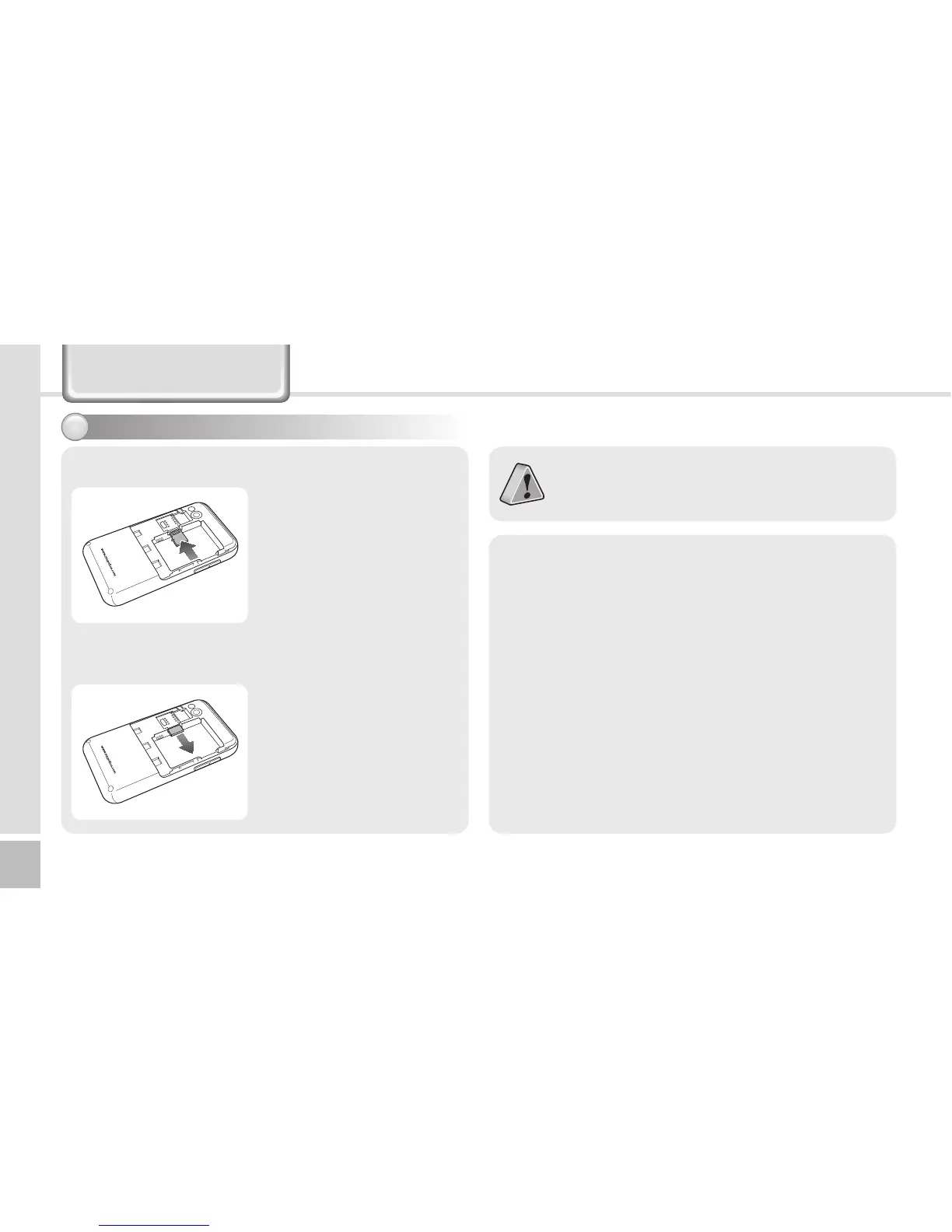
Please push the MicroSD
with facing up toward the
arrow.
When you push MicroSD
deeply toward inside by
finger, it will come out
and take that part out.
[Insert the MicroSD]
[Remove the MicroSD]
Learning Basics



 To Next Page