14
BM-170 Manual
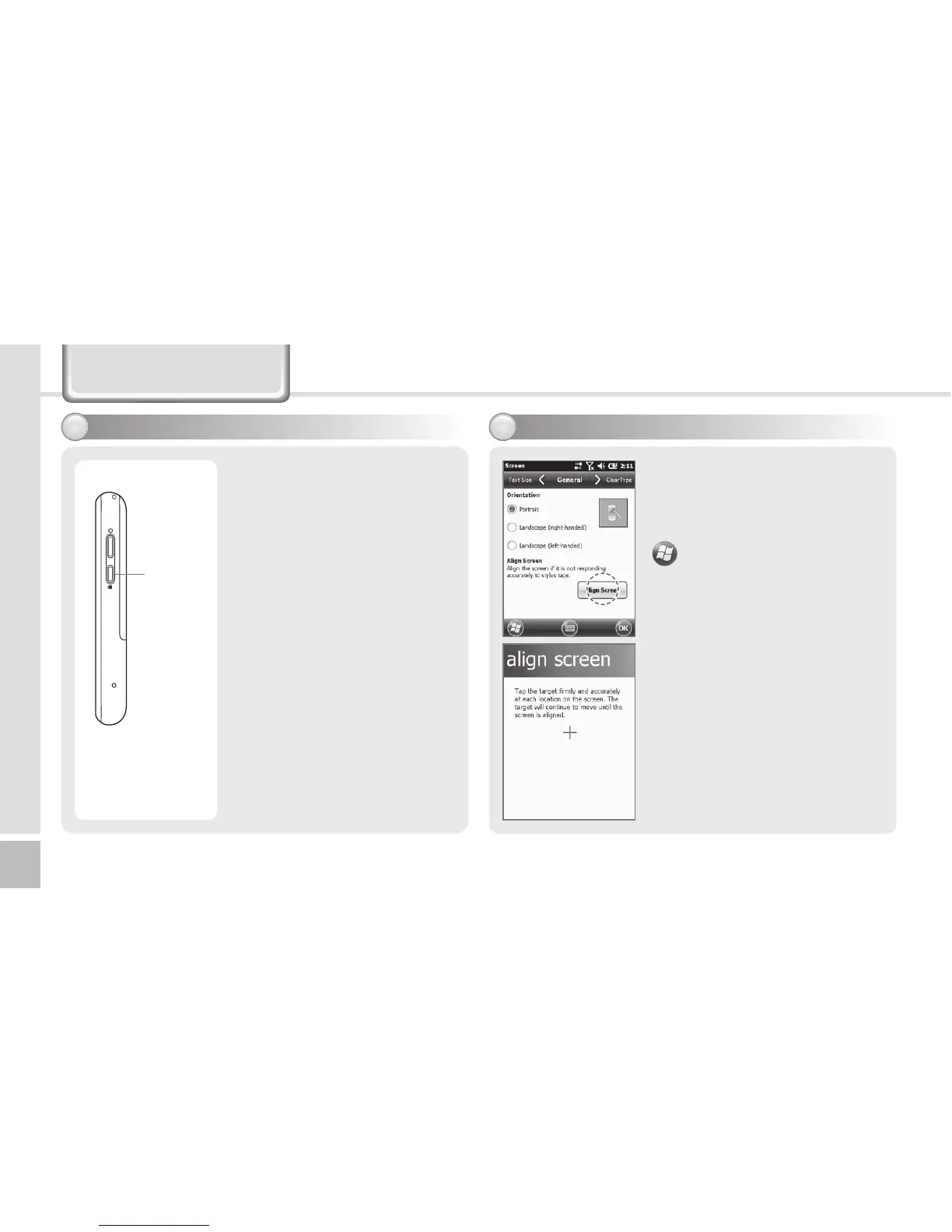
You can set the stylus pen
input value on the LCD screen.
Setting screen
▶
Settings
▶
System
▶
Screen
▶
Align Screen
Point the target in the center
of the screen with the stylus
pen.
As the target moves to left top,
left bottom, right bottom and
right top, point the target
accurately.
Adjusting screen7
Learning Basics
Setting Hold/Unhold6
• [Hold] button located on the
right side.
• Pressing Hold button briefly
then move to the Today
screen, pressing and holding
Hold button then locked.



 To Next Page