Home
Pidion
Cell Phone
BM-170
Page 40
Pidion BM-170 - Page 40
60 pages
Manual
Save Page as PDF
To Next Page
To Next Page
To Previous Page
To Previous Page
Loading...
38
BM-170
Manual
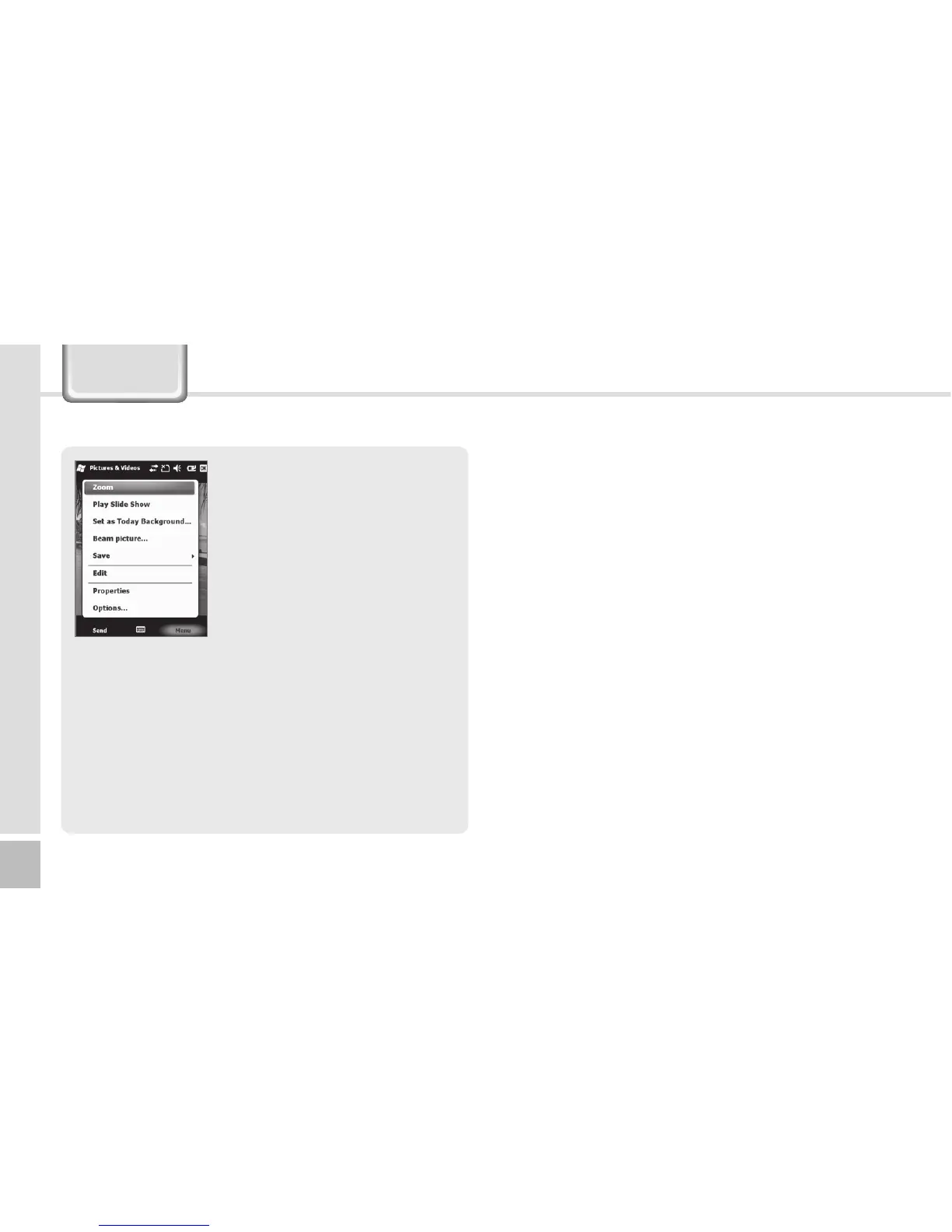
By selecting the
[Menu]
b
u
t
t
on
,
y
ou
ca
n
s
e
le
c
t
Zo
o
m,
P
l
a
y
S
l
id
e
S
ho
w
,
Se
t
as
T
od
ay
B
a
c
k
gr
o
un
d,
Be
a
m
p
ic
t
ur
e,
S
a
v
e
,
E
di
t,
Pr
o
pe
r
ti
e
s,
O
p
ti
o
ns
o
r
S
en
d
t
o
y
ou
r
s
p
ac
e
f
or
th
e
selected Still/Video.
Camera
39
41
Table of Contents
Main Page
Default Chapter
3
Table of Contents
3
Safety Instructions
4
Cautions for Product Use
5
About the Product
6
Checking Components
6
Checking Names of Parts
7
Buttons
8
Product Features
9
Learning Basics
10
Insert/Remove the Battery
10
Insert/Remove the SIM Card
11
Insert/Remove the Microsd
12
About Battery
13
Powering On/Off the Phone
15
Setting Hold/Unhold
16
Adjusting Screen
16
Using Stylus Pen
17
Using Earjack
17
Resetting Terminal
18
Hard-Resetting
18
Using USB Cable
19
Connecting Activesync
20
Installing Activesync
20
Using Activesync
22
Today Screen
25
Viewing Today Screen
25
Setting Photo Image as the Background Image
25
Settings
25
Creating a Text Message
34
Sending a Text Message
35
Viewing Text Messages
35
Managing Draft Messages
36
Managing Delected Items
36
Managing Sent Messages
37
Camera
38
Taking Photos
38
Viewing Album
39
Setting Personal Environment
46
Setting System Environment
47
Setting Connection Environment
51
Knowing the Product
54
Customer Service
56
Warranty Certificate
58
Other manuals for Pidion BM-170
Configuration Manual
7 pages
Quick Guide
2 pages
Related product manuals
Pidion BIP-6000
70 pages
Pidion BIP-1500
84 pages



 To Next Page