Manual PIEPS PRO BT/POWDER BT | Firmware v3.0 | 02/2023
22 / 28
4.7.6 SCAN & victim selection
Two SCAN modes are available:
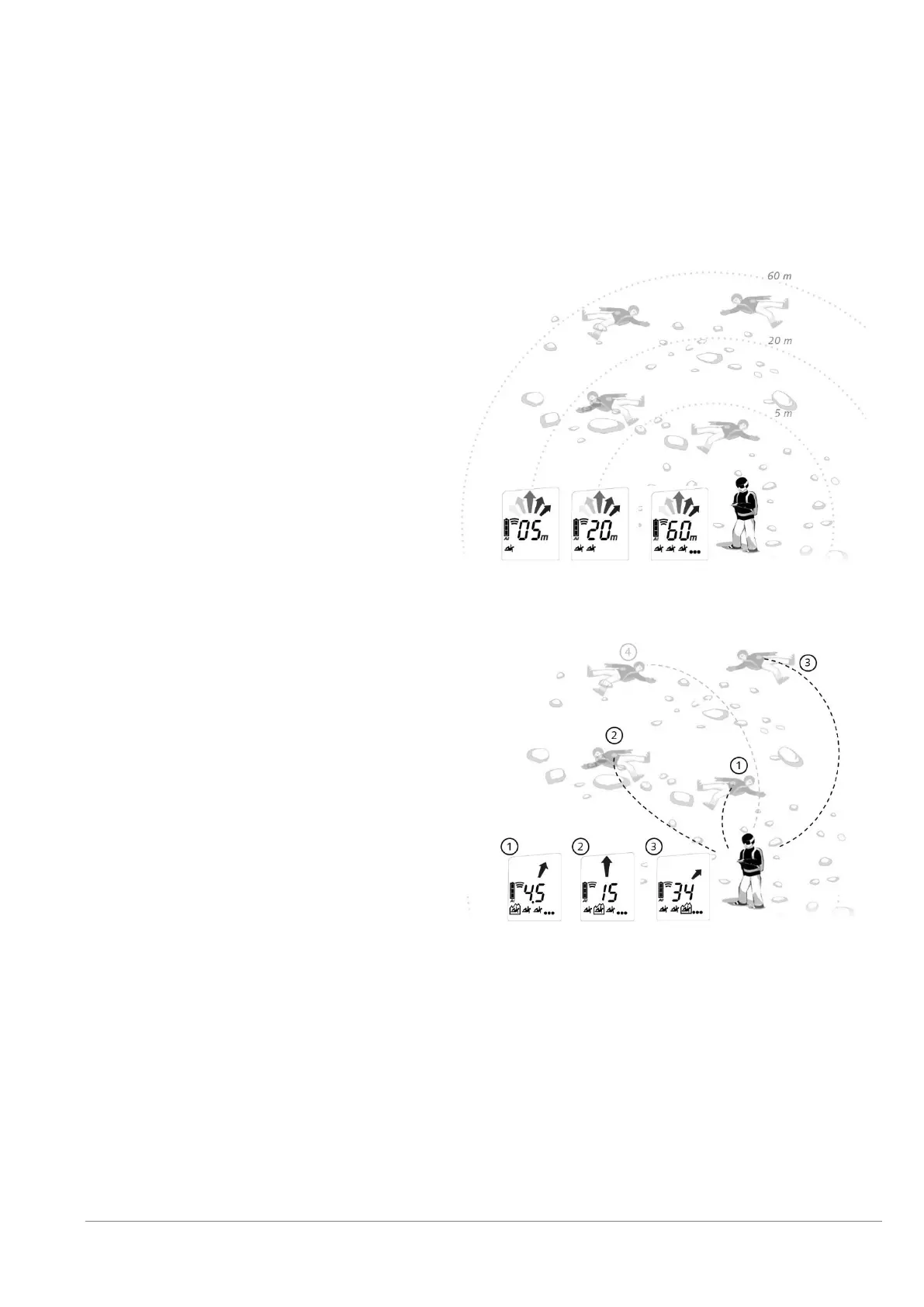
The Regular SCAN provides a rough overview about the burial situation by indicating the number of victims
within certain distance ranges. This is the default setting. The Detailed SCAN shows direction and distance for
each victim and allows selecting a victim. The setting can be changed in the PIEPS APP device manager.
Regular SCAN
Press the button SCAN (1E) while in search
mode. The PIEPS PRO BT scans the entire
receiving range and displays an overview. During
the scan, don´t move and hold the device
steady.
reading 1: total number of victims within 5 m
reading 2: total number of victims within 20 m
reading 3: total number of victims within 60 m
The SCAN mode ends automatically but can also
be interrupted by another SCAN button press.
Detailed SCAN & victim selection
Press the button SCAN (1E) while in search mode.
The PIEPS PRO BT scans the entire receiving
range and ends with indicating the direction and
distance to the first victim.
Use MARK (1D) to scroll through the closest 3
victims. The selected one is encircled (2J) – follow
the direction/distance reading to approach it. The
MARK function is not available in this mode.
Press SCAN to exit the Detailed SCAN mode and
to return to regular search mode.


 To Next Page