Manual PIEPS PRO BT/POWDER BT | Firmware v3.0 | 02/2023
26 / 28
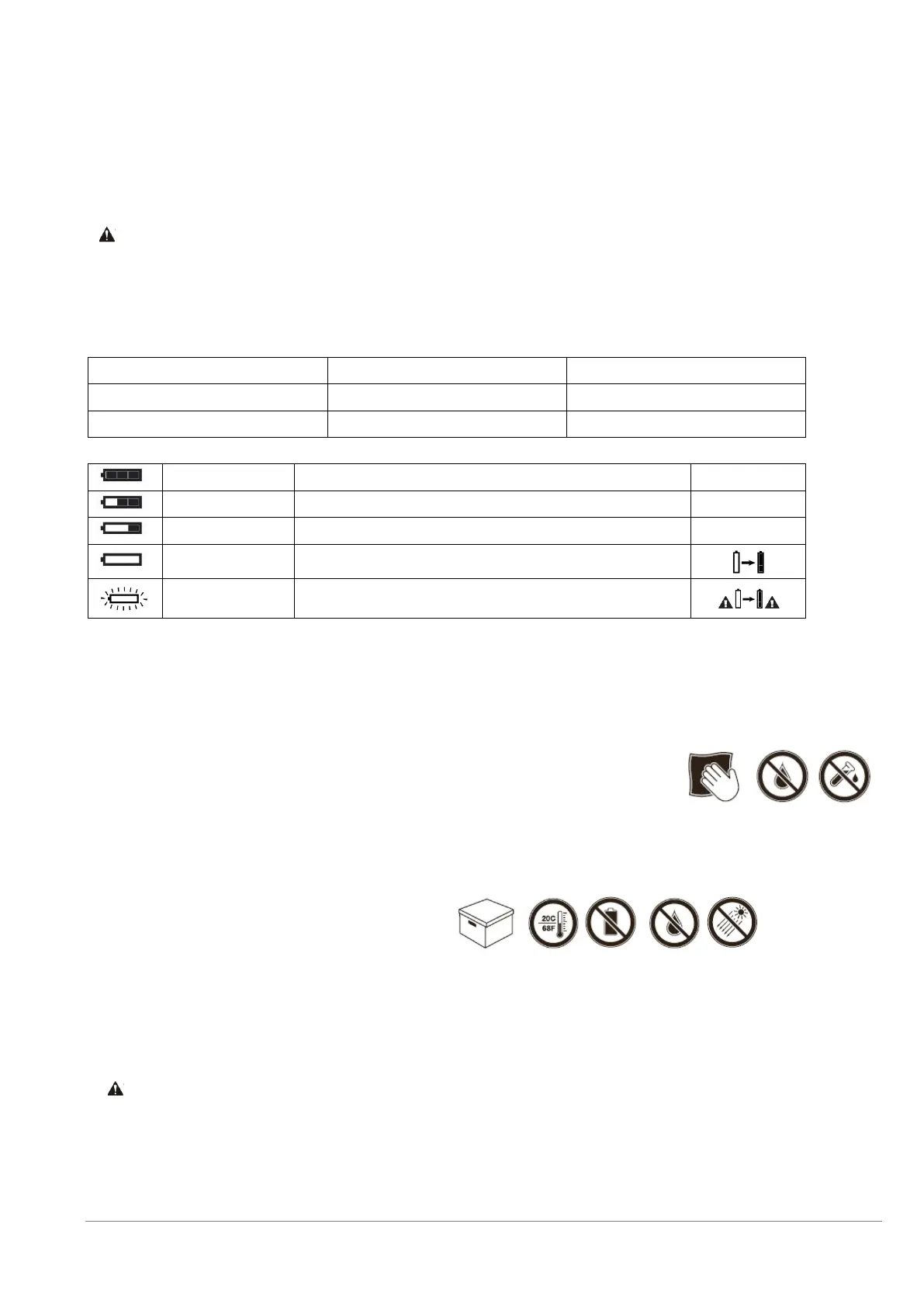
6.2 BATTERY REPLACEMENT
Change the batteries as soon as the battery capacity indication (2D) shows an empty battery. Always change all
three batteries at once! To do so, open the battery compartment (1H) and be sure to insert the new batteries the
right way around. For battery disposal, follow the applicable regulations in your country.
Risk of explosion from incorrectly used batteries.
Risk of incorrect battery capacity indication.
Only use batteries of type “Alkaline (AAA) LR03 1.5 V“ or “Lithium (AAA) FR03 1.5V“!
The use of Lithium batteries must be confirmed in the PIEPS APP!
20 h SEND (+10° C, 50° F) + 1 h SEARCH (-10° C, 14° F)
Final reserve, device can shut down at any time
6.3 CLEANING
Use a damp cloth without cleaning agent to clean the device.
Flowing water, steam or cleaning agent must not be used to
clean the device. To do so could impede operation of the
device.
6.4 STORAGE
Store the device in a dry room at room temperature.
If the device is not used for extended periods of time (summer months), it is
recommended to remove the batteries from the battery compartment. The
warranty does not cover damage caused by leaking batteries.
Risk of device malfunction or damage due to extreme temperatures
Do not expose the device to extreme temperatures outside the operating
limits! Store the device protected from direct sunlight! Extreme temperatures
can result in malfunction or damage!


 To Next Page