© 2022 Pierce Manufacturing Inc. All Rights Reserved. Husky 3 Foam System / 3-9
OPERATION
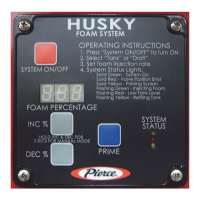
5. Press DEC % button until FIL is displayed in LED.
NOTE: • The high level float switch in foam tank dome will automatically stop the fill process when the
tank is full.
• When system is filling, the green LED will illuminate and stay lit constant and the yellow LED
will be flashing.
• When the tank is full, the yellow LED will go out.
• If the red LED illuminates and stays lit constant, there is a valve position error. One or both of
the valves are in the wrong position (Draft/Tank or Injection/Fill).
6. Turn system ON, filling will begin.
NOTE: If all pails are set up and ready to go, it may possible just to go directly from pail to pail without
turning the system OFF and ON. This may be the case when filling the foam tank for the first time
or if the foam tank is empty.
7. Turn system OFF and ON when changing from foam concentrate sources (pail to pail).
8. Filling operation will stop automatically when tank is full.
9. When tank is full, turn system OFF.
10. Turn 2-way Foam Injection/Fill valve to Foam Injection position.
11. Move Foam Tank/Draft handle DOWN to the Tank position.
12. Install the cap on the Inlet.
13. Clean the flexible pick up hose assembly and place in storage compartment.
14. Clean running board if needed.
15. Use the INC % or DEC % buttons to change percentage to default setting of 0.5% or turn battery switch OFF.


 To Next Page