6
d. SELECT - Rotate to scroll through a menu or station list. Press to select
the chosen option. Press and hold to auto scan DAB/FM stations.
e. SNOOZE - Press to snooze a set time when alarm sounding.
8 INFO - View more information about the station or track playing. Press again
to cycle through further information screens then return to the normal playing
screen.
FULL SIDESHOW: Press and hold INFO button to switch DAB normal
playing screen image to full screen slide show image.
9 SOURCE - Press this button, rotate and press SELECT to select the desired
mode (Internet radio, Podcasts, DAB, FM and Bluetooth).
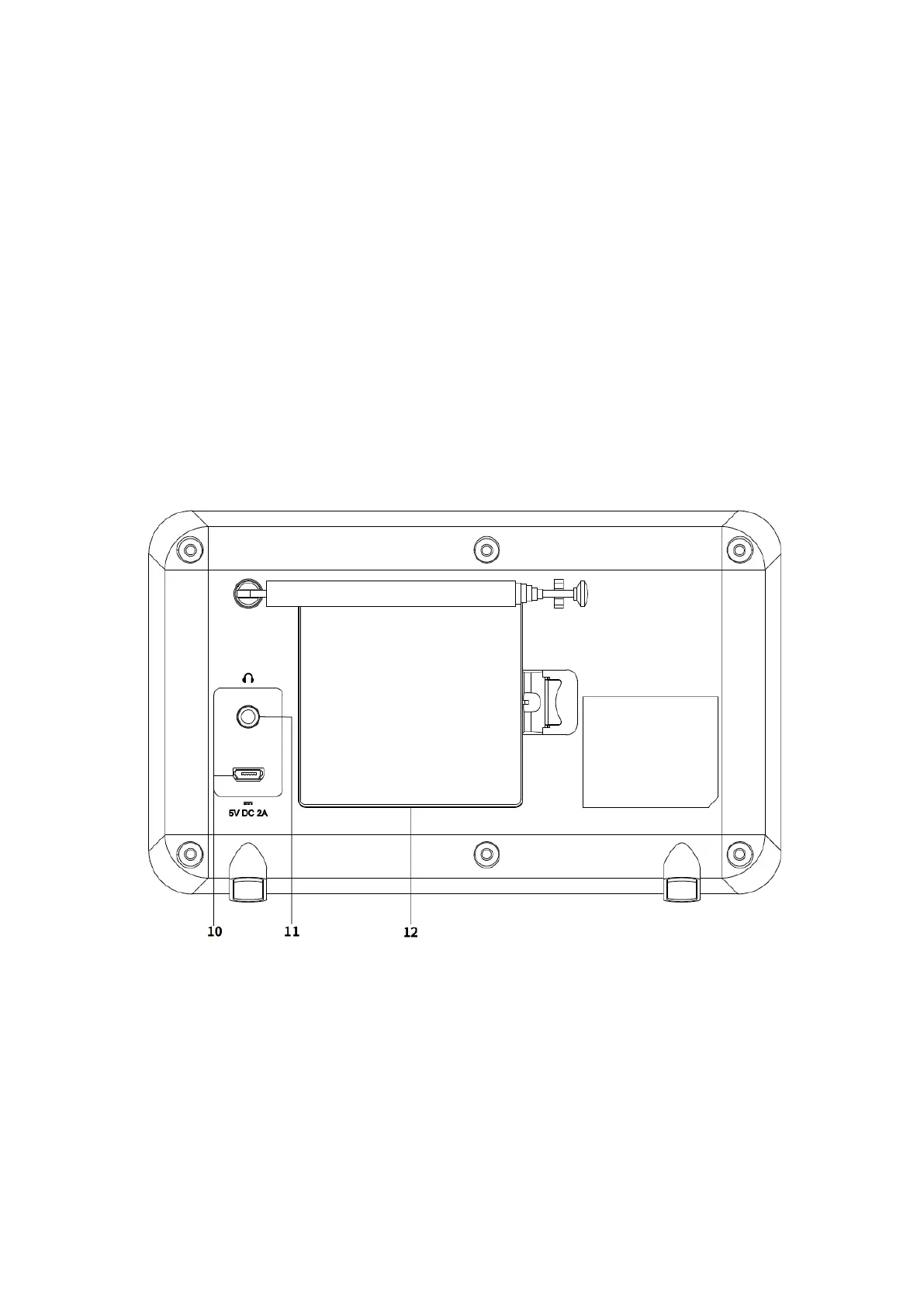
Connectors
10 DC power in (5V)
11 Headphones out
12 Battery compartment



 To Next Page