35
Chapter 3 Setting a Route to Your DestinationNAVI
Chapter 3
Setting a Route to Your Destination
• For safety reasons, these route-setting
functions are not available while your
vehicle is in motion. To enable these func-
tions, you must stop in a safe place and
put on the parking brake before setting
your route. (see page 12 Interlock for
details).
❒ Some information on traffic regulations
depends on the time when the route calcula-
tion is performed. Thus, the information may
not correspond with a certain traffic regula-
tion when your vehicle actually passes the
location. Also, the information on the traffic
regulations provided will be for a passenger
vehicle, and not for a truck or other delivery
vehicles. Always follow the actual traffic regu-
lations when driving.
❒ If you press the MAP button during route cal-
culation, the calculation is canceled and the
map display appears.
❒ Inserting the DVD Map Disc will cause a
forced reroute. (This rerouting cannot be can-
celed.)
Finding Your Destination by
Selecting the Type of Facility
Information about various facilities (Points Of
Interest - POI), such as gas stations, amusement
parks or restaurants, is available. By selecting the
category (or entering the POI Name), you can
search for a POI.
❒ You can also narrow down the search range
by initially specifying the name of the city or
area where your destination is located.
Searching for Points of Interest
(POI)
1 Touch “Destination” in the Main menu,
and then touch “POI Search”.
2 Touch the zone code key of the destina-
tion and touch “OK”.
➲ Selecting the zone where you want to
search ➞ Page 21
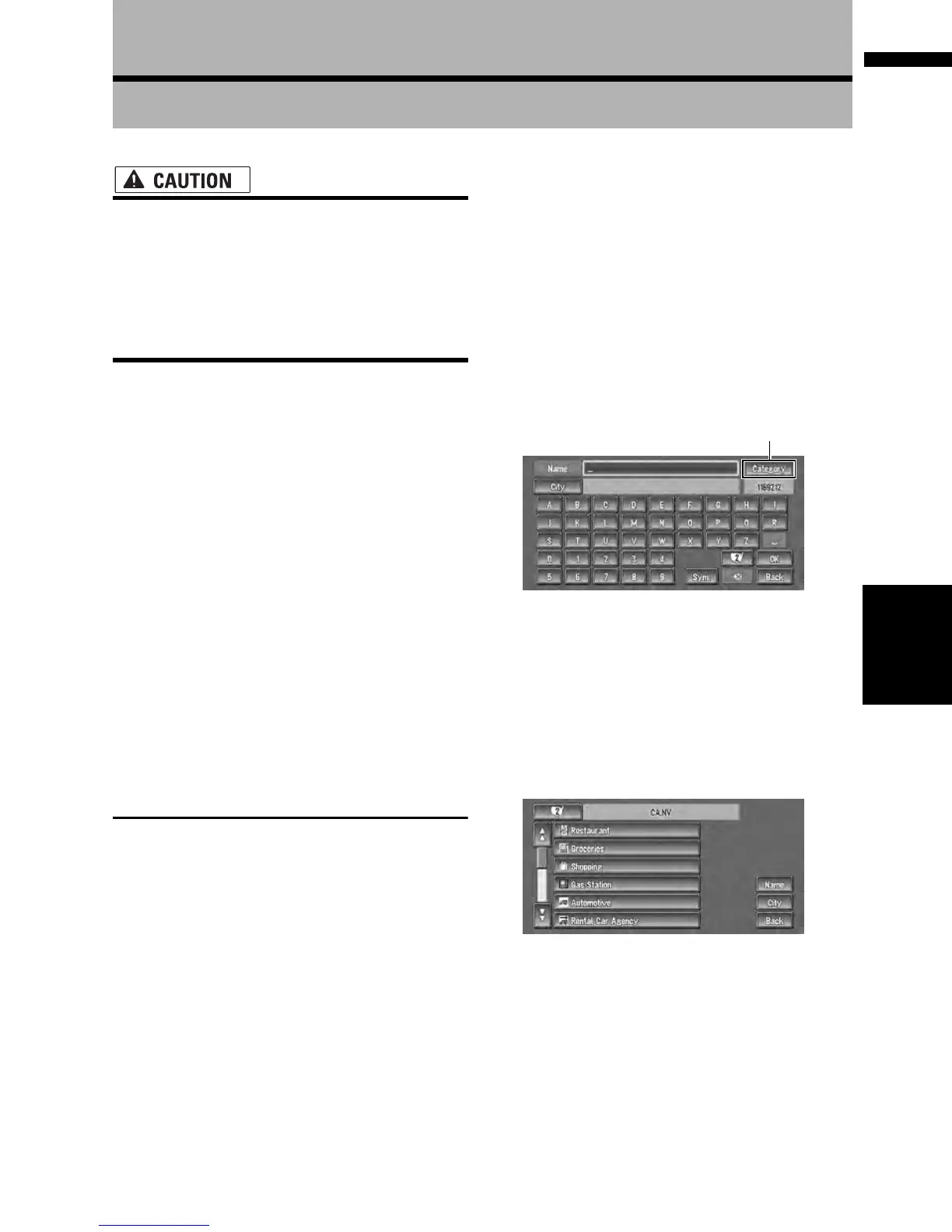
3 Touch “Category”.
“Name” :
Touch if you wish to first specify the POI
Name.
“City” :
Touch if you wish to first specify the destina-
tion city or area.
4 Touch the desired category.
POI’s are divided into several categories.
If the category is not sub-divided into more
detailed categories, the list will not be dis-
played. Proceed to Step 6.
5 Touch the subcategory.
6 Input the name of the POI.
If the list does not automatically appear when
the name of the POI has been entered, try
touching “OK”.
Category








 To Next Page