93
Chapter 7 Using the AV Source (Pioneer AV Equipment)AV
Changing the wide screen mode
➲ How to change the wide screen mode ➞
Page 104
Advanced DVD player operation
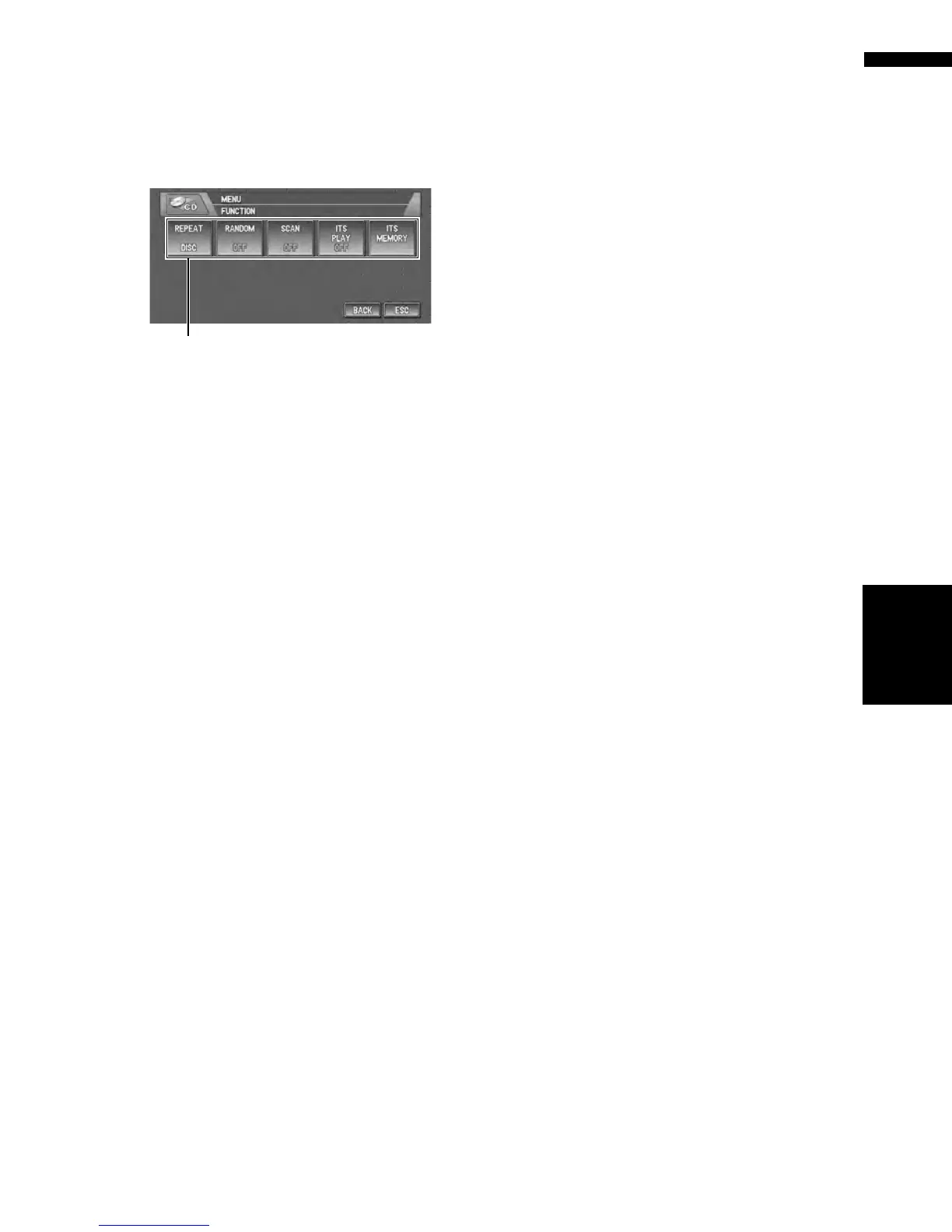
(1) Function display
Shows the function names.
➲ How to display the FUNCTION menu ➞
Page 71
Repeating play
❒ During PBC playback of Video CDs, this func-
tion cannot be used.
1 Touch “REPEAT” in the FUNCTION
menu.
Each touch of the “REPEAT” changes the
settings as follows:
During DVD-Video playback
• DISC — Repeat the current disc
• CHAPTER — Repeat just the current
chapter
• TITLE — Repeat just the current title
During Video CD or CD playback
• TRACK — Repeat just the current track
• DISC — Repeat the current disc
❒ If you select other discs during repeat play,
the repeat play range changes to DISC.
❒ If you perform track search or fast forward/
rewind during TRACK, the repeat play
range changes to DISC.
Playing tracks in a random order
❒ You can operate this function only during CD
playback.
1 Touch “RANDOM” in the FUNCTION
menu.
Touching “RANDOM” switches between
“ON” and “OFF”.
Tracks will play in a random order.
Scanning tracks of a CD
❒ You can operate this function only during CD
playback.
1 Touch “SCAN” in the FUNCTION menu.
Touching “SCAN” switches between “ON”
and “OFF”.
The first 10 seconds of each track is played.
2 When you find the desired track touch
“SCAN” to turn scan play off.
Using ITS playlists
❒ You can use this function only when a multi-
DVD player is connected to navigation system.
❒ This function differs slightly from ITS playback
with a multi-CD player. With a multi-DVD
player, ITS playback applies only to the CD
playing.
➲ Using ITS playlists ➞ Page 81
(1)
S-DVD








 To Next Page