74
Chapter 6Using the AV Source (Built-in CD Drive and Radio) AV
ever, if folder 001 (ROOT) contains no files, play-
back commences with next folder.
❒ If the current folder is the ROOT folder, “UP”
is not displayed.
(6) Searching for a desired track
You can use the search function to specify a track
to search for.
1 Touch “0” — “9” to input the desired num-
ber.
• To select 3, touch 3.
• To select 10, touch 1 and 0 in order.
• To select 23, touch 2 and 3 in order.
To cancel the input numbers, touch
“CLEAR”.
2 While the input number is displayed,
touch “ENTER”.
This starts playback from the selected track.
❒ If the track number you entered does not
exist, the track near that number will be
played.
(7) Switching mode between MP3/WMA/
WAV and CD-DA
When playing discs with MP3/WMA/WAV files
and audio data (CD-DA) such as CD-EXTRA and
MIXEDMODE CDs, both types can be played only
by switching mode between MP3/WMA/WAV and
CD-DA.
Touching “MEDIA” switches between CD-DA
part and MP3/WMA/WAV part.
(8) MP3/WMA/WAV: Using the folder up or
down
In the case of an MP3/WMA/WAV disc in which
the data is divided into folders, you can move up
or down another folder. This is used to play back
tracks recorded in other folders.
: Moves to the next folder.
: Moves to the previous folder.
❒ You can also skip back or forward to another
folder by moving the joystick up or down.
(9) CD TEXT disc: Displaying text informa-
tion on CD TEXT disc
Text information recorded on a CD TEXT disc can
be displayed.
The next piece of information is displayed.
• Disc Title (disc title)
• Disc Artist (disc artist)
• Track Title (track title)
• Track Artist (track artist)
MP3/WMA/WAV: Displaying text informa-
tion on MP3/WMA/WAV disc
Text information recorded on a MP3/WMA/WAV
disc can be displayed.
The next piece of information is displayed.
• Disc Title (disc title)
• Track Title (track title)
• Folder Title (folder name)
• File Name (file name)
• Artist Name (artist name)
❒ If specific information has not been encorded
on MP3/WMA/WAV files on disc, nothing may
be displayed.
❒ Depending on the version of Windows Media
Player used to encode WMA files, album
names and other text information may not be
correctly displayed.
❒ Unlike MP3 and WMA file format, WAV files
display only Folder Title and File Name.
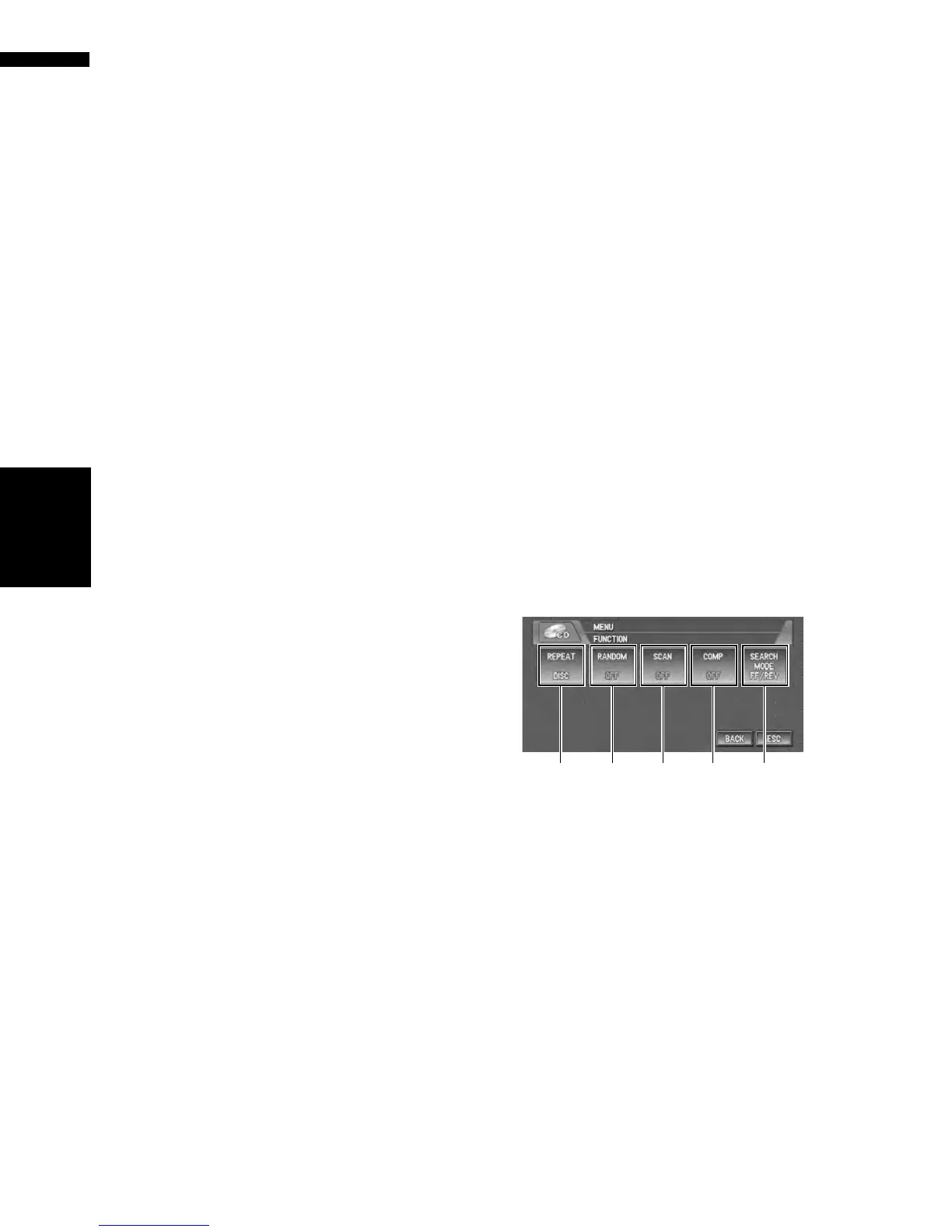
Operation using the FUNCTION
menu
➲ How to display the FUNCTION menu ➞
Page 71
(1) Repeating play
Each touch of the “REPEAT” changes the set-
tings as follows:
CD :
• DISC — Repeat the current disc
• TRACK — Repeat just the current track
❒ If you perform track search or fast forward/
fast rewind, repeat play is automatically can-
celed.
(1) (2) (3) (4)
FUNCTION menu (e.g., CD)
(5)
Built-in CD drive source









 To Next Page